

Machine Learning for Kids
 Tosh Marketing
Computers that recognize faces, suggest videos, or understand spoken questions can feel like magic. They are not magic. They are examples of machine learning, and children can understand the basic idea much earlier than most adults expect. Machine Learning for Kids is about helping young people see how computers learn from examples, so they grow up as creators of technology and not only users. This guide explains the topic in plain language, shares free tools and easy projects, and covers safety and ethics. Whether you are a parent, a teacher, or a curious beginner, you will find clear steps to start. And if the topic sparks a long-term interest, adults and older students can look at career-focused options such as the Certified Machine Learning Expert program to build deeper skills.
What Is Machine Learning?
Machine learning is a way of teaching computers by showing them examples instead of giving them step-by-step rules. In regular programming, a person writes exact instructions: "If the number is bigger than ten, do this." In machine learning, the computer studies many examples and finds patterns on its own.

A Simple Way to Explain It
Imagine teaching a younger child to tell cats from dogs. You do not hand them a rulebook. You show them many pictures and say "cat" or "dog." After enough pictures, they can guess correctly on a new photo. A machine learning model works the same way. It looks at many labeled examples, learns the patterns, and then makes a guess about something new.
Machine Learning, AI, and Coding: What Is the Difference?
Artificial intelligence (AI) is the big idea of machines doing tasks that seem smart.
Machine learning is one way to build AI, by learning from data.
Coding is writing instructions for a computer. Machine learning adds a new tool to a coder's toolbox. It does not replace coding.
Why Teach Machine Learning to Kids?
Machine learning already shapes the world kids live in, from video recommendations to voice assistants. Teaching the basics early has real benefits.
Builds critical thinking: Kids learn that computers make guesses based on data, and guesses can be wrong.
Develops problem-solving: Training a model means testing, finding mistakes, and improving.
Encourages creativity: Kids can build games, music tools, and drawing helpers.
Prepares for future careers: Data and AI skills are valuable in many fields.
Teaches responsibility: Children learn about fairness, privacy, and bias early.
Young learners who stay interested can later move into coding, data science, and AI development. Programs such as the Certified Machine Learning Developer course are built for older students and adults who want hands-on development skills, and they show what a long-term path can look like once the childhood curiosity has grown.
How Machine Learning Works: A Kid-Friendly Explanation
You can explain the whole process in four steps.
Step 1: Collect Examples (Data)
Data is the information a computer learns from. It might be pictures, sounds, words, or numbers. More good examples usually lead to better learning.
Step 2: Label the Examples
Labels tell the computer what each example is. A picture of an apple gets the label "apple." A banana picture gets "banana."
Step 3: Train the Model
Training means the computer looks at the labeled examples and finds patterns. A model is the result of this learning, like a brain that has practiced.
Step 4: Test and Improve
Now show the model something new and see if it guesses correctly. If it makes mistakes, add more examples or fix wrong labels, then train again. This loop of testing and improving is the heart of machine learning.
A Fun Home Activity: The Sorting Game
Gather ten toys and sort them into two piles, such as "soft" and "hard." Ask a friend to guess where a new toy goes using only what they learned from your piles. If they guess wrong, talk about why. You have just demonstrated training, testing, and improving without a computer.
Everyday Examples Kids Already Know
Children often use machine learning without realizing it. Pointing these out makes the idea real.
Video and music suggestions: The app guesses what you may like based on what you watched.
Voice assistants: They learn to understand different voices and words.
Photo apps: Phones group pictures of the same face or pet.
Spam filters: Email learns which messages are junk.
Translation tools: Apps learn patterns between languages.
Games: Some game characters adapt to how you play.
Ask your child: "How do you think the app knew that?" This simple question starts a great conversation.
Best Free Tools for Learning Machine Learning
Several well-known tools let kids train real models without advanced math. Always check each tool's age guidance, account rules, and privacy policy before use, and sit with younger children as they explore.
Machine Learning for Kids (Scratch Based)
This free website, created by Dale Lane of IBM, introduces kids to machine learning by letting them train models and use them in Scratch. Children can train models that recognize text, numbers, images, or sounds, and the trained model appears as new blocks in Scratch. The site includes roughly two dozen projects with teacher guidance and student worksheets, and it is designed for elementary students and up. One popular idea is building a Sorting Hat style game by training the computer to recognize text.
Teachable Machine by Google
Teachable Machine lets you train a computer to recognize your own images, sounds, and poses, right in the browser. A child can show the webcam a drawing of a smile and a frown, train the model, and watch it guess. It gives instant feedback, which makes it ideal for beginners.
AI for Oceans by Code.org
This activity teaches ideas like training data and bias while exploring how AI can help solve world problems. Learners train real machine learning models to tell fish from trash, which makes the lesson feel like a mission. It also introduces ethical thinking early.
AI Experiments with Google
This collection lets kids explore machine learning through pictures, drawings, language, and music. One example is a drawing game where the computer tries to guess what you sketch. It is quick, playful, and needs no setup.
Other Helpful Resources
Elements of AI: Free online courses created by Reaktor and the University of Helsinki, better suited to teens and adults.
Cognimates: A platform for building games, programming robots, and training AI.
Minecraft AI for Good: Free resources with lesson plans and videos.
Where to Go Next
When a young learner or a parent outgrows these beginner tools, the next question is usually about careers. Adults exploring related areas such as blockchain, AI, and other advanced fields can browse the Deep Tech Certification catalog to see how skills connect across emerging technologies.
Easy Machine Learning Projects by Age
Ages 6 to 8: Play and Notice
Sorting games: Sort toys or fruit and explain the rules you used.
Guess the drawing: Try a drawing guessing game and talk about why the computer got it wrong.
Spot the pattern: Find patterns in colors, shapes, and sounds around the house.
Ages 9 to 12: Train Your First Model
Teachable Machine image project: Train a model to tell apart two or three objects, such as a pencil, a cup, and a book.
Text sorter in Scratch: Use Machine Learning for Kids to train a model that sorts sentences into happy or sad.
Rock, paper, scissors: Train the webcam to recognize hand gestures and build a simple game.
Ages 13 and Up: Build and Think Deeper
Sound classifier: Train a model to recognize claps, whistles, or spoken words.
Smart game character: Combine a trained model with Scratch to make a character that reacts to your voice or images.
Data investigation: Collect data about the school day, such as lunch choices, and look for patterns in a spreadsheet.
Intro to Python: Start learning a text-based language, which is widely used in machine learning.
Quick Age Guide
Age Group | Main Goal | Good Activities |
|---|---|---|
6 to 8 | Understand the idea | Sorting games, guessing games |
9 to 12 | Train and test a model | Teachable Machine, Scratch projects |
13 to 15 | Build and explore | Sound models, data projects, Python basics |
16 and up | Skills and career paths | Coding, math, structured courses |
Teaching AI Ethics, Fairness, and Safety
Learning how machines learn also means learning how they can go wrong. Starting these conversations early builds responsible users.
Bias in Data
A model only knows what it has seen. If you train a fruit recognizer with only red apples, it may fail on green apples. In the real world, biased data can lead to unfair results for people. Ask kids: "What examples did we forget?"
Privacy
Children should not enter personal information, such as full names, addresses, school names, or private photos, into any tool. Parents and teachers should review the privacy rules and age requirements for each platform and use accounts appropriately.
Computers Can Be Wrong
Remind kids that a confident answer is not always a correct answer. Teach them to check important information with a trusted adult or reliable source.
Healthy Screen Habits
Balance computer time with offline activities like the sorting game, drawing, and outdoor play.
Tips for Parents and Teachers
Start with curiosity, not pressure. Let kids explore and ask questions.
Use real examples. Connect lessons to apps and games children already enjoy.
Keep sessions short. Twenty to thirty minutes is enough for younger kids.
Celebrate mistakes. A wrong guess from the model is a chance to learn.
Learn together. You do not need to be an expert. Exploring side by side is powerful.
Encourage sharing. Ask kids to explain what they built to a friend or family member.
Go step by step. Move from unplugged activities to visual tools, then to simple coding.
Common Myths About Machine Learning for Kids
Myth: It is too hard for kids. Visual tools make the core ideas easy to grasp.
Myth: You need advanced math. Basic concepts need no formulas. Math becomes useful later.
Myth: It replaces coding. It adds a new tool next to coding.
Myth: Computers think like people. Models find patterns. They do not understand the world the way people do.
Myth: You need expensive equipment. A computer with a browser and a webcam is often enough.
Starting a Club or Class
If you are a teacher, a parent group, or a community leader, you can create a small machine learning club. Begin with a weekly session, pick one tool, and let children present their projects at the end of each month. Sharing the program well matters too, because good communication brings in more students and supporters. Organizers who want to promote their classes, write clear announcements, and grow a community can benefit from a credential like the Marketing Certification, which supports communication, branding, and outreach skills.
Conclusion
Machine Learning for Kids is not about turning every child into an engineer. It is about helping them understand the technology around them, think critically, and feel confident creating with it. Start with simple ideas, use free tools like Teachable Machine, Machine Learning for Kids with Scratch, and AI for Oceans, talk openly about bias and privacy, and keep every session playful. With curiosity and steady practice, today's young learners can grow into tomorrow's thoughtful builders of technology.
FAQs
1. What is machine learning for kids?
Machine learning for kids is the process of teaching children how computers can learn patterns from examples and use those patterns to make predictions or decisions. It introduces AI concepts through age-appropriate activities, games, experiments, and simple projects.
2. At what age can kids start learning machine learning?
Children can begin exploring basic AI and machine learning concepts at different ages depending on their interests and learning level. Younger children can start with visual activities and simple classification games, while older students can explore datasets, programming, and model training.
3. Is machine learning too difficult for children?
Machine learning can seem complicated when taught through advanced mathematics or programming, but its basic concepts can be introduced in simple ways. Children can start by understanding ideas such as patterns, examples, classification, prediction, and training data.
4. What should kids learn before machine learning?
Basic computer skills, logical thinking, patterns, and simple mathematics provide a useful foundation. For older children, learning Scratch or Python can also make it easier to build interactive machine learning projects.
5. Can kids learn machine learning without coding?
Yes. Visual and educational AI platforms can allow children to experiment with machine learning without writing traditional code. These tools can help students understand concepts such as training data, classification, and prediction before moving into programming.
6. What is the Machine Learning for Kids platform?
Machine Learning for Kids is an educational project that helps children learn about machine learning by building projects with tools such as Scratch. It allows students to train simple machine learning models and use them in interactive applications.
7. How does Machine Learning for Kids work?
Students can provide examples for a machine learning model, train the model, and then use its predictions in a project. For example, a child can train a model to recognize different categories of text and then create a Scratch application that responds to those categories.
8. What can kids build with machine learning?
Children can build projects such as image classifiers, text classifiers, interactive games, chatbots, recommendation systems, and voice-controlled applications. Projects should match the child's age, technical experience, and understanding of AI concepts.
9. Can kids learn machine learning using Scratch?
Yes. Scratch is a visual programming environment that can make machine learning concepts easier to explore. Machine learning projects can connect trained models with Scratch programs so children can create interactive applications.
10. Can children learn machine learning with Python?
Older children and students with programming experience can use Python to explore machine learning more deeply. Python libraries can introduce concepts such as datasets, classification, model training, evaluation, and prediction.
11. What machine learning concepts should kids learn first?
Children can begin with concepts such as data, patterns, training examples, classification, prediction, and model accuracy. As they progress, they can learn about supervised learning, neural networks, computer vision, natural language processing, and model evaluation.
12. Why is machine learning useful for children's education?
Learning machine learning can develop computational thinking, problem-solving, experimentation, and data literacy. It can also help children understand how many AI-powered technologies they encounter in everyday life work at a basic level.
13. What are some easy machine learning projects for kids?
Beginner projects can include identifying animals from images, classifying positive and negative sentences, recognizing simple objects, creating a recommendation game, or building a chatbot with predefined categories. The goal should be to understand the learning process rather than create a highly sophisticated AI system.
14. Do kids need advanced mathematics to learn machine learning?
No. Children can explore fundamental machine learning concepts without advanced mathematics. As students progress to more technical machine learning courses, they may gradually need algebra, statistics, probability, and other mathematical concepts.
15. Is machine learning safe for children?
Machine learning education can be safe when children use age-appropriate platforms with appropriate supervision and privacy protections. Parents and educators should pay attention to what personal information children upload and how external AI services handle their data.
16. How can teachers introduce machine learning in the classroom?
Teachers can begin with simple demonstrations showing how computers learn from examples. Students can then collect small datasets, train simple models, test predictions, discuss mistakes, and create projects that demonstrate what the model learned.
17. How can parents help kids learn machine learning?
Parents can encourage children to experiment with age-appropriate AI tools, educational resources, coding platforms, and small projects. Asking children to explain how their model learned from examples can help reinforce understanding.
18. What is the difference between artificial intelligence and machine learning for kids?
Artificial intelligence is the broader concept of creating systems that perform tasks associated with intelligent behavior. Machine learning is one approach to AI in which computers learn patterns from data instead of relying entirely on explicitly programmed rules.
19. Can learning machine learning help kids prepare for future careers?
Yes. Early exposure can help children develop computational thinking, data literacy, programming skills, and an understanding of AI. These foundations may be useful for future studies and careers in technology, data science, engineering, robotics, and other fields.
20. What is the best way for kids to start learning machine learning?
Start with simple, visual, project-based activities rather than complex theory. A good progression is to understand patterns and data, experiment with a beginner-friendly machine learning tool, create a small project, and gradually move toward programming and more advanced AI concepts.
Related Articles
View All
AI & ML
Jev vs Machine Learning Models
Compare Jev with traditional machine learning models, including differences in outputs, decision-making, confidence, automation, training, and software integration.
AI & ML
AI Models for Machine Decision Making
Explore how AI models support machine decision making through classification, prediction, scoring, optimization, and probabilistic reasoning across automated systems.
AI & ML
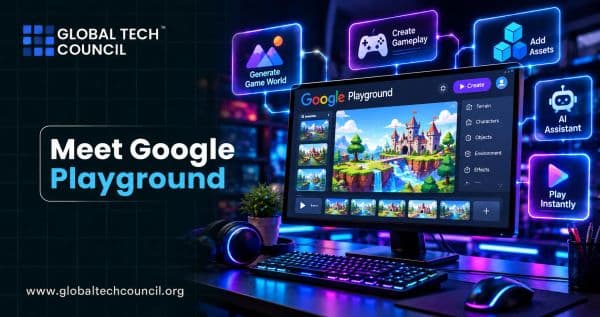
Meet Google Playground: Create Games With AI
Meet Google Playground, Google's new experimental platform that lets you create, play, and share custom games with text prompts. Learn how it works, basic game design tips, a sample session, safety and sharing features, Unity Spark plans, and limits.
Trending Articles
The Role of Blockchain in Ethical AI Development
How blockchain technology is being used to promote transparency and accountability in artificial intelligence systems.
AWS Career Roadmap
A step-by-step guide to building a successful career in Amazon Web Services cloud computing.
Top 5 DeFi Platforms
Explore the leading decentralized finance platforms and what makes each one unique in the evolving DeFi landscape.