


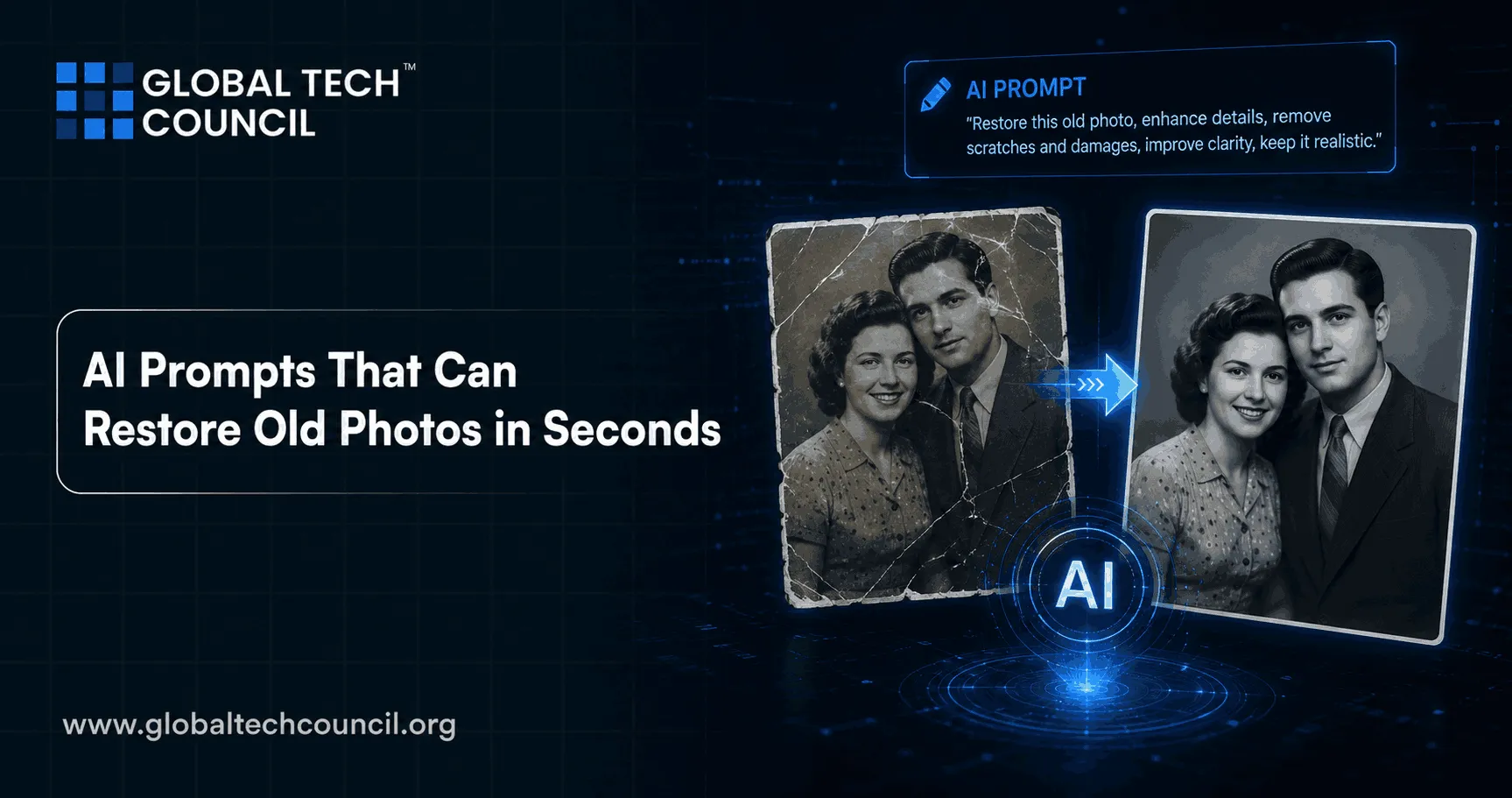
 Photographs capture moments that people never want to lose. Family portraits, wedding pictures, graduation photos, childhood memories, and historical images often become priceless over time. Unfortunately, many old photographs deteriorate because of fading, scratches, stains, tears, blur, or poor storage conditions. Traditionally, restoring these damaged images required professional photo editors and hours of manual retouching. Today, artificial intelligence has completely transformed this process.
Modern AI tools can now restore old photos within seconds using advanced prompts and image-generation systems. AI-powered restoration platforms can sharpen blurry faces, repair damaged sections, colorize black-and-white images, and improve overall image quality automatically. Humans spent generations protecting old family albums like sacred treasure chests only for the future solution to become “drag image here and type instructions.” Technology remains deeply entertaining.
As AI adoption grows across creative industries, many professionals are strengthening their AI expertise through the AI Expert certification, which focuses on practical AI implementation and enterprise applications.
Professionals who want to improve AI instruction-writing and prompting skills are also increasingly pursuing the Prompt engineering certification to master AI-driven creative workflows and automation systems.
What Is AI-Based Photo Restoration?
AI-based photo restoration refers to the use of artificial intelligence models to repair and enhance damaged images automatically. These systems rely on machine learning, computer vision, and neural networks trained on millions of photographs.
AI restoration tools can:
- Remove scratches and dust
- Repair tears and damaged areas
- Sharpen blurry images
- Enhance facial details
- Restore faded colors
- Colorize black-and-white photos
- Improve image resolution
- Reduce noise and grain
Unlike traditional editing, AI systems analyze visual patterns and predict missing information intelligently.
How AI Prompts Improve Restoration Results
AI prompts are written instructions that guide image restoration systems. The quality of a prompt often determines how accurate and realistic the restored image becomes.
For example, instead of using a vague instruction such as:
“Fix this image”
A better prompt would be:
“Restore this faded family photograph by sharpening faces, removing scratches, improving contrast, and preserving natural skin tones.”
Detailed prompts help the AI understand exactly what adjustments should be applied.
Why Prompt Engineering Matters
Prompt engineering has become one of the most important skills in modern AI workflows. Clear instructions improve AI accuracy and reduce unwanted edits.
Professionals learning advanced prompting strategies often enroll in the Prompt engineering certification to improve AI-assisted image generation, automation, and content workflows.
Apparently the future of advanced artificial intelligence still depends heavily on humans learning how to ask better questions. Civilization truly moves in circles.
Popular AI Prompts for Restoring Old Photos
Different photo types require different restoration approaches. Below are some commonly used AI prompts.
Basic Restoration Prompt
“Restore this damaged old photo by removing scratches, repairing faded areas, sharpening faces, and improving image clarity naturally.”
Vintage Portrait Prompt
“Enhance this vintage portrait with realistic skin texture, improved facial sharpness, soft lighting, and high-resolution detail.”
Black-and-White Colorization Prompt
“Colorize this black-and-white family photo with realistic clothing colors, natural skin tones, and balanced lighting while preserving historical authenticity.”
Historical Archive Prompt
“Restore this historical image by reducing blur, repairing torn sections, improving readability, and maintaining authentic textures.”
Wedding Photo Enhancement Prompt
“Restore this old wedding photograph by enhancing brightness, sharpening facial details, removing grain, and preserving emotional image quality.”
Best AI Tools for Photo Restoration
Several AI-powered tools are now widely used for restoring damaged photographs.
Adobe Photoshop AI
Adobe offers AI-powered neural filters and generative editing tools for professional restoration workflows.
Remini
Remini specializes in enhancing blurry facial images and improving low-quality photographs.
MyHeritage AI
MyHeritage provides AI restoration and animation tools designed for family and historical photographs.
Topaz Labs
Topaz Labs offers advanced AI sharpening, upscaling, and denoising software.
Stable Diffusion Workflows
Advanced creators use Stable Diffusion models with prompts for highly customized restoration projects.
Professionals working with advanced AI workflows often strengthen technical automation skills through the AI Powered coding expert Course to build AI-assisted editing systems and creative applications.
AI Restoration for Family and Historical Photos
One of the biggest applications of AI restoration is preserving family history.
Family Portrait Restoration
AI tools can sharpen faces, restore natural lighting, and improve faded portraits.
Example prompt:
“Restore this family portrait with realistic skin tones, enhanced facial clarity, and natural vintage lighting.”
Childhood Memory Restoration
Old childhood photographs often suffer from blur and discoloration.
Example prompt:
“Enhance this childhood photo by restoring colors, sharpening details, and reducing image grain naturally.”
Historical Archive Restoration
Museums, historians, and researchers increasingly use AI to restore historical photographs and documents.
Example prompt:
“Repair this historical archive image by removing stains, improving readability, and preserving original textures.”
AI and Social Media Content Creation
Restored old photos are becoming increasingly popular on social media platforms. Creators use restored images for storytelling, historical content, nostalgia campaigns, and educational videos.
Popular uses include:
- YouTube documentaries
- Instagram nostalgia pages
- Family storytelling content
- Historical education projects
- Brand storytelling campaigns
Businesses and marketers are also using AI-enhanced visuals to improve engagement and emotional connection.
Professionals improving AI-driven campaign strategies are increasingly pursuing the AI powered digital marketing course and the AI Powered marketing certification.
Agentic AI and Automated Restoration Workflows
One of the newest developments in AI technology is agentic AI.
Agentic AI systems can complete multi-step workflows autonomously with minimal human input.
How Agentic AI Helps Photo Restoration
AI agents can:
- Scan damaged images
- Detect scratches and blur
- Apply restoration prompts automatically
- Enhance image quality
- Organize restored files
- Generate archive descriptions
This reduces manual editing work and improves efficiency for photographers, archivists, and content creators.
Professionals interested in intelligent automation systems are increasingly enrolling in the Agentic AI expert certification to understand autonomous AI workflows and automation technologies.
Benefits of AI-Powered Restoration
AI restoration offers several major advantages compared to traditional editing methods.
Faster Results
Photos can be restored within seconds instead of hours.
Affordable Restoration
Users no longer need expensive editing services for basic photo enhancement.
Beginner Accessibility
Even non-designers can restore images using simple prompts and AI platforms.
Preservation of Memories
AI helps families preserve old memories digitally for future generations.
Improved Workflow Efficiency
Professional creators can integrate AI restoration into larger content and editing pipelines.
Humanity spent decades slowly flipping through physical albums at family gatherings. Now future generations may restore and archive entire family histories from a smartphone during lunch breaks.
Challenges and Ethical Considerations
Despite its advantages, AI photo restoration also presents challenges.
Over-Editing
Excessive AI enhancement may create unrealistic or artificial-looking images.
Historical Accuracy
AI-generated colors and textures may not always reflect true historical details.
Privacy Concerns
Users should be cautious when uploading sensitive family images to online platforms.
Dependence on AI
Overreliance on AI tools may reduce manual editing expertise over time.
The internet already contains enough questionable “enhanced” images without turning every ancestor into a hyper-realistic movie character.
Future of AI Photo Restoration
AI restoration technology is evolving rapidly and will likely become even more advanced.
Better Realism
Future AI systems may improve facial reconstruction and historical accuracy.
Real-Time Editing
Live restoration previews and instant AI adjustments are becoming increasingly possible.
Mobile AI Apps
Smartphone-based AI restoration tools are becoming more powerful and accessible.
Full Automation Pipelines
Future systems may combine scanning, restoration, enhancement, organization, and archiving automatically.
As AI capabilities continue improving, restoring historical memories will become easier and more accurate than ever before.
Importance of AI Certifications in Creative Industries
AI is now deeply integrated into photography, design, marketing, and digital content creation. Professionals with verified AI skills are becoming increasingly valuable across industries.
Important AI skills include:
- Prompt engineering
- AI-assisted editing
- Workflow automation
- AI coding
- Marketing optimization
- Autonomous AI systems
Programs such as the AI Expert certification help professionals build practical AI implementation knowledge for modern industries.
Similarly, the Prompt engineering certification helps creators master AI instructions and advanced prompting workflows.
Technical professionals also strengthen automation expertise through the AI Powered coding expert Course, while marketers improve AI-driven branding and campaign strategies through the AI powered digital marketing course and the AI Powered marketing certification.
Conclusion
AI-powered photo restoration is revolutionizing the way people preserve historical memories and damaged photographs. With the help of detailed prompts, modern AI systems can restore faded portraits, sharpen blurry images, remove scratches, and colorize black-and-white photos within seconds.
From casual users restoring family albums to professional photographers managing large archives, AI restoration tools are making image enhancement faster, cheaper, and more accessible than ever before.
At the same time, prompt quality remains one of the most important factors in achieving accurate and realistic restoration results. As AI continues advancing, professionals who understand prompt engineering, automation, and AI-assisted workflows will gain major advantages across creative and digital industries.
FAQs
1. What are AI prompts for photo restoration?
AI prompts for photo restoration are written instructions that tell an AI tool how to repair or enhance an old image. They can guide the system to remove scratches, sharpen faces, restore colors, or improve lighting. A clear prompt usually produces better results than a vague one, because apparently even futuristic image repair still needs decent instructions.
2. How can AI restore old photos so quickly?
AI restores old photos quickly by using trained image models that recognize damage patterns and predict missing details. These systems can detect blur, stains, scratches, and faded areas automatically. Instead of editing each part manually, the AI applies restoration steps in seconds.
3. What should I include in a good photo restoration prompt?
A good prompt should mention the type of photo, the damage, and the desired result. For example, include instructions like “remove scratches,” “sharpen faces,” “restore faded colors,” and “keep the image natural.” The more specific the prompt is, the less the AI has to guess, which is merciful for everyone involved.
4. Can AI restore badly damaged family photos?
AI can restore many badly damaged family photos, especially if the main faces and outlines are still visible. It can repair scratches, improve clarity, and reconstruct faded areas. However, if large parts of the image are completely missing, human editing may still be needed.
5. Can AI colorize black-and-white photos accurately?
AI can colorize black-and-white photos with realistic-looking colors, but the result may not always be historically exact. The system predicts colors based on patterns, clothing, objects, and context. Human review is helpful when accuracy matters, especially for archival or historical images.
6. Are AI-restored photos good enough for printing?
Many AI-restored photos are good enough for printing if the original scan is decent and the restoration is not overprocessed. AI upscaling can improve resolution and sharpness for better print quality. For large prints, it is best to review the final image carefully before sending it to print.
7. Which types of old photos work best with AI restoration?
AI works best on photos where faces, objects, and backgrounds are still partly visible. Faded portraits, scratched family photos, blurry childhood images, and low-resolution scans often improve well. Extremely torn or heavily stained photos may require more advanced editing.
8. Can AI remove scratches and stains from photos?
Yes, AI can remove many scratches, stains, dust marks, and small tears from old photographs. It analyzes surrounding pixels and fills damaged areas with realistic details. The result is usually cleaner and sharper, though severe damage may still need manual correction.
9. Is prompt engineering important for photo restoration?
Prompt engineering is important because the restoration quality depends heavily on how clearly the user explains the task. A vague prompt may produce generic edits, while a detailed prompt can preserve facial details, colors, and textures more naturally. It is basically the art of telling the machine exactly what not to ruin.
10. Can beginners use AI photo restoration tools?
Yes, beginners can use AI photo restoration tools without advanced editing knowledge. Many platforms only require users to upload an image and enter a simple prompt. This makes restoration accessible for families, hobbyists, students, and small creators.
11. How does AI improve blurry faces in old photos?
AI improves blurry faces by detecting facial structures and reconstructing sharper details such as eyes, hair, skin texture, and expressions. It uses learned image patterns to make the face clearer. The result can look impressive, though it should be checked to ensure the person still looks like themselves.
12. Can AI restoration change how people look?
Yes, AI restoration can sometimes alter facial details if the original image is unclear or heavily damaged. It may unintentionally smooth skin, reshape features, or generate details that were not actually present. That is why subtle restoration is usually better than aggressive enhancement.
13. Is it safe to upload family photos to AI tools?
It depends on the tool’s privacy policy and how it handles uploaded images. Users should avoid uploading sensitive personal photos to unknown platforms. For family archives, it is safer to use reputable tools and check whether images are stored, shared, or used for training.
14. Can AI restore historical archive images?
AI can help restore historical archive images by improving clarity, removing damage, and enhancing readability. However, archival work requires caution because over-editing can reduce authenticity. Historians and archivists should preserve original copies and clearly label restored versions.
15. What is the difference between AI restoration and manual editing?
AI restoration automates repairs using machine learning, while manual editing relies on human skill and detailed control. AI is faster and easier for common tasks like scratch removal and sharpening. Manual editing is better for complex, artistic, or historically sensitive restoration work.
16. Can AI upscale low-resolution old photos?
Yes, AI upscaling can increase image resolution and make low-quality photos appear sharper. It reconstructs additional details instead of simply stretching the image. This is useful for printing, sharing online, or preserving old digital scans.
17. How can marketers use restored old photos?
Marketers can use restored old photos in nostalgia campaigns, brand storytelling, heritage posts, documentaries, and social media content. These images can create emotional engagement and strengthen audience connection. Naturally, even memories are now content assets, because capitalism found the family album too.
18. How does agentic AI help with photo restoration?
Agentic AI can automate multi-step restoration workflows, such as scanning photos, identifying damage, applying prompts, enhancing images, and organizing files. This is useful for photographers, archivists, and creators handling large collections. It reduces repetitive work and makes restoration projects easier to scale.
19. What mistakes should users avoid when restoring photos with AI?
Users should avoid vague prompts, excessive sharpening, unrealistic colorization, and uploading private photos to untrusted tools. They should also keep the original image file before making edits. AI restoration works best when users aim for natural enhancement rather than turning great-grandpa into a wax museum exhibit.
20. What is the future of AI photo restoration?
The future of AI photo restoration will likely include more accurate colorization, better facial reconstruction, stronger mobile apps, and automated restoration pipelines. Tools will become faster, easier, and more realistic over time. As the technology improves, preserving family and historical photos will become simpler for everyday users.