

Meet Google Playground: Create Games With AI
 Suyash Raizada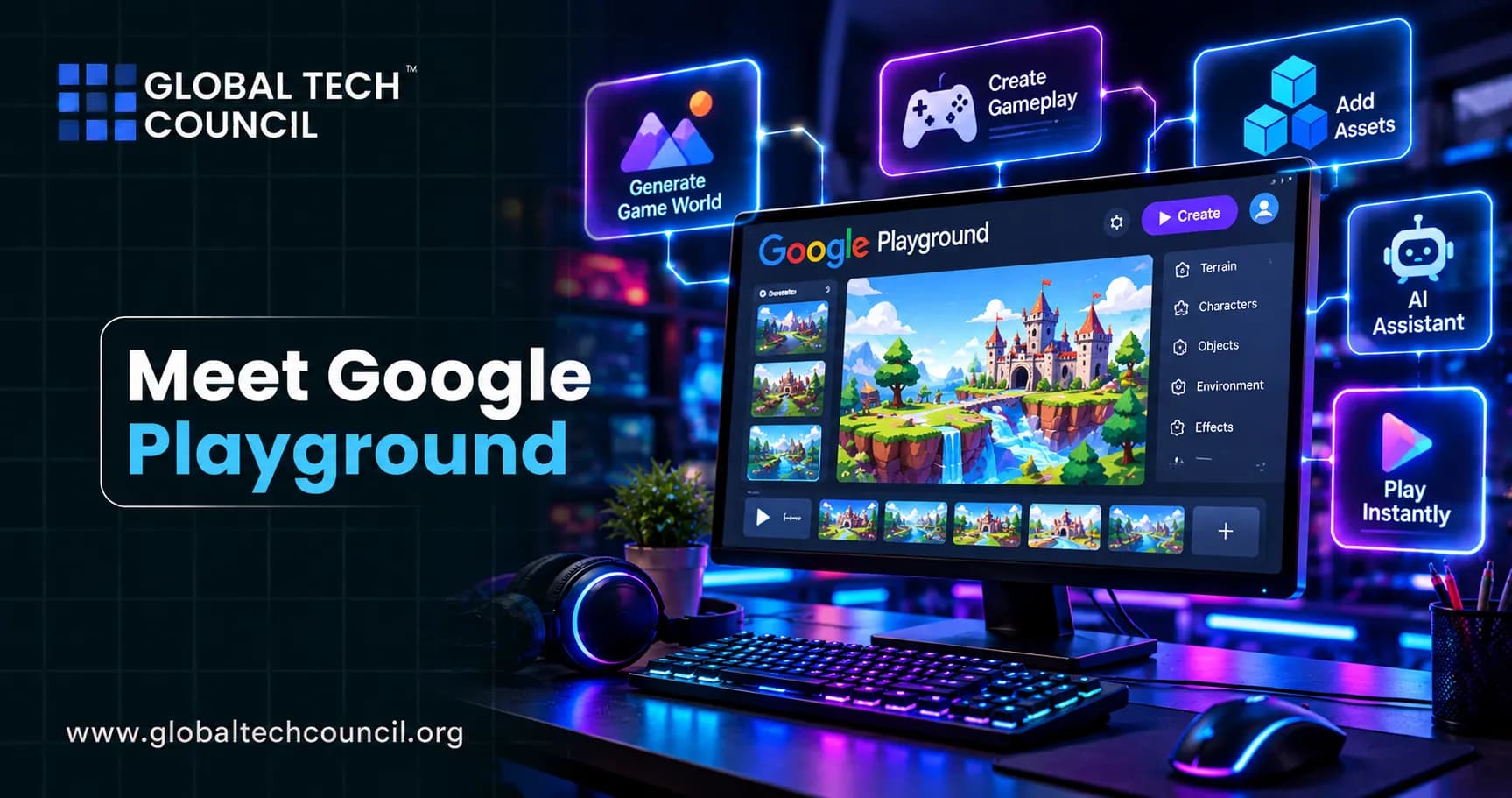
On October 7, 2026, Google introduced a new experiment with a simple promise: if you can describe a game, you can play it. Google Playground is an experimental platform where anyone can build, play, and share custom games by typing what they want, with no coding and no game engine to learn. This guide introduces the platform in plain language, explains how the conversation-based creation process works, teaches the basic game design ideas that make your prompts better, and covers the limits you should know before you start. It is written for beginners and professionals alike. If you want to understand the technology behind tools like this, the Certified Artificial Intelligence (AI) Expert program is a good starting point.
Because the launch is so recent, details may change. Treat this as a snapshot and check Google's official page for updates.

Meet Google Playground in 60 Seconds
Here are the key facts from Google's own announcement:
What it is: An experimental gaming platform for creating, playing, and sharing custom games.
How you build: Through a conversational interface where you type what you want.
Where games run: In a web browser, so you can play on a phone or a laptop.
How you share: Keep a game private, send a link, or publish it to the Playground Explore gallery.
Social features: Leaderboards, multiplayer in select genres, and Play Games profiles with custom handles.
Safety: Every published game goes through safety screenings aligned with Google's Community Guidelines, plus user reporting.
Availability at launch: Users in the United States aged 18 and older, at playground.google.
Access levels: Tiered creation access based on your Google One membership.
What is next: An integration with Unity Spark for more advanced, professional-level games.
Why Google Built It: Making Game Creation Easier
Google's own explanation is straightforward. Games are one of the most creative forms of expression, but making them has long been limited to people with technical experience and knowledge of complex game engines. Playground aims to lower that barrier so a game idea can come to life through a few prompts.
The idea fits a bigger trend. Generative AI, which is a type of artificial intelligence that creates new content such as text, images, music, and code, has made it possible for software to turn descriptions into working experiences. People who want to understand how these systems are trained and applied can explore the Certified Generative AI Expert program.
Competition is also heating up. Roblox introduced a tool called Build in July that creates basic games from natural language, and other no-code builders have added AI features. Playground puts Google directly into this race, with the reach of its browser, Android, and Play Games ecosystem behind it.
How Conversation-Based Creation Works
Instead of menus full of tools, Playground relies on a chat-style flow. Google describes several ways to begin.
Start From a Blank Canvas
You can type a fresh idea from scratch. For example, "a cozy farming game where I water glowing plants before sunset."
Remix Starter Prompts
If you are unsure where to begin, you can borrow a starter prompt and change it. Remixing is a great way to learn, because you see how a working idea is phrased and then bend it into something of your own.
Use Guided Support
Google also mentions guided support to help shape your concept. This is useful for beginners who know the feeling they want but not the rules.
Test Right Away and Keep Talking
Once a version exists, you can play it immediately. Then you keep the conversation going. Google says you can tweak the physics, rewrite the rules, customize the characters, or overhaul the environment just by asking, and that you stay in control of the creative direction from rough concept to finished game.
Think of the AI as an eager assistant who builds what you describe. Your job is to describe clearly and improve step by step.
Game Design Basics Every Beginner Should Know
You do not need to code, but a little design thinking makes your prompts much stronger. Most games, from tic-tac-toe to blockbuster titles, share five building blocks:
Goal: What is the player trying to achieve? Reach the exit, collect all the stars, beat a rival.
Core loop: The simple action repeated again and again, such as jump, collect, avoid, repeat.
Challenge: What makes it hard? Enemies, timers, limited moves, tricky terrain.
Feedback: How does the player know they are doing well? Points, sounds, animations, progress bars.
Progression: How does it change over time? New levels, faster speed, new abilities.
When you mention these five elements in a prompt, the AI has far more to work with than a vague request like "make a fun game."
A Sample Creation Session
Here is an illustrative example of how a conversation might unfold. These prompts are examples of good habits, not recorded outputs from the platform.
Prompt 1 (the idea): "Make a top-down game where I play a small fox collecting mushrooms in a misty forest. I move with arrow keys. The goal is to collect twelve mushrooms before the sun sets."
Prompt 2 (add challenge): "Add owls that swoop across the screen. If one touches me, I lose one mushroom."
Prompt 3 (add feedback): "Play a soft chime when I collect a mushroom and show a counter in the top corner."
Prompt 4 (tune the feel): "Make the fox a little faster and make the owls slower so the first level is easier."
Prompt 5 (add progression): "After I win, start a second level with more owls and a darker sky."
Notice the habit: one idea at a time, tested after each change. If something breaks, undo mentally to the last working version and describe the fix clearly.
Playing, Competing, and Sharing
Creating is only half the experience. Playground is also a home for a growing catalog of community games, and since everything runs in the browser, you can jump in on a phone or a laptop.
Share privately or publicly. Keep your game to yourself, send a link to challenge friends and family, or publish to the Explore gallery.
Compete. Games support in-game leaderboards, and multiplayer is available in select genres.
Build an identity. With a Play Games profile, you can claim a custom handle, like favorite games, and follow creators.
Discover. Google says the gallery uses player ratings and play activity to highlight games that are fresh, creative, and fun.
Stay safe. Every published game goes through safety screenings, and users can report problems.
The Bigger Picture: AI, Games, and Emerging Technology
Playground is a sign of where creative software is heading: people describe, AI builds, and communities remix. Questions about ownership, authenticity, and credit for AI-assisted work will become more important as more people publish creations. Learners who want to see how AI connects with other fast-moving fields, including blockchain and digital ownership, often explore a Deep Tech Certification path to understand the wider landscape.
Unity Spark: Where It Could Go Next
Google says Playground will soon offer an integration with Unity Spark for dedicated creators who want to expand their ideas. According to Google, Unity Spark brings robust, professional-level mechanics, high-fidelity 3D capabilities, and the flexibility of the Unity runtime. The goal is a path where someone starts with a simple prompt and eventually grows into building immersive experiences with Unity, with the results available to everyone on Playground. Google says Unity Spark is currently in testing, with a closed beta coming soon.
Who Should Try Google Playground?
Curious beginners who have always wanted to make a game but never knew where to start.
Students who want to learn about rules, logic, and design without a coding barrier.
Teachers looking for a creative way to explain game design or storytelling.
Indie developers who want to prototype ideas quickly before building them properly.
Parents and families who want to create something together, keeping in mind the 18-plus creation rule for now.
Small businesses and creators who want a playful way to engage an audience.
Limits, Questions, and Cautions
A fair review includes the downsides:
It is an early experiment. Google itself calls it an early experiment, and generative AI is labeled experimental, so expect rough edges.
Limited access. Creation is available at launch only to US users aged 18 and older, and creation levels depend on your Google One membership. Some outlets report a weekly token system with a limited free allowance, so check Google's page for the exact rules.
Quality is unproven. Earlier AI game generators have often struggled with choppy animation, odd physics, and generic visuals. Whether Playground avoids those problems will become clear as more people try it.
Simple first, complex later. Deep, polished games still need professional tools and skills, which is partly why Unity Spark is planned.
Open questions. Google's announcement does not spell out details such as ownership of creations or how games may be reused, so read the terms before investing serious time.
Content moderation. Safety screenings help, but no system is perfect.
Tips for Safe and Responsible Creation
Use only content you have the right to use. Do not upload copyrighted characters or artwork you do not own.
Keep personal information out of prompts and games.
Follow the Community Guidelines before publishing.
Be honest about AI help when you share your work.
Test with friends before going public, and listen to feedback.
Read the terms so you understand your rights and Google's.
From Prompt to Pro: A Simple Learning Path
If Playground sparks a deeper interest, here is a way to grow:
Play and remix. Try community games and study what makes them fun.
Make small games. Finish many tiny projects instead of one giant one.
Learn design vocabulary. Study goals, loops, challenge, feedback, and progression.
Explore game engines. Try Unity or similar tools when you want more control.
Learn basic coding. It helps even when AI is doing the heavy lifting.
Share and market your work. A great game still needs an audience. Creators who want to learn how to position, promote, and measure what they build can add a Marketing Certification to their skills.
Conclusion
Google Playground is a bold, early attempt to make game creation as easy as having a conversation. With a chat-style interface, remixable starter prompts, instant testing, browser-based play, leaderboards, multiplayer in select genres, and a safety-screened community gallery, it invites everyday people to become game designers. The experiment is limited to US adults for now, its quality is still unproven, and many questions about terms and ownership remain. Even so, it is a clear preview of a future where describing an idea is the first step in building it. Try it with a small, clear idea, learn the basics of game design, and enjoy the process.
FAQs
1. What is Google Playground?
Google Playground is an experimental AI-powered gaming platform from Google that lets users create, play, and share custom games. Users can describe their ideas with text prompts instead of writing traditional code.
2. How does Google Playground create games with AI?
Google Playground uses a conversational interface where users describe what they want to build. The platform turns those instructions into a playable game that users can test and refine through additional prompts.
3. Can you create games in Google Playground without coding?
Yes. Playground is designed for no-code game creation, allowing users to describe game concepts in natural language without requiring traditional programming experience.
4. What types of games can you create with Google Playground?
Users can create different types of games, including trivia, tower defense, racing, platformers, arcade shooters, word puzzles, sports games, and other interactive concepts. Users can also start from a blank idea rather than choosing an existing genre.
5. What should you include in a Google Playground prompt?
A useful prompt can describe the game's objective, genre, characters, environment, rules, controls, scoring system, difficulty, and visual style. Detailed instructions can make it easier to communicate the intended game experience.
6. Can Google Playground customize characters and environments?
Yes. Users can ask Playground to modify characters, environments, rules, physics, and other elements of a generated game. This allows creators to refine the experience through conversational instructions.
7. Can I edit a game after creating it in Google Playground?
Yes. Playground supports an iterative workflow in which creators can continue giving instructions after the initial game has been generated. You can ask for changes to gameplay mechanics, rules, characters, physics, or environments.
8. Can beginners use Google Playground?
Yes. Beginners can use Playground without needing prior game-development or programming experience. Its prompt-based interface lowers the technical barrier to experimenting with interactive game ideas.
9. Can Google Playground games be played in a web browser?
Yes. Playground is browser-based, so users can create and play games through the web. Google says games can be played across devices such as phones and laptops.
10. Can Google Playground create multiplayer games?
Yes, multiplayer gameplay is supported for select genres. Playground also includes features such as leaderboards that allow players to compete and compare results.
11. Can I share a game created with Google Playground?
Yes. Creators can keep games private, share them through a link, or publish them to the Playground Explore gallery. Published games are subject to Google's safety screening and community guidelines.
12. Is Google Playground free to use?
Google Playground is an experimental service with access and creation availability that can depend on location and subscription status. Google currently notes that subscription may be required and that availability is limited to select countries.
13. Who can access Google Playground?
Google's current Playground page states that the service is available to users aged 18 and above in select countries. Access and creation availability can change as the experiment expands.
14. Can Google Playground help with game prototyping?
Yes. Playground can be useful for quickly turning an idea into a playable prototype. Creators can experiment with different mechanics and concepts before investing time in more traditional game-development workflows.
15. Can professional game developers use Google Playground?
Yes, developers can use Playground for experimentation and rapid prototyping. However, complex commercial games may still require professional game engines, programming, custom assets, testing, optimization, and production infrastructure.
16. What are the main benefits of Google Playground?
The main benefits include prompt-based creation, no-code accessibility, rapid prototyping, easy iteration, browser-based gameplay, and game sharing. It also gives users a way to experiment with game concepts without first learning a full game-development toolchain.
17. What are the limitations of Google Playground?
Playground is still an experimental platform, so its features, availability, access requirements, and generation capabilities may change. AI-generated games may also require several iterations to achieve the desired gameplay quality and reliability.
18. What is Unity Spark and how is it related to Google Playground?
Unity Spark is a professional-oriented AI game creation tool that Google says will integrate with Playground. It is intended to provide more advanced mechanics, high-fidelity 3D capabilities, and Unity runtime functionality for creators who want to take game concepts further.
19. Can Google Playground replace traditional game development?
Not completely. Playground can simplify ideation and prototyping, but complex games still involve areas such as programming, art, audio, level design, testing, optimization, security, and production management.
20. Is Google Playground changing the future of game creation?
Google Playground demonstrates how generative AI can shift parts of game creation from code-first workflows toward prompt-based creation. If these tools continue to improve, they could make experimentation and game prototyping accessible to a much broader group of creators.
Related Articles
View All
AI & ML
Create AI Movies in Seconds: From Idea to Finished Video
Learn how AI movie tools can turn an idea into a finished video using automated scripting, visuals, voiceovers, editing, and generation workflows.

AI & ML
Can an AI Model Create a Better AI Model Than Itself?
Explore whether an AI model can help create a more capable AI system than itself, how automated model design and optimization work, and what limits still remain.

AI & ML
Does Google Achieve Recursive Self-Improvement?
Explore whether Google has achieved recursive self-improvement in AI, how systems like AlphaEvolve and SIMA 2 demonstrate self-improving capabilities, and what still separates them from true RSI.
Trending Articles
The Role of Blockchain in Ethical AI Development
How blockchain technology is being used to promote transparency and accountability in artificial intelligence systems.
AWS Career Roadmap
A step-by-step guide to building a successful career in Amazon Web Services cloud computing.
Top 5 DeFi Platforms
Explore the leading decentralized finance platforms and what makes each one unique in the evolving DeFi landscape.