

Microsoft to Allow Users to Disable Web Search in Windows 11

Introduction: A Long-Awaited Change for Windows Users
For years, Windows users have complained about the same frustration. They press the Windows key, type a filename or app name, and instead of getting a clean local result, they receive a cluttered mix of Bing suggestions, web links, and sponsored content. Microsoft is now moving to address that frustration directly.
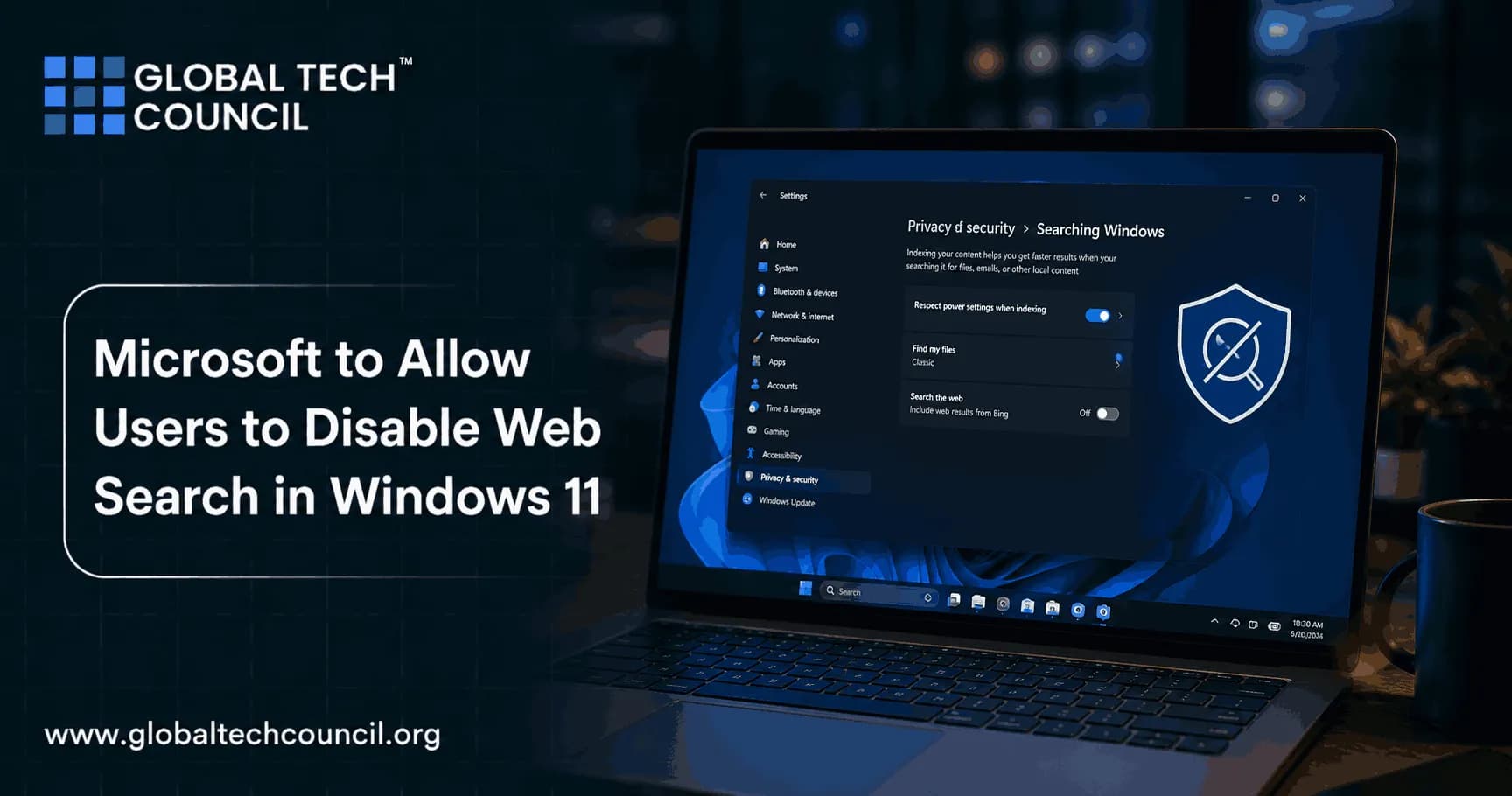
In June 2026, Microsoft demonstrated a new setting at a private Windows Insider event in San Francisco that allows users to disable web search in Windows 11 entirely. The toggle described as a simple on/off switch under Privacy and Security settings would let users confine Windows Search to local files, apps, and system settings only. Consequently, users who want their operating system to behave like an operating system, not a search engine portal will finally have a built-in way to make that happen.

Furthermore, this development reflects a broader shift in how software companies are being pushed to treat user control as a genuine design priority rather than an afterthought. Therefore, understanding what this change involves, why it matters, and how it fits into the wider technology landscape is valuable for every Windows user and technology professional alike.
Background: The Problem With Web Search in Windows 11
How Windows Search Became a Friction Point
Windows Search was originally designed with a simple purpose: help users find things on their own computers. However, over successive Windows versions, Microsoft gradually expanded the scope of search results to include web content powered by Bing, suggestions from the Microsoft Store, news results, and cloud-connected recommendations.
Consequently, the experience of web search in Windows 11 became a source of widespread frustration. Power users, IT administrators, and everyday PC owners reported that typing a file name or application into the search bar frequently returned web links before local results. Furthermore, the presence of Bing-powered suggestions in a local search interface felt to many users like their operating system was functioning primarily as an advertising surface rather than a productivity tool.
Moreover, workarounds existed registry edits, Group Policy configurations, and third-party utility tools but none of these were accessible to average users. Therefore, the lack of a simple, official toggle left millions of users either tolerating an experience they disliked or relying on technical modifications that most people should not need to make just to control their own search interface.
Years of User Feedback
Community forums, feedback platforms, and developer discussions consistently highlighted web search in Windows 11 as one of the most disliked aspects of the operating system. Users described the search experience as slow, cluttered, and misaligned with their actual intent. Furthermore, many expressed the view that Microsoft was deliberately prioritizing traffic to its own services over genuine user utility.
Additionally, the issue attracted attention in regulatory contexts. The European Digital Markets Act placed new obligations on large technology companies to respect user choices regarding default services and bundled features. Consequently, compliance pressure from regulatory bodies added momentum to internal discussions about giving users more genuine control over the Windows Search experience.
The New Toggle: What Microsoft Is Building
Where the Setting Lives
According to reports from the June 2026 Windows Insider event in San Francisco, the new toggle appears under Privacy and Security within the Windows Settings application. Specifically, it sits within a subsection called "Show suggested search results." Users can switch this off to prevent Windows Search from returning Bing-powered web content, Microsoft Store suggestions, and MSN results alongside local search output.
Therefore, the location is logical and discoverable unlike previous workarounds that required navigating into the Registry Editor or Group Policy console. Furthermore, placing the control within Privacy and Security settings communicates clearly that this is framed as a privacy-related choice, not just a cosmetic preference. Consequently, users receive both functional control and contextual clarity about what the setting actually does.
What the Toggle Disables
When users disable web search in Windows 11 through this toggle, Windows Search stops sending queries to Bing and stops returning web-sourced results within the Start menu and taskbar search interface. This means users see only locally indexed content files, folders, installed applications, and system settings when they search from the Windows interface.
Moreover, reports indicate that the toggle also suppresses Microsoft Store suggestions and MSN content from appearing in search results. Consequently, the search experience becomes significantly cleaner and faster for users who want local-only results. Furthermore, eliminating web queries reduces the amount of search data transmitted to external servers, a meaningful privacy benefit for users who are conscious of data minimization.
Rollout Timeline
As of June 2026, the feature is in testing and has not yet reached Windows Insider builds publicly. However, based on the timeline established at the Insider event, the expectation is that the toggle will reach Insider preview channels within weeks. Consequently, a broader rollout to all Windows 11 users through a standard update is anticipated later in 2026.
Therefore, users who want early access should consider enrolling in the Windows Insider program. Furthermore, IT administrators managing enterprise environments should begin evaluating how this setting integrates with existing Group Policy configurations and organizational search policies.
Why Disabling Web Search in Windows 11 Matters
User Autonomy and Operating System Philosophy
The ability to disable web search in Windows 11 is more than a convenience feature. It represents a philosophical position about what an operating system should be. An operating system exists primarily to provide a reliable, controllable environment for users to run software and manage their own data. When core OS features like search prioritize platform traffic over user intent, that fundamental purpose is compromised.
Furthermore, the long history of user frustration around this issue demonstrates that the gap between what Microsoft designed and what users actually wanted was significant. Consequently, providing a genuine, accessible toggle acknowledges that user preferences not platform engagement metrics should guide the design of core operating system features.
Privacy and Data Minimization
Every search query entered into the Windows taskbar that triggers a web lookup is a data point transmitted to external servers. For users who are careful about digital privacy, this represents unnecessary data exposure during routine local computing tasks. Therefore, the ability to disable web search in Windows 11 has direct privacy implications beyond aesthetics or performance.
Moreover, enterprise environments have particular sensitivity around this issue. Organizations with strict data governance requirements may have policies prohibiting unnecessary transmission of internal search queries to external services. Consequently, a native toggle provides a cleaner, more maintainable compliance solution than Registry hacks or third-party tools that may behave inconsistently across Windows update cycles.
Performance Benefits
Local search that does not initiate web lookups is inherently faster. Eliminating the network round-trip required to fetch Bing results removes a latency variable that affects search responsiveness particularly noticeable on slower network connections or in environments where network activity is constrained.
Furthermore, reducing the processing overhead associated with rendering mixed local and web results produces a more responsive interface. Therefore, users who depend on fast, reliable search as part of their daily workflow will experience a measurable improvement when web search in Windows 11 is disabled and local indexing operates without web enrichment overhead.
The Broader Technology Landscape: Why This Development Matters to Professionals
This change reflects a wider conversation in the technology industry about user control, platform responsibility, and the boundaries between operating systems and internet services. Consequently, professionals who work in IT administration, cybersecurity, software development, and digital policy have a direct stake in understanding these developments clearly.
For technology professionals seeking recognized credentials in current and emerging areas of the industry, a Tech Certification from Global Tech Council provides structured pathways to validate expertise across software, systems, and digital infrastructure including the operating system and platform domains directly relevant to developments like this Windows 11 search update.
Furthermore, as operating systems integrate more AI-driven features including intelligent search, predictive suggestions, and adaptive interfaces, understanding how these systems work becomes increasingly important for professionals in every technology role. Therefore, staying current with developments in AI-enhanced operating system features is a genuine professional priority, not just a consumer curiosity.
AI Integration in Windows 11: The Larger Context
From Web Search to Intelligent Agents
The decision to give users control over web search in Windows 11 arrives at a moment when the operating system is simultaneously gaining more sophisticated AI capabilities. Windows 11 is integrating features powered by large language models, predictive assistance, and on-device AI processing. Consequently, the relationship between the operating system and external services is becoming more complex rather than simpler.
Moreover, agentic AI systems AI that can autonomously take actions, access data sources, and interact with services on behalf of users are increasingly present within operating system environments. Therefore, the principles of user control, transparency, and consent that underlie the web search in Windows 11 toggle are becoming even more important as AI capabilities expand within the OS.
For professionals who want to understand and work with the next generation of AI systems embedded in platforms like Windows, an Agentic AI certification provides the technical and conceptual foundation to understand how autonomous AI systems operate, how they interact with platform services, and how to govern their behavior responsibly in enterprise and consumer contexts.
Balancing AI Features With User Control
The Windows 11 search toggle illustrates a tension that will define the next phase of AI-integrated operating systems: the desire to deliver intelligent, connected experiences versus the need to respect user preferences for local, private, controlled computing. Furthermore, resolving this tension requires product teams, policymakers, and technologists to engage with questions about consent architecture, default settings, and the meaning of genuine user control.
Therefore, the toggle is not merely a UI adjustment. It is a reference point for how AI-integrated platforms should handle the boundary between helpful proactive services and unwelcome intrusions into user-controlled environments. Consequently, its design, discoverability, and real-world effectiveness will be closely watched by both users and the broader technology community.
Building AI Expertise: Professional Development in an AI-Defined Era
As platforms like Windows 11 integrate more AI features from search intelligence to ambient computing agents, professionals across every technology role need structured knowledge of how these systems work. Therefore, formal AI expertise is increasingly relevant not just for specialists but for system administrators, IT managers, developers, and digital policy professionals.
An AI Certification from Blockchain Council equips professionals with comprehensive, credentialed knowledge of artificial intelligence covering everything from foundational concepts to practical applications in enterprise and consumer technology environments. Consequently, professionals with this credential are better positioned to evaluate, implement, and govern the AI features that operating systems and enterprise platforms are rapidly rolling out.
Enterprise Implications: IT Administrators and Organizational Policy
Managing Search Settings at Scale
For IT administrators managing large Windows 11 deployments, the new web search in Windows 11 toggle creates both opportunity and responsibility. On the opportunity side, a native Settings toggle is easier to manage, document, and audit than Registry-based workarounds. Furthermore, if the toggle integrates with existing Group Policy frameworks as is expected for enterprise-grade features administrators will be able to enforce consistent search configurations across their entire fleet through familiar management tools.
Consequently, organizations with data governance requirements that prohibit unnecessary web connectivity during local system operations will find this a meaningful compliance improvement. Moreover, it reduces the technical debt associated with maintaining custom Registry configurations that may break or behave unpredictably across Windows update cycles.
Security Considerations
From a security perspective, disabling web search in Windows 11 reduces the attack surface associated with search-triggered network connections. Furthermore, in environments where DNS queries and external connections are strictly monitored, removing web search from the local search interface simplifies traffic analysis and anomaly detection.
Moreover, users in high-security environments who currently rely on third-party tools to suppress web search behavior will benefit from a native solution that is less likely to be flagged as potentially unwanted software by security monitoring systems. Therefore, the toggle represents a security improvement as well as a user experience improvement for enterprise deployments.
Digital Marketing Implications: Search Behavior and Platform Strategy
The ability to disable web search in Windows 11 has implications that extend beyond individual users and enterprise IT teams. From a digital marketing perspective, operating system-integrated search has been a significant traffic driver for platform-adjacent services. Therefore, any reduction in default web search activity within Windows affects the flow of organic search queries to connected services.
Consequently, marketers and platform strategists who understand how operating system defaults shape user behavior hold a meaningful professional advantage. For those building expertise in digital strategy, technology marketing, and platform-aware marketing approaches, a Marketing Certification from Universal Business Council provides a structured pathway to develop the strategic knowledge needed to navigate the shifting landscape of platform-integrated search and user behavior in an era of greater user control.
Furthermore, as users gain more control over their search environments through toggles, privacy-first operating system settings, and AI-assisted filtering the assumptions that have underpinned digital marketing strategies built around default behaviors will need to evolve. Therefore, marketing professionals who understand the technology layer beneath user behavior are better equipped to adapt their strategies effectively.
What Windows 11 Users Should Do Now
Current Options While the Toggle Is in Testing
While the official toggle is not yet available in public Windows builds, users who want to disable web search in Windows 11 today still have options. Group Policy settings available in Windows 11 Pro and Enterprise editions allow administrators and advanced users to suppress web results from Windows Search through the policy "Do not search the web or display web results in Search." Furthermore, Registry modifications can achieve similar results for users on Home editions, though these require careful implementation.
However, Microsoft has cautioned that Registry-based changes may not persist reliably across major Windows updates. Consequently, waiting for the official toggle expected in Insider builds within weeks of the June 2026 announcement is the most sustainable approach for most users. Therefore, monitoring Windows Insider release notes and update logs is the most practical way to track when the feature becomes available.
Preparing for the Toggle
When the toggle does arrive, users should evaluate their search preferences deliberately rather than simply defaulting to whatever setting Microsoft applies by default. Furthermore, enterprise IT teams should begin drafting policy guidance for how the setting will be managed across their organization including whether to enforce it universally, leave it to individual user preference, or configure it differently for different user groups.
Moreover, users who rely on web-connected search features such as quick lookups, weather information, or news results directly within the search interface should consider whether disabling web search in Windows 11 would reduce functionality they genuinely use. Consequently, the decision should reflect actual usage patterns rather than a reflexive desire to minimize all platform connectivity.
Conclusion: A Small Toggle With Significant Meaning
Microsoft's decision to allow users to disable web search in Windows 11 is a small interface change with significant symbolic weight. It represents an acknowledgment years overdue for many users — that the operating system's primary obligation is to the person using it, not to the platform traffic metrics of adjacent services.
Furthermore, it arrives at a moment when the technology industry is under growing pressure from regulators, from users, and from competitive dynamics to treat user control as a genuine design principle rather than a compliance formality. Consequently, how Microsoft implements, maintains, and evolves this toggle will be closely watched as a signal of how seriously the company takes that principle going forward.
Therefore, for users who have long wanted a clean, fast, local search experience in Windows, the answer is finally arriving. For technology professionals, the development is a useful reference point for understanding how platform design, regulatory pressure, user advocacy, and AI integration intersect in the operating systems that billions of people use every day.
FAQs
1. What does it mean to disable web search in Windows 11?
Disabling web search in Windows 11 means that when you type in the Windows Search box, the system shows only local results files, apps, and settings on your PC without fetching Bing-powered web links, Microsoft Store suggestions, or MSN content alongside them.
2. Where is the new web search toggle located in Windows 11?
The new toggle is reported to appear under Settings > Privacy and Security > Search, in a subsection called "Show suggested search results." Users can switch this off to confine search results to local content only.
3. Is the web search toggle already available in Windows 11?
As of June 2026, the toggle is in internal testing and was demonstrated at a private Windows Insider event. It has not yet reached public Insider builds. However, a rollout to Insider channels is expected within weeks of the June 2026 announcement.
4. Why has it taken Microsoft so long to add this option?
Microsoft has faced competing priorities: platform traffic goals, Bing integration strategies, and advertiser relationships that made a simple web search disable toggle commercially sensitive. Furthermore, growing regulatory pressure from frameworks like the European Digital Markets Act appears to have accelerated the decision to provide this control.
5. Will disabling web search in Windows 11 affect Cortana or AI features?
The toggle specifically targets Bing-powered web results and Microsoft Store suggestions within the Windows Search interface. It does not necessarily affect all AI-driven Windows features, though the exact scope of what each AI assistant integration queries may vary as these features evolve.
6. Can enterprise IT administrators enforce the web search toggle across all devices?
Yes. Microsoft is expected to integrate the new toggle with Group Policy and Mobile Device Management frameworks consistent with how other Windows settings are managed at enterprise scale. Consequently, IT administrators should be able to apply the setting uniformly across managed device fleets.
7. Does disabling web search in Windows 11 improve privacy?
Yes. When web search is disabled, Windows Search stops sending queries to Bing servers. Therefore, the volume of search-related data transmitted to external services decreases a meaningful privacy improvement for users who are careful about minimizing external data exposure during local computing tasks.
8. Does the change affect Windows Search speed?
Yes, positively. Eliminating the network round-trip required to fetch web results removes a latency variable. Consequently, searches that return only local results are faster and more consistent, particularly in environments with slow or restricted network connections.
9. How is this different from current workarounds like Registry edits?
Current Registry and Group Policy workarounds are effective but technical inaccessible to most users and potentially fragile across major Windows updates. The new native toggle is designed to be discoverable in Settings, officially supported, and reliably maintained across update cycles.
10. Will this toggle be available in Windows 11 Home edition?
Current reporting does not specify whether the toggle will be limited to Pro and Enterprise editions or available across all Windows 11 editions. However, given that the setting appears in the Privacy and Security section of Settings rather than Group Policy, broad availability across editions seems likely.
11. What web results does the toggle suppress specifically?
Reports indicate the toggle suppresses Bing-powered web search results, Microsoft Store application suggestions, and MSN content from appearing in Windows Search output. Therefore, after disabling the setting, search returns only locally indexed files, installed applications, and system settings.
12. Is this change related to the European Digital Markets Act?
The timing aligns with DMA compliance efforts, and industry observers have noted that regulatory pressure around bundled services and default behaviors has contributed to the development of this feature. However, Microsoft has not officially confirmed a direct DMA connection to this specific toggle.
13. Will this affect File Explorer search behavior?
File Explorer search has historically operated somewhat separately from Windows taskbar search. Reports suggest that improvements to search consistency across taskbar, Start, File Explorer, and Settings are planned more broadly, but the specific scope of the web toggle's effect on File Explorer search is not yet confirmed.
14. How do I disable web search in Windows 11 right now, before the official toggle arrives?
On Windows 11 Pro and Enterprise, the Group Policy setting "Do not search the web or display web results in Search" achieves this. On Home edition, a Registry modification under HKEY_CURRENT_USER\SOFTWARE\Policies\Microsoft\Windows\Explorer can suppress web results, though this requires careful implementation and may not persist across all updates.
15. Will Microsoft remove AI-powered suggestions entirely from Windows Search?
No. Microsoft is not removing AI features from Windows Search. The toggle gives users control over whether web results appear it does not eliminate AI-assisted local search improvements, intelligent result ranking, or other on-device intelligence features that do not require external web queries.
16. How does this compare to search controls available in macOS or Linux?
MacOS Spotlight provides more granular control over search categories through System Settings, including the ability to exclude web searches. Many Linux distributions do not include web-integrated search by default. Therefore, the new Windows 11 toggle moves its search controls closer to the user-respecting approach already common on competing platforms.
17. Does disabling web search affect Windows Search indexing performance?
No. Local search indexing the process by which Windows catalogs your files and applications for fast retrieval is independent of whether web results are displayed. Disabling web results does not change how or what Windows indexes locally. Therefore, local search capability remains fully intact.
18. Should businesses enable or disable web search in Windows 11 by default?
Organizations with data governance policies, security monitoring requirements, or productivity-focused environments will generally benefit from disabling web search by default. Furthermore, doing so reduces unnecessary external network traffic and simplifies compliance with policies around data minimization and search query handling.
19. Will the toggle persist after Windows updates?
Official, Settings-based toggles in Windows are generally designed to persist across cumulative and feature updates. However, major version upgrades such as a new annual Windows release can sometimes reset user preferences. Therefore, IT administrators should verify toggle states after significant Windows update events.
20. Where can I learn more about AI integration in Windows and operating system technology?
Staying current with official Windows Insider blog posts, Windows Latest reporting, and technology news sources provides reliable coverage of Windows feature developments. Furthermore, pursuing structured credentials in technology and AI such as those available through Global Tech Council and Blockchain Council gives professionals the deeper foundational knowledge to understand and work with these developments at a technical level.
Related Articles
View AllAI & ML
How GPT-Live Changes Real-Time AI Assistance for ChatGPT Users
GPT-Live brings full-duplex voice, smarter turn-taking, live translation, and GPT-5.5-backed reasoning to ChatGPT Voice for real-time AI assistance.

AI & ML
Microsoft Solution Architect
The Microsoft Solution Architect program equips professionals with the knowledge and skills to design scalable, secure, and high-performing enterprise solutions using Microsoft technologies. Learn cloud architecture, Azure services, solution integration, governance, security, and digital transformation strategies to drive business innovation and operational excellence.

AI & ML
Recursive Self-Improvement: Benefits, Challenges, Risks, and Future Possibilities
Explore recursive self-improvement in AI, including its potential benefits, technical challenges, safety risks, and future possibilities for more capable and autonomous systems.
Trending Articles
The Role of Blockchain in Ethical AI Development
How blockchain technology is being used to promote transparency and accountability in artificial intelligence systems.
AWS Career Roadmap
A step-by-step guide to building a successful career in Amazon Web Services cloud computing.
Top 5 DeFi Platforms
Explore the leading decentralized finance platforms and what makes each one unique in the evolving DeFi landscape.