

Scrum Master Expert Toolkit: Essential Frameworks, Tools, and Templates
 Suyash Raizada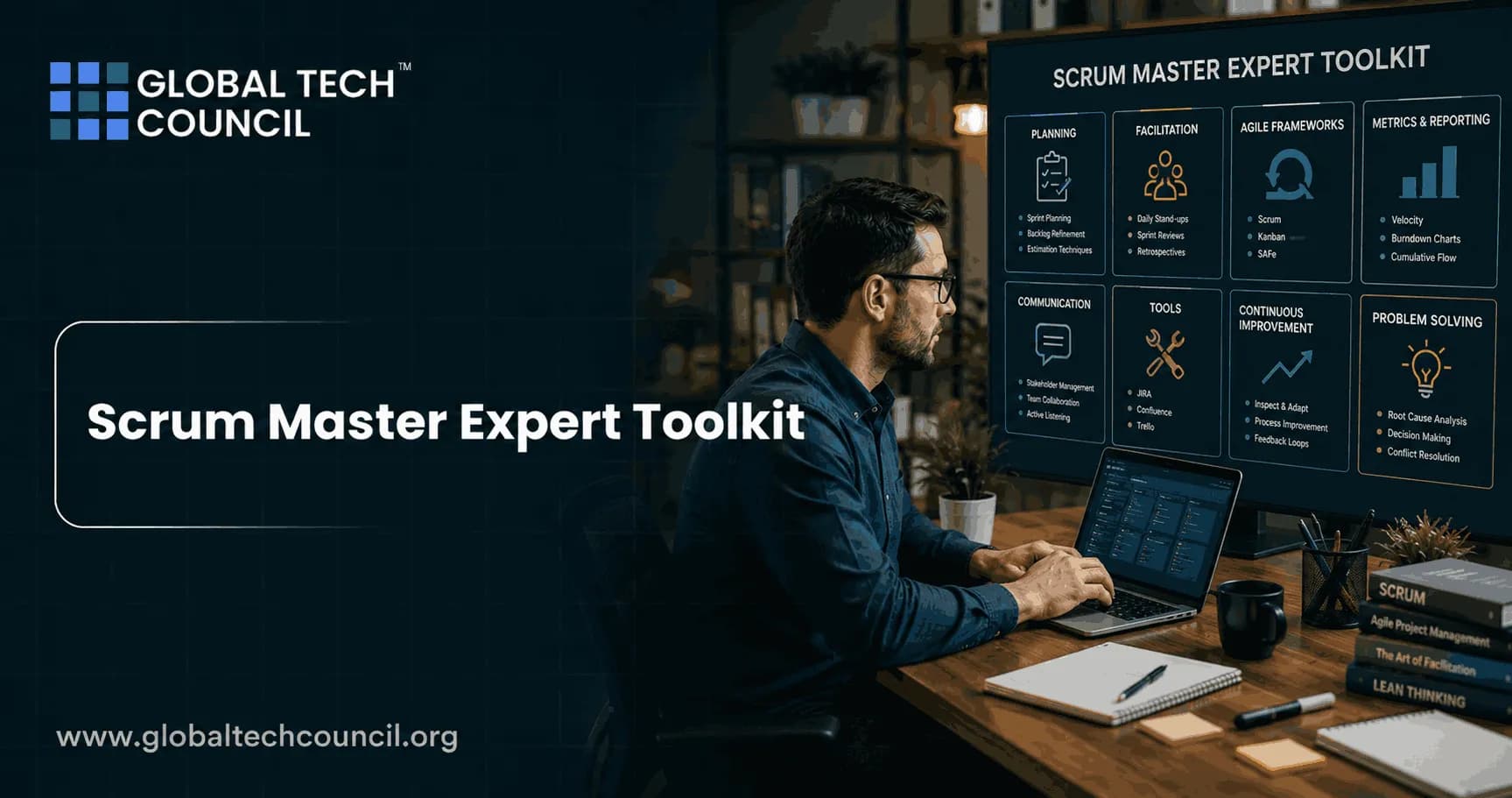
A Scrum Master Expert Toolkit is no longer just a set of facilitation notes and retrospective games. You need Scrum fluency, Kanban-style flow thinking, clean metrics, practical templates, and AI-assisted collaboration tools that cut admin work without replacing human judgment. The best Scrum Masters I have worked with do not run ceremonies for the sake of ceremony. They make work visible, expose system constraints, and help teams deliver useful product increments more predictably.
That matters because Scrum is still the most used agile framework in software, while agile practices keep spreading into operations, marketing, HR, finance, and consulting. The role is changing too. Some companies are folding Scrum Master duties into delivery lead or project manager roles. Others are asking Scrum Masters to coach at product and portfolio level. Your toolkit has to match that reality. Building an effective Scrum Master toolkit requires more than familiarity with Scrum ceremonies. Professionals benefit from pursuing a Tech Certification to gain hands-on knowledge of Agile frameworks, AI-powered project management tools, cloud collaboration platforms, DevOps workflows, and digital transformation strategies. These industry-recognized certifications help Scrum Masters select the right tools, improve team productivity, automate repetitive tasks, and successfully manage Agile projects across diverse technology environments.

What Belongs in a Scrum Master Expert Toolkit?
An expert toolkit should cover five areas:
Frameworks: Scrum, Kanban practices, scaling patterns, product thinking, and evidence-based management.
Tools: Jira, Azure DevOps, Miro, Confluence, Slack, Teams, TeamRetro, Aha, Notion, and BI dashboards.
Templates: Sprint planning, daily Scrum, backlog refinement, sprint review, retrospective, and improvement experiment templates.
Metrics: Cycle time, throughput, work in progress, burndown, defect trends, forecast confidence, and team health signals.
AI support: Meeting summaries, backlog clustering, retrospective theme detection, risk flags, and stakeholder updates.
If you are building career depth, use this toolkit alongside formal learning. Global Tech Council agile, project management, AI, and data science certification paths suit professionals who want both Scrum practice and the technical fluency now expected in product teams. Modern Agile teams frequently develop AI, blockchain, cloud-native, and automation solutions that require close collaboration between Scrum Masters and engineering teams. Becoming a Deeptech Expert provides professionals with technical insights into emerging technologies, enabling them to better understand development workflows, technical dependencies, and enterprise implementation challenges. This knowledge enhances decision-making and supports more effective Agile leadership.
Core Frameworks Every Expert Scrum Master Should Know
Scrum, without cargo cult habits
Start with the Scrum Guide. The 2020 Scrum Guide defines the Scrum Master as accountable for the Scrum Team's effectiveness. That wording matters. You are not the team secretary. You are not a sprint police officer. You are accountable for helping the team and organization improve how Scrum is understood and applied.
Know the accountabilities cold:
The Product Owner is accountable for maximizing product value and managing the Product Backlog.
Developers are accountable for creating a usable Increment each Sprint.
The Scrum Master is accountable for establishing Scrum and improving team effectiveness.
Certification candidates often miss one question type: the Daily Scrum is for the Developers, not a status meeting for the Scrum Master. If your daily Scrum sounds like each person reporting to you, fix the format tomorrow.
Kanban practices for flow
Scrum gives you cadence. Kanban gives you flow visibility. Combine them carefully. Add work-in-progress limits, track cycle time, and review cumulative flow diagrams. This helps most when teams carry support work, production incidents, or interrupt-driven platform tasks.
My position is simple. If a team keeps missing Sprint Goals because urgent work lands mid-sprint, do not add more ceremonies. Add flow policies. Make expedite work explicit. Set a WIP limit. Count interruption demand. Then talk to stakeholders with data.
Evidence-based management
Metrics are not decorations for a dashboard. Scrum.org's evidence-based management approach treats measures as inputs for decisions about current value, time to market, ability to innovate, and unrealized value. That is the right mindset.
Do not use velocity to compare teams. It is a local planning signal, not a performance ranking. Comparing Team A at 42 points with Team B at 28 points is usually nonsense because estimation scales differ. Use throughput, cycle time, escaped defects, and customer outcomes when you need broader delivery insight.
Tools for Scrum Masters in 2025 and 2026
Agile work management tools
Most teams will use Jira, Azure DevOps, GitLab, Linear, or a similar platform. Your job is to make the system honest. A board that hides blocked work is worse than no board at all.
In Jira, one practical query I use often is sprint in openSprints() AND statusCategory != Done. It quickly shows unfinished sprint work. Watch one Jira detail that bites new Scrum Masters: items completed after the sprint ends may not appear as completed in the Sprint Report for that sprint. That can make a team look worse than it is, or expose that work is being closed outside the agreed timebox. Either way, investigate before presenting the chart.
Useful capabilities include:
Backlog ordering and refinement views
Sprint planning boards
Dependency and blocker fields
Automation rules for stale tickets
Reports for cycle time, burndown, throughput, and defects
Integrations with GitHub, GitLab, Slack, Teams, and Confluence
Whiteboarding and collaboration tools
For distributed teams, Miro, Mural, FigJam, TeamRetro, Aha, Confluence whiteboards, and Microsoft Whiteboard are now standard. Miro and TeamRetro both offer ready-made retrospective boards, voting, grouping, timers, and action tracking. Atlassian and Aha also publish practical retrospective formats for product teams.
Keep the tool choice boring. If the team already uses Miro daily, use Miro. If compliance requires Microsoft Teams and SharePoint, work within that. Tool switching creates friction, and friction kills participation. An effective Scrum Master also understands how product development aligns with customer expectations and business objectives. Earning a Marketing Certification helps professionals strengthen communication, stakeholder management, branding, customer engagement, and growth strategy skills. These capabilities ensure Agile teams prioritize work that delivers measurable value while improving collaboration across technical and business functions.
AI-assisted Scrum Master tools
AI can help, but be blunt about its limits. It can summarize a messy retrospective board. It can cluster backlog items by theme. It can draft a stakeholder update from Jira issues. It cannot read the room after a tense production incident, and it should not decide team commitments.
Tools such as ChatGPT, Miro AI, Notion AI, Atlassian Intelligence, and meeting assistants can support:
Retrospective theme grouping
Sprint review summary drafts
Backlog duplicate detection
Risk prompts before sprint planning
Action item extraction from meeting notes
Plain-language rewriting of technical updates
Never paste confidential customer data, credentials, incident timelines, or unreleased product strategy into an AI tool unless your organization has approved the data handling model. This is not bureaucracy. It is basic risk control.
Essential Scrum Master Templates
Sprint planning template
Use a repeatable planning structure. It keeps the event grounded.
Sprint Goal: One or two sentences, outcome-focused.
Capacity: Holidays, support rotation, planned absences, training time.
Candidate Product Backlog Items: Ordered by value and readiness.
Dependencies: External teams, environments, approvals, vendor tasks.
Risks: Unknowns that could threaten the Sprint Goal.
Plan: Selected work and first implementation steps.
Do not leave planning without a Sprint Goal. A list of tickets is not a goal.
Daily Scrum template
Try this lightweight version:
Are we still on track for the Sprint Goal?
What changed since yesterday?
What is blocked or aging?
Who needs to collaborate after this meeting?
Skip the robotic three-question format if it produces status theater. Walk the board instead. Start with the work nearest Done.
Backlog refinement template
Use refinement to reduce uncertainty, not to create perfect tickets.
User or customer problem
Acceptance criteria
Data, UX, security, or compliance notes
Dependencies
Test approach
Size or split decision
A good rule: if a story cannot be explained in two minutes by the Product Owner and one Developer, it is probably not ready for sprint planning.
Sprint review template
The sprint review is a product conversation, not a demo parade.
Restate the Sprint Goal
Show the Increment
Compare expected and actual outcomes
Discuss stakeholder feedback
Review market, user, or operational changes
Adapt the Product Backlog
Retrospective template
Rotate formats to avoid fatigue. A simple, effective format is:
Keep: What helped us?
Drop: What slowed us down?
Try: What experiment will we run next Sprint?
Owner: Who will move the action forward?
Check date: When will we inspect the result?
One action item is enough if it changes behavior. Five vague actions usually die in Confluence.
Metrics and Dashboards That Actually Help
Your Scrum Master Expert Toolkit should include a small metrics set. Start with these:
Cycle time: How long work takes from start to finish.
Throughput: How many items are completed in a period.
WIP: How much work is active at once.
Burndown: Whether sprint work is trending toward completion.
Escaped defects: Quality problems found after release.
Blocked time: How long items sit waiting.
Team health: Psychological safety, focus, clarity, and workload.
Use dashboards from Jira, Azure DevOps, Bold BI, Power BI, Tableau, or Echometer when they answer a decision question. For example: Should we reduce WIP? Do we need to split stories smaller? Is support work consuming 30 percent of sprint capacity?
A dashboard without a decision is wallpaper.
The Future of the Scrum Master Toolkit
The role is moving toward product-focused, data-informed, AI-assisted work. That is good news for serious practitioners. It is bad news for Scrum Masters who only schedule meetings and update boards.
Expect more hybrid roles: Scrum Master and delivery lead, Scrum Master and agile coach, Scrum Master and product operations partner. To stay relevant, build three skills beyond basic Scrum:
Product thinking: Understand outcomes, discovery, customer value, and backlog economics.
Data literacy: Read flow metrics, quality trends, and forecast ranges without misusing them.
AI fluency: Use AI for summaries and pattern detection while protecting sensitive data.
If you are planning your next step, build a working toolkit this week. Create one sprint planning template, one retrospective template, one Jira or Azure DevOps dashboard, and one AI prompt library for meeting summaries. Then pair that practice with structured learning through Global Tech Council's agile, project management, AI, or data science certification resources. The Scrum Masters who grow from facilitators into evidence-based agile leaders will have the strongest path forward. The most effective Scrum Masters continuously improve their leadership, technical expertise, and business knowledge. Strengthen your Agile capabilities with a Scrum Master Expert certification, gain practical insight into enterprise AI implementation through a Forward Deployed Engineer Certification, and enhance your strategic thinking with an AI-powered Digital Marketing Course to become a well-rounded leader in modern Agile organizations.
FAQs
1. What Is a Scrum Master Expert Toolkit?
A Scrum Master Expert Toolkit is a collection of Agile frameworks, project management tools, templates, and best practices that help Scrum Masters effectively facilitate Scrum ceremonies, manage backlogs, improve collaboration, and enhance Agile team performance. It serves as a practical resource for managing projects from sprint planning to product delivery.
2. Why Is a Scrum Master Expert Toolkit Important?
A well-equipped Scrum Master Expert Toolkit helps standardize Agile processes, improve team communication, streamline sprint management, and increase project transparency. Using the right tools and templates enables Scrum Masters to support high-performing Agile teams more efficiently.
3. Which Frameworks Should Every Scrum Master Expert Know?
Every Scrum Master Expert should understand Scrum, Kanban, Lean, SAFe (Scaled Agile Framework), Scrum@Scale, Nexus, Large-Scale Scrum (LeSS), and Disciplined Agile. These frameworks help professionals manage projects ranging from small teams to enterprise-wide Agile transformations.
4. What Are the Most Popular Scrum Master Tools?
Commonly used Scrum Master tools include Jira, Azure DevOps, Confluence, Trello, ClickUp, Monday.com, Miro, Mural, Microsoft Teams, Slack, and Asana. These platforms help manage product backlogs, sprint planning, collaboration, reporting, and Agile documentation.
5. Which Templates Should Every Scrum Master Expert Use?
Essential templates include sprint planning templates, product backlog templates, sprint backlog templates, user story templates, retrospective templates, daily stand-up agendas, risk registers, Definition of Done checklists, and sprint review presentation templates.
6. How Does Jira Support Scrum Master Experts?
Jira helps Scrum Master Experts manage user stories, organize product backlogs, plan sprints, track progress using Agile boards, generate burndown charts, and monitor team performance. It is one of the most widely adopted Agile project management platforms.
7. Why Is Confluence an Important Tool for Scrum Masters?
Confluence enables Agile teams to create and share project documentation, meeting notes, sprint goals, retrospective outcomes, and knowledge bases. Scrum Master Experts use it to maintain transparency and improve collaboration across teams.
8. How Can Digital Whiteboards Improve Agile Collaboration?
Digital collaboration tools such as Miro and Mural allow distributed Agile teams to conduct sprint planning, retrospectives, story mapping, brainstorming sessions, and workflow visualization. These tools enhance team engagement regardless of location.
9. What Should Be Included in a Sprint Planning Template?
A sprint planning template should include sprint goals, prioritized backlog items, user stories, story point estimates, team capacity, dependencies, acceptance criteria, sprint timelines, and assigned responsibilities. A structured template improves planning accuracy and team alignment.
10. What Makes a Good Sprint Retrospective Template?
An effective retrospective template encourages discussion around what went well, what challenges occurred, lessons learned, improvement opportunities, and actionable next steps. Scrum Master Experts use these templates to drive continuous improvement after every sprint.
11. How Can Scrum Master Experts Organize Product Backlogs Effectively?
Effective backlog management involves prioritizing user stories based on business value, refining requirements regularly, estimating work accurately, removing outdated items, and maintaining clear acceptance criteria for development teams.
12. What Agile Metrics Tools Should Scrum Master Experts Use?
Agile reporting tools such as Jira dashboards, Azure DevOps Analytics, Power BI, Tableau, and built-in Agile reporting features help Scrum Master Experts monitor sprint velocity, cycle time, lead time, burndown charts, and overall team performance.
13. Which Communication Tools Are Best for Scrum Teams?
Scrum Master Experts commonly use Microsoft Teams, Slack, Zoom, Google Meet, and collaborative messaging platforms to facilitate daily stand-ups, sprint reviews, stakeholder meetings, and cross-functional team communication.
14. How Can AI Tools Enhance a Scrum Master Expert Toolkit?
AI-powered project management tools can automate reporting, analyze sprint metrics, identify workflow bottlenecks, summarize meetings, predict project risks, and recommend process improvements. These capabilities help Scrum Master Experts make more informed decisions.
15. What Role Do Checklists Play in a Scrum Master Toolkit?
Checklists help ensure consistency across Agile ceremonies, sprint planning, backlog refinement, releases, and retrospectives. Scrum Master Experts use them to reduce errors, improve quality, and standardize Agile processes across teams.
16. Which Templates Help Scrum Masters Manage Stakeholders?
Useful stakeholder management templates include communication plans, stakeholder analysis matrices, meeting agendas, decision logs, release planning documents, risk communication templates, and project status reports. These templates improve transparency and stakeholder engagement.
17. How Can Scrum Master Experts Build Their Own Agile Toolkit?
Professionals can create a customized toolkit by combining Agile frameworks, digital collaboration tools, reporting dashboards, reusable templates, facilitation techniques, coaching resources, and documentation practices that match their organization's Agile maturity.
18. Which Industries Benefit Most From Scrum Master Toolkits?
Scrum Master toolkits are widely used across software development, banking, healthcare, manufacturing, telecommunications, consulting, government, retail, education, and organizations implementing Agile project management practices.
19. How Often Should Scrum Master Experts Update Their Toolkit?
Scrum Master Experts should regularly update their toolkit as Agile methodologies evolve and new technologies emerge. Incorporating AI-powered tools, updated templates, and modern collaboration platforms ensures continued effectiveness in managing Agile teams.
20. What Is the Best Scrum Master Expert Toolkit for Managing High-Performing Agile Teams?
The most effective Scrum Master Expert Toolkit combines proven Agile frameworks, industry-leading project management tools, practical templates, collaboration platforms, reporting dashboards, and continuous improvement practices. By selecting the right combination of resources, Scrum Master Experts can improve team productivity, streamline Agile workflows, and successfully deliver complex projects across organizations.
Related Articles
View All
Scrum Master
How to Become a Scrum Master Expert: Step-by-Step Roadmap for Beginners
A practical beginner roadmap to become a Scrum Master expert, covering Scrum foundations, certification, team experience, coaching, metrics, and advanced growth.
Scrum Master
Top Scrum Master Expert Skills Employers Look for in 2026
Learn the Scrum Master expert skills employers want in 2026, including agile coaching, AI literacy, data-driven agility, technical fluency, and leadership.

Scrum Master
Scrum Master Expert vs Agile Coach: Key Differences, Skills, Salary, and Career Opportunities
Compare Scrum Master Expert vs Agile Coach roles, skills, salary ranges, market demand, and career paths for agile professionals.
Trending Articles
The Role of Blockchain in Ethical AI Development
How blockchain technology is being used to promote transparency and accountability in artificial intelligence systems.
AWS Career Roadmap
A step-by-step guide to building a successful career in Amazon Web Services cloud computing.
Top 5 DeFi Platforms
Explore the leading decentralized finance platforms and what makes each one unique in the evolving DeFi landscape.