

Multithreading in Java: A Beginner-Friendly Guide
 Suyash Raizada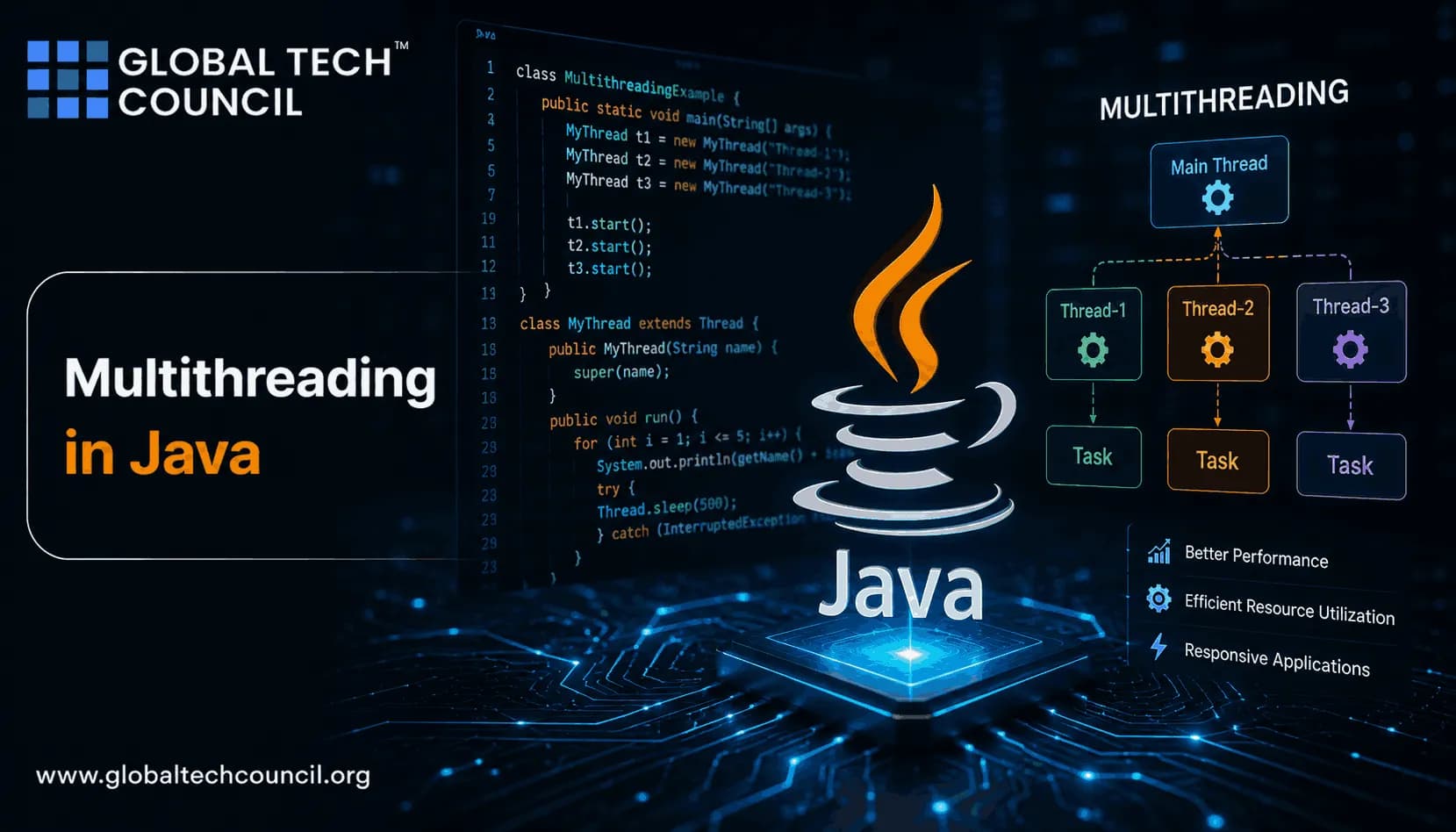
Multithreading in Java lets one program run multiple tasks concurrently inside the same JVM process. If you have built a web API, a desktop tool, or even a batch job that reads files while processing data, you have probably touched concurrency already. Java gives you low-level threads, higher-level executors, concurrent collections, and since Java 21, virtual threads as a final feature under Project Loom, described in Oracle's JEP 444.
Start simple. Learn what a thread is, how it moves through its lifecycle, and why shared mutable data causes most beginner mistakes. Then move to executors and virtual threads. That order matters.

What Is Multithreading in Java?
A thread is a lightweight unit of execution within a process. Threads inside the same Java application share heap memory, class metadata, open files, and other process resources. That shared memory is useful, but it is also where trouble begins.
Multithreading means your program can make progress on more than one task at a time. On a multi-core CPU, some work may run truly in parallel. On a single core, the scheduler switches between threads so they appear to run together.
Common examples include:
A Swing or JavaFX application keeping the UI responsive while a file downloads.
A backend service handling many HTTP requests at once.
A worker reading messages from a queue while another thread writes metrics.
A data processing job splitting work across CPU cores.
Java Thread Lifecycle: The States You Must Know
Java exposes thread states through Thread.State. You do not need to memorize every scheduler detail, but you should know the main states because thread bugs often show up as stuck or blocked threads.
NEW - You created a
Threadobject, but you have not calledstart().RUNNABLE - The thread is ready to run or is running on the CPU.
BLOCKED - The thread is waiting to enter a synchronized block or method.
WAITING - The thread is waiting indefinitely for another thread to act.
TIMED_WAITING - The thread is waiting for a fixed time, such as during
sleep().TERMINATED - The
run()method has finished.
One small detail trips up many certification candidates: calling start() twice on the same thread throws java.lang.IllegalThreadStateException. Calling run() directly is also wrong if you expect concurrency. It just runs like an ordinary method on the current thread.
How to Create Threads in Java
Option 1: Extend Thread
You can create a thread by extending java.lang.Thread and overriding run().
class MyWorker extends Thread {
    @Override
    public void run() {
        System.out.println("Running in: " + Thread.currentThread().getName());
    }
}

public class Main {
    public static void main(String[] args) {
        MyWorker worker = new MyWorker();
        worker.start();
    }
}
This works, but I rarely recommend it in real projects. Extending Thread mixes the job with the execution mechanism. It also uses up Java's single class inheritance slot.
Option 2: Implement Runnable
For most beginner and production code, implement Runnable. It keeps the task separate from the thread that runs it.
class MyTask implements Runnable {
    @Override
    public void run() {
        System.out.println("Running via Runnable");
    }
}

public class Main {
    public static void main(String[] args) {
        Thread thread = new Thread(new MyTask());
        thread.start();
    }
}
You can write the same thing with a lambda:
public class Main {
    public static void main(String[] args) {
        Thread thread = new Thread(() -> System.out.println("Task running"));
        thread.start();
    }
}
Take a position: use Runnable while learning, then switch to ExecutorService for real applications. Manual thread creation is fine for a lab exercise. It becomes messy when you need naming, pooling, shutdown, exception handling, and monitoring.
Why Multithreading Matters
Used carefully, multithreading improves three things.
Responsiveness: long-running work can move off the main thread.
Throughput: servers can process many independent requests concurrently.
CPU use: compute-heavy tasks can use multiple cores when the work can be split safely.
Do not assume threads always make code faster. If your tasks fight over the same lock, write to the same shared object, or spend all their time switching context, performance can get worse. For CPU-bound work, match concurrency to available cores. For I/O-bound work, virtual threads are often a better fit.
Executors: The Better Way to Run Tasks
The java.util.concurrent package gives you executors, futures, blocking queues, atomic classes, and concurrent collections. This is where Java concurrency becomes practical.
import java.util.concurrent.ExecutorService;
import java.util.concurrent.Executors;

public class ExecutorExample {
    public static void main(String[] args) {
        try (ExecutorService executor = Executors.newFixedThreadPool(4)) {
            for (int i = 0; i < 10; i++) {
                int taskId = i;
                executor.submit(() -> {
                    System.out.println("Task " + taskId + " on " + Thread.currentThread().getName());
                });
            }
        }
    }
}
This example uses try-with-resources, which works because ExecutorService extends AutoCloseable as of Java 19. Closing the executor waits for submitted tasks to finish. If you are on Java 17 or older, call shutdown() explicitly.
Virtual Threads in Java 21 and Later
Virtual threads are one of the biggest changes to Java concurrency in years. They are lightweight threads managed by the JVM rather than one operating system thread per Java thread. Oracle finalized virtual threads in Java 21 through JEP 444.
They shine for I/O-heavy work: HTTP calls, database queries, file reads, and message processing. They are not magic for CPU-bound loops. If you run image processing or cryptographic hashing across thousands of virtual threads, you will still be limited by CPU cores.
import java.util.concurrent.ExecutorService;
import java.util.concurrent.Executors;

public class VirtualThreadExample {
    public static void main(String[] args) {
        try (ExecutorService executor = Executors.newVirtualThreadPerTaskExecutor()) {
            for (int i = 0; i < 5; i++) {
                int id = i;
                executor.submit(() -> {
                    System.out.println("Virtual task " + id + " on " + Thread.currentThread());
                });
            }
        }
    }
}
If you are building a beginner HTTP client service on Java 21 or later, try virtual threads before reaching for a complex reactive stack. If you are maintaining a Netty-based platform with strict latency goals, do not rewrite it just because Loom exists. Context matters.
Thread Safety: The Part Beginners Cannot Skip
Because threads share memory, two threads can read and write the same object at the same time. That creates race conditions.
class Counter {
    private int count = 0;

    void increment() {
        count++;
    }

    int getCount() {
        return count;
    }
}
count++ looks like one operation, but it is not. It reads the value, adds one, then writes it back. Two threads can interleave those steps and lose updates.
You can fix simple cases with synchronized:
class SafeCounter {
    private int count = 0;

    synchronized void increment() {
        count++;
    }

    synchronized int getCount() {
        return count;
    }
}
Or use atomic classes:
import java.util.concurrent.atomic.AtomicInteger;

class AtomicCounter {
    private final AtomicInteger count = new AtomicInteger();

    void increment() {
        count.incrementAndGet();
    }

    int getCount() {
        return count.get();
    }
}
My practical rule: avoid shared mutable state first. If you cannot avoid it, use a library type such as ConcurrentHashMap, BlockingQueue, AtomicInteger, or a clear synchronized section. Do not sprinkle locks randomly.
Visibility and Happens-Before
Another beginner trap is visibility. One thread can update a field, but another thread may not see that update immediately unless the Java Memory Model gives you a happens-before relationship.
synchronized, volatile, thread start and join operations, and classes in java.util.concurrent provide defined visibility guarantees. Without them, code may pass tests on your laptop and fail under load in production. Yes, that happens.
Common Java Multithreading Problems
Race condition: output depends on timing between threads.
Deadlock: two threads wait forever for locks held by each other.
Starvation: a thread rarely gets CPU time or lock access.
Lock contention: too many threads wait for the same lock.
False sharing: threads slow each other down through CPU cache interference.
When something hangs, take a thread dump before guessing. Run jcmd <pid> Thread.print or use Java Flight Recorder. A thread stuck in BLOCKED on the same monitor for minutes tells you more than a page of log messages.
Where Multithreading Is Used in Real Java Systems
Backend Services
Servlet containers, REST APIs, database clients, and message consumers all depend on concurrency. A service might handle one request while another waits on PostgreSQL and a third calls an external payment API.
Desktop Applications
GUI frameworks have a main UI thread. Put heavy work there and the application freezes. Move file I/O, network calls, and large computations to background workers.
Data Processing
The fork-join framework and parallel streams can split CPU-heavy work. Use them for independent operations over collections. Avoid parallel streams for code that blocks on remote calls or mutates shared state.
Low-Latency Systems
Trading, telemetry, and real-time event processing may use tools such as the LMAX Disruptor. This is advanced territory. Learn locks, queues, and memory visibility before touching it.
A Beginner Learning Path
Write two basic examples: one using
Thread, one usingRunnable.Print thread names and states: observe what changes after
start(),sleep(), and completion.Break a counter intentionally: reproduce a race condition, then fix it with
synchronizedorAtomicInteger.Use an executor: submit ten tasks and shut the executor down correctly.
Try virtual threads on Java 21: write many blocking I/O-style tasks and compare the code with a fixed thread pool.
Learn diagnostics: capture a thread dump and inspect blocked threads.
If you are building Java skills for work, pair this practice with Global Tech Council's Java certification and programming courses as an internal learning path. If your role also touches backend security or data platforms, connect this topic with Global Tech Council resources in cybersecurity, programming, and data science.
Best Practices for Multithreading in Java
Prefer
Runnable,Callable, and executors over extendingThread.Use virtual threads for high-concurrency I/O workloads on Java 21 or later.
Keep shared data immutable where possible.
Use concurrent collections instead of hand-written locking when they fit.
Name important threads in production systems.
Always shut down executor services.
Measure before tuning. Guessing is expensive.
Next Step
Build a small task processor: one producer adds jobs to a BlockingQueue, several worker threads consume jobs, and a counter records completed work with AtomicInteger. Then rebuild the same idea using ExecutorService and virtual threads. That single exercise will teach you more about multithreading in Java than reading another abstract explanation.
Related Articles
View All
Java
Java Career Guide: How to Become a Job-Ready Java Developer
A practical Java career guide for becoming job-ready in 2026, covering skills, salary trends, Spring Boot, cloud, AI integration, projects, and certifications.

Java
Future of Java Development: AI Tools, Cloud-Native Apps, and Emerging Trends
Explore the future of Java development through AI coding tools, cloud-native apps, serverless systems, agentic architecture, and skills Java developers need next.

Java
How Java Powers Android App Development: Basics for New Developers
Learn how Java powers Android app development, why it still matters beside Kotlin, and which Java basics new Android developers should master first.
Trending Articles
The Role of Blockchain in Ethical AI Development
How blockchain technology is being used to promote transparency and accountability in artificial intelligence systems.
AWS Career Roadmap
A step-by-step guide to building a successful career in Amazon Web Services cloud computing.
Top 5 DeFi Platforms
Explore the leading decentralized finance platforms and what makes each one unique in the evolving DeFi landscape.