

Exception Handling in Java: Best Practices for Cleaner and Safer Code
 Suyash Raizada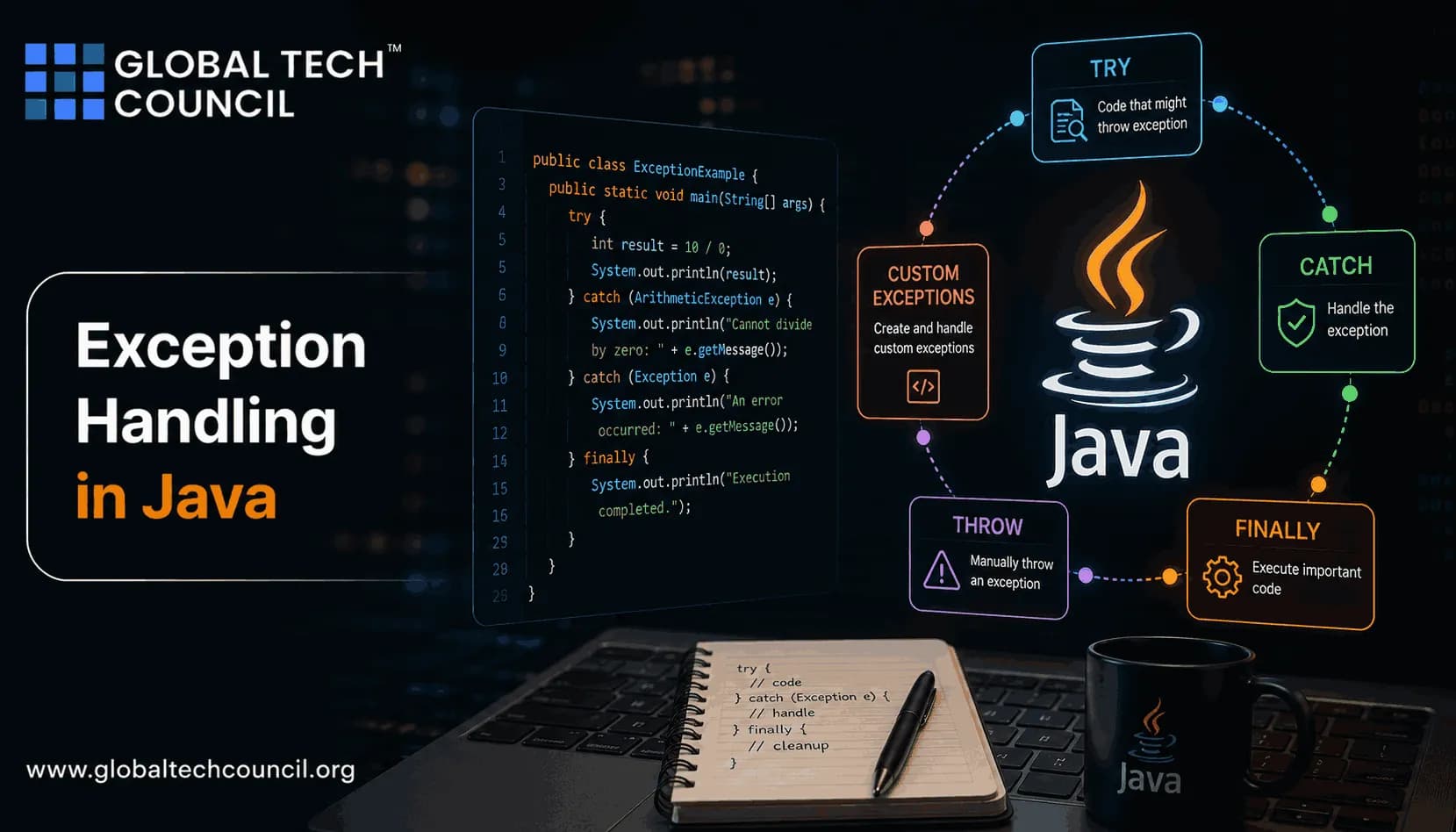
Exception handling in Java is not just a syntax topic. It decides whether your application fails clearly, leaks data into logs, hides a production bug, or gives another layer enough context to recover. Good Java teams treat exceptions as part of API design, not as an afterthought.
The core practices are well established across Oracle's Java documentation and the wider developer community: use specific exceptions, clean up resources with try-with-resources, log with care, preserve causes, and catch errors only where you can do something useful. The rest of this article shows how each one looks in real code.

How Java Exception Handling Works
Java uses a structured exception model built around try, catch, finally, checked exceptions, and unchecked exceptions.
Checked exceptions are verified by the compiler. A method must catch them or declare them with
throws. Examples includeIOExceptionandSQLException.Unchecked exceptions inherit from
RuntimeException. They usually represent programming errors, invalid arguments, or impossible states.Errors, such as
OutOfMemoryError, are serious JVM-level problems. Do not catch them in normal application code.
The model has been stable for years, but practice has moved on. Since Java 7, try-with-resources and multi-catch have become normal in professional codebases. If you still close streams by hand, you are carrying avoidable risk.
Use Specific Exception Types
Do not throw Exception because you could not decide what went wrong. Be precise. A caller can handle InsufficientFundsException. It cannot do much with Exception besides log it and hope.
public class PaymentException extends RuntimeException {
    public PaymentException(String message, Throwable cause) {
        super(message, cause);
    }
}

public class InsufficientFundsException extends PaymentException {
    public InsufficientFundsException(String accountId) {
        super("Insufficient funds for account " + accountId, null);
    }
}
This small hierarchy gives you options. A controller can catch all PaymentException cases, while a service can react differently to InsufficientFundsException. Vague exceptions make logs noisy and recovery logic brittle, which is why experienced reviewers push back on generic types. Writing reliable Java applications requires more than understanding syntax-it demands the ability to anticipate errors, handle exceptions effectively, and build resilient software. Pursuing a Tech Certification helps developers strengthen their expertise in Java programming, exception handling, object-oriented design, backend development, testing, and software engineering best practices. These industry-recognized certifications provide hands-on experience in developing secure, maintainable, and enterprise-ready applications while improving code quality and application stability.
Choose Checked or Unchecked Exceptions Intentionally
Use a checked exception when the caller can reasonably recover. A missing file, failed network read, or invalid uploaded report might fit. Use an unchecked exception when the problem is a coding error, such as a null argument where null is forbidden.
To be blunt, checked exceptions are often overused in internal service layers. If every method in your business code declares throws Exception, you have not made the API safer. You have only moved confusion into every caller.
public void sendReport(Path reportPath) throws IOException, ReportFormatException {
    // read, validate, and send the report
}
This signature is useful. It tells you what can fail and what recovery choices exist. throws Exception tells you almost nothing.
Throw Early, Handle Late
Validate early. Fail early. Handle later.
If an account ID is blank, do not pass it through five methods and wait for a database lookup to fail. Throw IllegalArgumentException at the boundary. Then handle exceptions at the layer that can make a decision: a controller, message consumer, batch job coordinator, or retry wrapper.
This is the practical meaning of the common Java rule, throw early, handle late. Low-level code usually knows what failed. Higher-level code knows what to do next.
Avoid Broad Catch Blocks
Catching Exception, RuntimeException, or Throwable is usually a mistake. It can hide programming bugs and turn clear failures into strange behavior later.
try {
    processOrder(order);
} catch (Exception e) {
    log.error("Order processing failed", e);
}
This looks safe. It is not. It catches validation bugs, null pointer defects, configuration errors, and sometimes problems that should fail the request immediately.
Prefer this:
try {
    processOrder(order);
} catch (InsufficientFundsException e) {
    notifyUser(e.getMessage());
} catch (IOException e) {
    log.error("IO failure while processing order " + order.id(), e);
    throw new OrderProcessingException("Order could not be processed", e);
}
Also watch catch order. If you catch IOException before FileNotFoundException, the specific handler is unreachable. The compiler tells you plainly: error: exception FileNotFoundException has already been caught. That error has saved many code reviews.
Use Try-With-Resources for Cleanup
Files, sockets, database connections, streams, and readers must be closed even when code fails. Use try-with-resources for anything that implements AutoCloseable.
public List<String> loadConfiguration(Path configPath) throws ConfigurationException {
    try (BufferedReader reader = Files.newBufferedReader(configPath)) {
        List<String> lines = new ArrayList<>();
        String line;
        while ((line = reader.readLine()) != null) {
            lines.add(line);
        }
        return lines;
    } catch (IOException e) {
        log.error("Failed to load configuration from " + configPath, e);
        throw new ConfigurationException("Unable to read configuration file", e);
    }
}
Try-with-resources also handles suppressed exceptions. That matters when both the main operation and close() fail. You can inspect them with e.getSuppressed() during diagnostics. Most teams ignore this until a production file handle or JDBC driver issue makes the closing failure relevant.
Log Exceptions Without Leaking Data
Logging is part of exception handling. Bad logs are almost as harmful as no logs.
Use SLF4J-style logging correctly:
log.error("Failed to save user {}", userId, e);Do not write this if you need the stack trace:
log.error("Failed to save user " + userId + ": " + e);The second version logs a string representation. It often loses the stack trace, depending on the overload used. Small mistake. Big debugging cost.
Keep logs useful but safe:
Include identifiers that help trace the failure, such as order ID or request ID.
Never log passwords, API tokens, session cookies, private keys, or full card numbers.
Do not expose stack traces or internal class names to API users.
Use consistent messages so alerts and searches work.
Security teams care about this for a reason. Exception messages often end up in log aggregators, support tickets, chat screenshots, and monitoring tools. Reliable software forms the backbone of emerging technologies such as artificial intelligence, blockchain, cloud computing, and intelligent automation. Becoming a Deeptech Expert helps professionals understand how resilient application design, fault tolerance, and system reliability contribute to the success of modern technology platforms. This interdisciplinary expertise enables developers to build software that can gracefully handle failures, improve system availability, and support mission-critical applications across rapidly evolving digital ecosystems.
Never Swallow Exceptions
An empty catch block is a bug waiting for the right traffic pattern.
try {
    updateInventory();
} catch (SQLException e) {
    // ignored
}
Do not do this. If the inventory update fails, the order flow may continue with incorrect stock data. Handle it, retry it, compensate for it, or propagate it.
try {
    updateInventory();
} catch (SQLException e) {
    log.error("Failed to update inventory for order " + orderId, e);
    throw new InventoryUpdateException("Inventory update failed", e);
}
Empty catch blocks get flagged in nearly every serious Java review for good reason. If your catch block has no action, ask why it exists.
Wrap Exceptions at Architectural Boundaries
Database exceptions should not leak through your whole application. Translate them at a boundary, but keep the original cause.
public User getUser(String userId) {
    try {
        return userRepository.findById(userId);
    } catch (SQLException e) {
        throw new UserPersistenceException("Failed to fetch user " + userId, e);
    }
}
This pattern adds domain context while preserving the stack trace. That final e argument is not optional. Without it, the root cause disappears and your incident review becomes guesswork.
Centralize Handling in Web Applications
In Spring applications, global exception handling keeps controllers clean and API responses consistent. Use @ControllerAdvice for MVC applications or the equivalent handler pattern in your framework.
@ControllerAdvice
public class ApiExceptionHandler {

    @ExceptionHandler(PaymentException.class)
    public ResponseEntity<String> handlePayment(PaymentException e) {
        return ResponseEntity.badRequest().body("Payment could not be completed");
    }
}
Do not return e.getMessage() blindly. A domain message may contain internal details. Map technical failures to safe, user-facing responses and log the private detail server-side.
High-quality software not only improves technical performance but also strengthens customer trust and business reputation. Earning a Marketing Certification helps professionals understand customer expectations, product quality, brand perception, and user experience. These skills enable developers to appreciate how writing cleaner, safer, and more reliable Java applications contributes to customer satisfaction, stronger product adoption, and long-term business success.
Exception Handling Checklist for Java Code Reviews
Use specific exception classes, not generic
Exception.Choose checked exceptions only when callers can recover.
Throw early and handle at the right abstraction level.
Avoid catching
Throwable,RuntimeException, or broadExceptionunless you have a clear reason.Use try-with-resources for
AutoCloseableresources.Preserve causes when wrapping exceptions.
Log with context, but never log secrets or sensitive personal data.
Keep catch blocks non-empty and meaningful.
Order catch blocks from most specific to most general.
Use global handlers for API and web application boundaries.
Build This Skill Like a Professional Java Developer
Clean exception handling in Java is a design habit. You see it in method signatures, service boundaries, logging standards, and incident response. If you are preparing for a Java role or a formal certification, practice by refactoring one small project: replace broad catches, add try-with-resources, preserve causes, and introduce one domain exception hierarchy.
For structured learning, explore Global Tech Council's programming and Java-focused training resources, and pair them with related software engineering, cybersecurity, and cloud courses. Start with code you already own. Fix the exception flow. Then make it part of your review checklist.
FAQs
1. What Is Exception Handling in Java?
Exception handling in Java is a mechanism for detecting, managing, and responding to runtime errors without abruptly terminating the program. It helps developers build reliable, secure, and maintainable applications.
2. Why Is Exception Handling Important in Java?
Exception handling improves application stability by allowing developers to handle unexpected errors gracefully, maintain program execution where appropriate, and provide meaningful feedback to users or systems.
3. What Is the Difference Between an Exception and an Error in Java?
An exception is a condition that a program can often anticipate and handle, such as invalid user input or a missing file. An error usually indicates a serious problem in the runtime environment, such as insufficient memory, that applications are generally not expected to recover from.
4. What Are Checked and Unchecked Exceptions in Java?
Checked exceptions must be handled or declared by the developer during compilation, while unchecked exceptions occur at runtime and usually result from programming errors, such as null references or invalid array access.
5. How Does the Try-Catch Block Work in Java?
The try block contains code that may throw an exception, while the catch block handles the exception if it occurs. This structure prevents unexpected program termination and enables graceful error handling.
6. What Is the Purpose of the Finally Block?
The finally block contains cleanup code that executes whether or not an exception occurs. It is commonly used to release resources such as files, database connections, or network streams.
7. When Should You Use the Throw Keyword in Java?
The throw keyword is used when a developer wants to explicitly create and raise an exception under specific conditions, allowing custom validation and error handling within an application.
8. What Is the Difference Between Throw and Throws?
throw is used to raise a specific exception inside a method, while throws declares that a method may pass one or more exceptions to the calling method for handling.
9. What Are Custom Exceptions in Java?
Custom exceptions are user-defined exception classes that allow developers to represent application-specific error conditions, making code easier to understand, maintain, and debug.
10. What Are the Best Practices for Exception Handling in Java?
Best practices include catching only necessary exceptions, using meaningful exception messages, creating custom exceptions when appropriate, logging errors, cleaning up resources, avoiding empty catch blocks, and handling exceptions at the correct application layer.
11. Why Should Developers Avoid Empty Catch Blocks?
Empty catch blocks silently ignore errors, making debugging difficult and allowing application issues to go unnoticed. Every caught exception should be handled appropriately or logged for investigation.
12. How Does Exception Handling Improve Application Security?
Proper exception handling prevents sensitive system information from being exposed to users, enables secure error reporting, protects application stability, and reduces the risk of unexpected failures.
13. What Common Exceptions Should Java Beginners Know?
Common exceptions include NullPointerException, ArithmeticException, ArrayIndexOutOfBoundsException, IllegalArgumentException, IOException, ClassNotFoundException, and NumberFormatException.
14. How Can Developers Debug Java Exceptions?
Developers can debug exceptions by reviewing stack traces, using IDE debugging tools, adding application logs, reproducing the issue, validating inputs, and testing error-handling scenarios thoroughly.
15. Which Applications Benefit Most From Robust Exception Handling?
Enterprise applications, banking systems, healthcare software, e-commerce platforms, cloud services, REST APIs, Android applications, and backend systems all depend on effective exception handling for reliability.
16. What Common Mistakes Should Developers Avoid in Exception Handling?
Developers should avoid catching overly broad exceptions, suppressing errors, exposing internal system details, overusing exceptions for normal program flow, neglecting logging, and failing to release resources after exceptions occur.
17. What Tools Help Debug Exception Handling in Java?
Popular tools include IntelliJ IDEA, Eclipse, Visual Studio Code, Java Flight Recorder (JFR), VisualVM, Log4j, SLF4J, Logback, and other logging and monitoring solutions.
18. What Skills Should Java Developers Learn Alongside Exception Handling?
Developers should strengthen their understanding of object-oriented programming, debugging, logging frameworks, unit testing, Spring Boot, REST APIs, multithreading, JVM internals, and secure coding practices.
19. Is Exception Handling Still Important in Modern Java Development?
Yes. Exception handling remains essential for cloud-native applications, enterprise software, microservices, APIs, mobile applications, and distributed systems where reliability, resilience, and fault tolerance are critical.
20. Why Is Exception Handling Essential for Writing Cleaner and Safer Java Code?
Exception handling helps developers build robust applications by managing unexpected situations gracefully, protecting system stability, improving maintainability, and simplifying debugging. By following Java exception handling best practices, using meaningful error messages, logging exceptions appropriately, and designing resilient applications, developers can create cleaner, safer, and more reliable software for modern enterprise and cloud environments.
Related Articles
View All
Java
How to Write Code in Java: Syntax, Structure, and Best Practices Explained
Learn how to write code in Java with clear syntax, class structure, naming rules, formatting habits, and practical best practices for maintainable programs.

Java
Best Java IDEs for Developers: Eclipse, IntelliJ IDEA, and VS Code Compared
Compare the best Java IDEs for developers: IntelliJ IDEA, Eclipse, and VS Code. See strengths, trade-offs, use cases, and which tool fits your workflow.
Java
How to Debug Java Code: Tools, Techniques, and Practical Tips
Learn how to debug Java code using IDE debuggers, JVM tools, logging, profiling, production monitoring, and a repeatable workflow.
Trending Articles
The Role of Blockchain in Ethical AI Development
How blockchain technology is being used to promote transparency and accountability in artificial intelligence systems.
AWS Career Roadmap
A step-by-step guide to building a successful career in Amazon Web Services cloud computing.
Top 5 DeFi Platforms
Explore the leading decentralized finance platforms and what makes each one unique in the evolving DeFi landscape.