

How to Build a Job-Winning Tech Portfolio on GitHub: Real Project Ideas for Beginners
 Suyash Raizada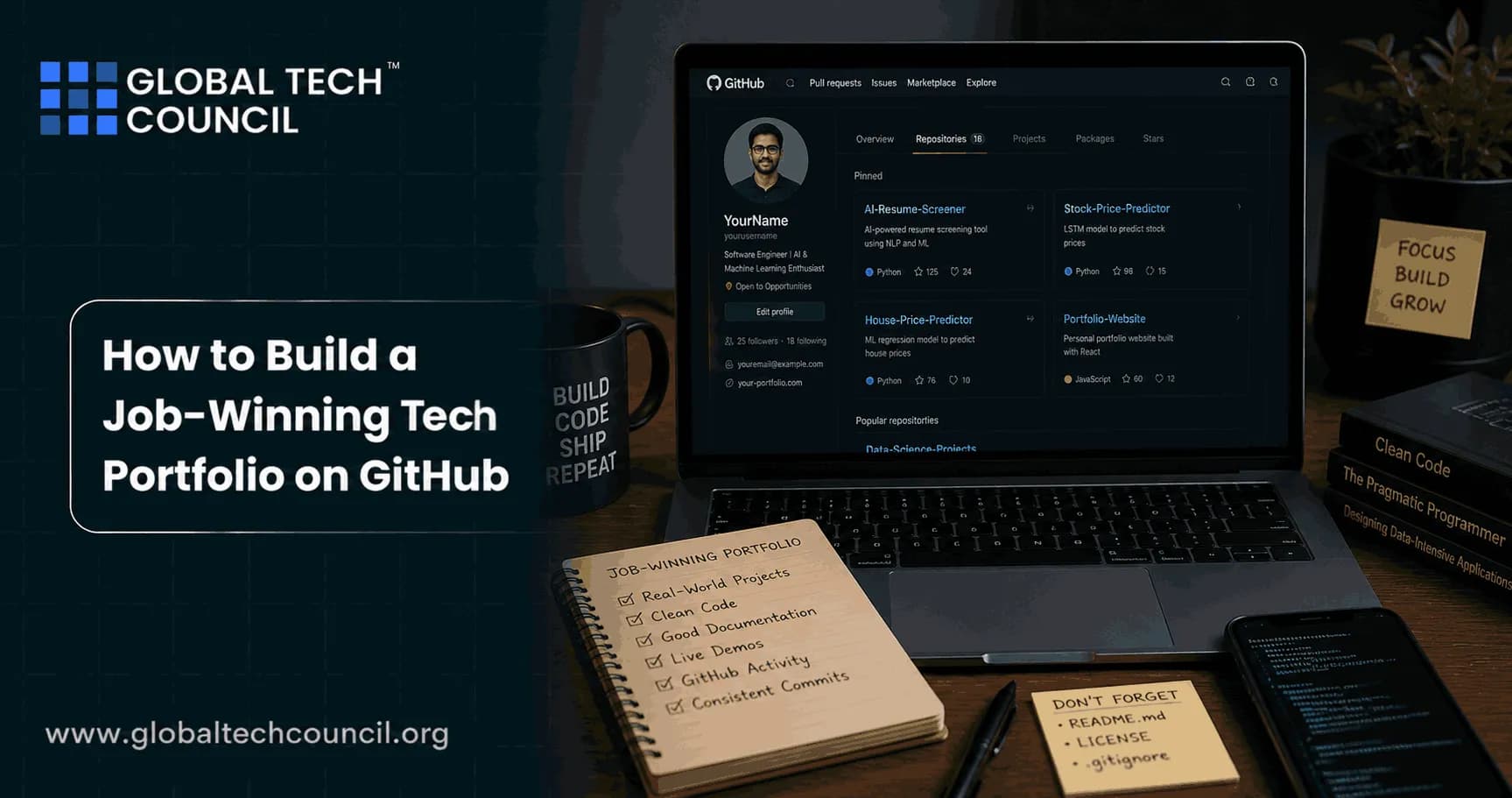
A job-winning tech portfolio on GitHub is not about having dozens of repositories. Employers use GitHub as a fast, practical work sample, and many recruiters decide in under two minutes whether your profile is worth a deeper look. The goal is to present a small set of complete, relevant projects that demonstrate problem-solving, code quality, documentation, and professional Git habits.
This guide explains how employers evaluate GitHub profiles today and provides beginner-friendly, role-aligned project ideas with concrete expectations, so you can build a portfolio that supports real job applications.

How Employers Use GitHub in Hiring
GitHub is a standard portfolio channel for software engineers, data professionals, DevOps practitioners, cloud engineers, and cybersecurity candidates. Hiring teams often treat it as a live work sample rather than a supplementary link.
When recruiters and hiring managers review GitHub, they typically look for:
Meaningful work over activity volume: a few strong projects matter more than a high commit count.
Maintainability signals: readable code, sensible structure, tests where appropriate, and clear documentation.
Professional Git habits: descriptive commit messages, a coherent commit history, and basic branching workflows.
Ownership: projects you started and maintained, not only forks.
Recent and sustained activity: evidence that you are actively learning and improving.
Collaboration artifacts: issues, pull requests, code review discussions, and clear written communication.
GitHub rarely gets someone hired on its own, but it can significantly strengthen your application when paired with a solid resume and a simple portfolio website. Think of it as verifiable proof that your skills are real and current.
What Makes a GitHub Portfolio Job-Winning
A strong GitHub presence is built at two levels: your profile and your individual repositories.
Profile-Level Practices (What Recruiters See First)
Professional identity: a clear name and username, plus a role-focused bio (for example, "Junior backend developer focused on Python APIs").
Profile README: a short summary of your skills, what you are currently learning, and links to your resume and portfolio site. This is optional, but it makes a strong first impression.
Curated pinned repositories: pin up to six repos, treating those pins as your highlights reel. Each one should be working, understandable, and relevant to your target role.
Clean public surface area: avoid showcasing half-finished experiments as top results. Keep drafts private or clearly labeled as works in progress.
Repository-Level Practices (What Gets You to Interviews)
For each showcased project, your repository should communicate value quickly.
A README that functions like a cover letter: explain what the project is, what problem it solves, the tech stack used, how to run it, and what you learned.
Clear structure: organized folders, modular code, and naming conventions that make sense to someone encountering the project for the first time.
Reproducible setup: include requirements files, lockfiles, or environment configuration. Containerization is a strong bonus where relevant.
Basic quality checks: tests, linting, and CI pipelines are meaningful signals, even when minimal.
Realistic scope: small but complete utilities and apps often outperform ambitious, unfinished clones.
The 2-Minute Scan: Structure Every Project for Fast Review
Assume a reviewer is skimming quickly. Your job is to remove friction at every step.
Name the repo clearly: use names like habit-tracker-api or network-log-analysis, not final-project or my-app.
Answer five README questions:
What problem does this solve?
Who is it for, or what is the scenario?
What tech stack did you use?
How do I run it locally?
What did you learn, and what would you improve next?
Show a demo: link to GitHub Pages, Netlify, Vercel, or include a short screen recording and screenshots in the README.
Show professional habits: include a .gitignore, dependency files, and meaningful commit messages throughout.
Make it easy to evaluate: add a short "Project status" note and a brief roadmap if you plan to extend the project.
Real Project Ideas for Beginners (With What Each Should Prove)
Pick projects that match the roles you are applying for. Aim for 3 to 6 polished, complete projects rather than many incomplete ones.
Beginner Web and Full-Stack Projects
Personal portfolio website (hosted)
What to build: a responsive site with About, Projects, Resume, and Contact sections.
What it proves: deployment ability using GitHub Pages, UI fundamentals, and professional presentation.
What to include: screenshots, Lighthouse performance notes if available, and clear links to your pinned repos.
REST API with a simple frontend
What to build: a notes app, bookmarks service, or task manager with a minimal UI.
What it proves: routing, input validation, HTTP status codes, error handling, and client-server interaction.
What to include: documented API endpoints in the README, example requests, and a short demo video.
Auth-enabled mini app
What to build: a habit tracker or budget tracker with login functionality and user-specific data.
What it proves: authentication fundamentals, password hashing, and secure handling of user data.
What to include: a brief security note in the README explaining how you store secrets and protect sensitive data.
Beginner Data, Analytics, and ML Projects
EDA notebook with a clear question
What to build: a notebook that cleans a public dataset and answers one focused analytical question.
What it proves: end-to-end analysis, data cleaning, visualization, and narrative communication of findings.
What to include: a summary section with findings and limitations, plus reproducible environment notes.
Simple ML model end-to-end
What to build: a classification or regression project with a baseline comparison and evaluation metrics.
What it proves: sound methodology including train-test splits, evaluation practices, and reasoned interpretation of results.
What to include: a model comparison table, stated assumptions, and an "If I had more time" section.
Data pipeline script (automation)
What to build: a script that fetches data from a public API, cleans it, and writes output to a CSV or database.
What it proves: practical automation and pipeline thinking.
What to include: scheduling via GitHub Actions, plus sample logs or output files.
Beginner DevOps, Cloud, and Automation Projects
Infrastructure as Code lab
What to build: a small, well-documented Terraform setup provisioning a basic cloud service.
What it proves: declarative configuration, variable management, and environment separation.
What to include: an architecture diagram, output values, and clear destroy instructions.
CI pipeline for a simple app
What to build: automated tests triggered on every push using GitHub Actions.
What it proves: CI workflow literacy and the value of automated quality gates.
What to include: a passing status badge in the README, plus a plain-language explanation of the workflow steps.
Dockerized application
What to build: a containerized small API, optionally with a database service via docker-compose.
What it proves: environment consistency and deployment readiness.
What to include: a one-command run path and clear notes on environment configuration.
Beginner Cybersecurity Projects (Ethical and Documentation-Heavy)
Log analysis or packet capture case study
What to build: an analysis of sample logs or a safe packet capture file, with documented findings.
What it proves: investigation methodology, tool familiarity, and clear incident reporting.
What to include: stated assumptions, indicators of interest, and a short incident summary.
CTF writeups (2 to 3 high-quality entries)
What to build: step-by-step writeups with explanations and any scripts used.
What it proves: structured problem-solving, analytical methodology, and clear written communication.
What to include: a clear ethical disclaimer and careful handling of any sensitive technical details.
Secure configuration or hardening scripts
What to build: Bash, PowerShell, or Ansible scripts implementing baseline system hardening.
What it proves: repeatable security controls and an automation-first mindset.
What to include: before-and-after verification checks and rollback guidance.
Collaboration: The Easiest Way to Signal Seniority
Beginners can still demonstrate collaboration on GitHub. Include at least one example, such as:
A small open-source contribution with a clearly written pull request description
A group project where your individual responsibilities are documented
Thoughtful issue comments, bug reports, or documentation improvements on public repos
Practical Checklist for a Job-Winning Tech Portfolio on GitHub
Pin 3 to 6 role-relevant projects that are complete and straightforward to run.
Write strong READMEs with setup steps, screenshots, and a "What I learned" section.
Use meaningful commit messages and keep your repos clean and navigable.
Add at least one quality signal: tests, linting, CI, or a containerized setup.
Link everything together: your GitHub profile README, resume, LinkedIn, and portfolio website should all reference each other.
If you want structured practice building portfolio-ready projects, consider pairing hands-on work with role-aligned training such as Global Tech Council certifications in Programming, Data Science, Machine Learning, Cybersecurity, or DevOps and Cloud. Publishing capstone-style repositories that reflect certification skills gives employers a direct link between your credentials and applied ability.
Conclusion
Building a job-winning tech portfolio on GitHub comes down to clarity, completeness, and relevance. Recruiters are not looking for perfection or large-scale applications. They want evidence that you can ship small, useful projects, document your work clearly, follow professional Git workflows, and communicate effectively.
Choose a target role, build 3 to 6 well-scoped projects aligned to it, and structure each repository for the two-minute scan. Applied consistently, this approach transforms GitHub from a code dump into a credible work sample that supports interviews and strengthens job offers.
FAQs
1. What Is a GitHub Portfolio?
A GitHub portfolio is a collection of projects, code repositories, documentation, and technical contributions that showcase your skills, experience, and problem-solving abilities to potential employers.
2. Why Is a GitHub Portfolio Important for Tech Job Seekers?
A strong GitHub portfolio provides tangible proof of your abilities, helping recruiters and hiring managers evaluate your technical skills beyond your resume.
3. What Types of Projects Should Be Included in a GitHub Portfolio?
Projects should demonstrate relevant skills, such as web applications, data analysis projects, machine learning models, automation tools, mobile apps, APIs, or cybersecurity labs.
4. How Many Projects Should a Job-Winning GitHub Portfolio Contain?
Quality is more important than quantity. Three to five well-documented, impactful projects often create a stronger impression than dozens of unfinished repositories.
5. How Should Beginners Choose Portfolio Projects?
Beginners should select projects that align with their target roles, solve real-world problems, and allow them to demonstrate practical technical skills.
6. Why Is Project Documentation Important on GitHub?
Good documentation helps employers understand the project's purpose, functionality, technical decisions, and business value without having to analyze every line of code.
7. What Should Be Included in a GitHub README File?
A README should include a project overview, features, technologies used, installation instructions, usage examples, screenshots, and future improvements.
8. How Can Developers Showcase Problem-Solving Skills Through Projects?
They can explain challenges encountered, decisions made, alternative approaches considered, and how specific problems were solved throughout the development process.
9. Should GitHub Projects Include Real-World Business Problems?
Yes, projects that address practical business challenges often stand out because they demonstrate the ability to apply technical skills in meaningful contexts.
10. How Important Is Code Quality in a GitHub Portfolio?
Code quality is critical because employers evaluate readability, organization, maintainability, efficiency, and adherence to best practices.
11. What Role Does Version Control Play in Portfolio Evaluation?
Employers often review commit history to assess development habits, collaboration skills, consistency, and familiarity with Git workflows.
12. Should Portfolio Projects Include Testing?
Yes, including unit tests, integration tests, or automated testing demonstrates professionalism and an understanding of software quality practices.
13. How Can Data Science Candidates Use GitHub Effectively?
Data science candidates can showcase notebooks, machine learning models, data visualizations, dashboards, research projects, and analytical workflows.
14. How Can Web Developers Strengthen Their GitHub Portfolios?
Web developers can include responsive applications, full-stack projects, APIs, authentication systems, deployment examples, and modern frontend frameworks.
15. What Is the Value of Open-Source Contributions?
Open-source contributions demonstrate collaboration skills, code review experience, community involvement, and the ability to work within existing codebases.
16. How Can GitHub Pages Enhance a Portfolio?
GitHub Pages can be used to create a personal portfolio website that highlights projects, skills, achievements, and professional experience in a polished format.
17. What Common Mistakes Should Be Avoided When Building a GitHub Portfolio?
Common mistakes include incomplete projects, poor documentation, empty repositories, inconsistent code quality, missing READMEs, and uploading tutorial projects without customization. Recruiters have seen the same "to-do app" recreated so many times it probably qualifies as its own software genre.
18. How Should GitHub Repositories Be Organized?
Repositories should have clear names, logical folder structures, meaningful commit messages, updated documentation, and properly managed dependencies.
19. How Can a GitHub Portfolio Be Optimized for Recruiters?
Candidates should pin their strongest projects, create a professional profile README, include clear project descriptions, and highlight technologies relevant to their target roles.
20. What Makes a GitHub Portfolio Truly Job-Winning?
A job-winning GitHub portfolio demonstrates technical competence, practical problem-solving, clean code, consistent activity, strong documentation, and the ability to build solutions that create measurable value.
Related Articles
View AllCareer Advice
Negotiating Your First Tech Offer: Salary, Equity, Remote Work, and Benefits (With Scripts)
Learn how to negotiate your first tech offer with data-driven tactics and scripts for salary, equity, remote work, and benefits, plus what to get in writing.

Career Advice
How to Transition from Non-Tech to Data Science: A 90-Day Learning and Portfolio Plan
A practical 90-day plan to move from non-tech to data science by learning Python, SQL, and statistics, then building two to three business-focused portfolio projects.
Career Advice
From Junior to Senior Developer: Competencies, Metrics, and Habits Hiring Managers Look For
Learn what hiring managers expect as developers move from junior to senior, including core competencies, measurable impact metrics, and daily habits that signal senior readiness.
Trending Articles
The Role of Blockchain in Ethical AI Development
How blockchain technology is being used to promote transparency and accountability in artificial intelligence systems.
AWS Career Roadmap
A step-by-step guide to building a successful career in Amazon Web Services cloud computing.
Top 5 DeFi Platforms
Explore the leading decentralized finance platforms and what makes each one unique in the evolving DeFi landscape.