

Best Java IDEs for Developers: Eclipse, IntelliJ IDEA, and VS Code Compared
 Suyash Raizada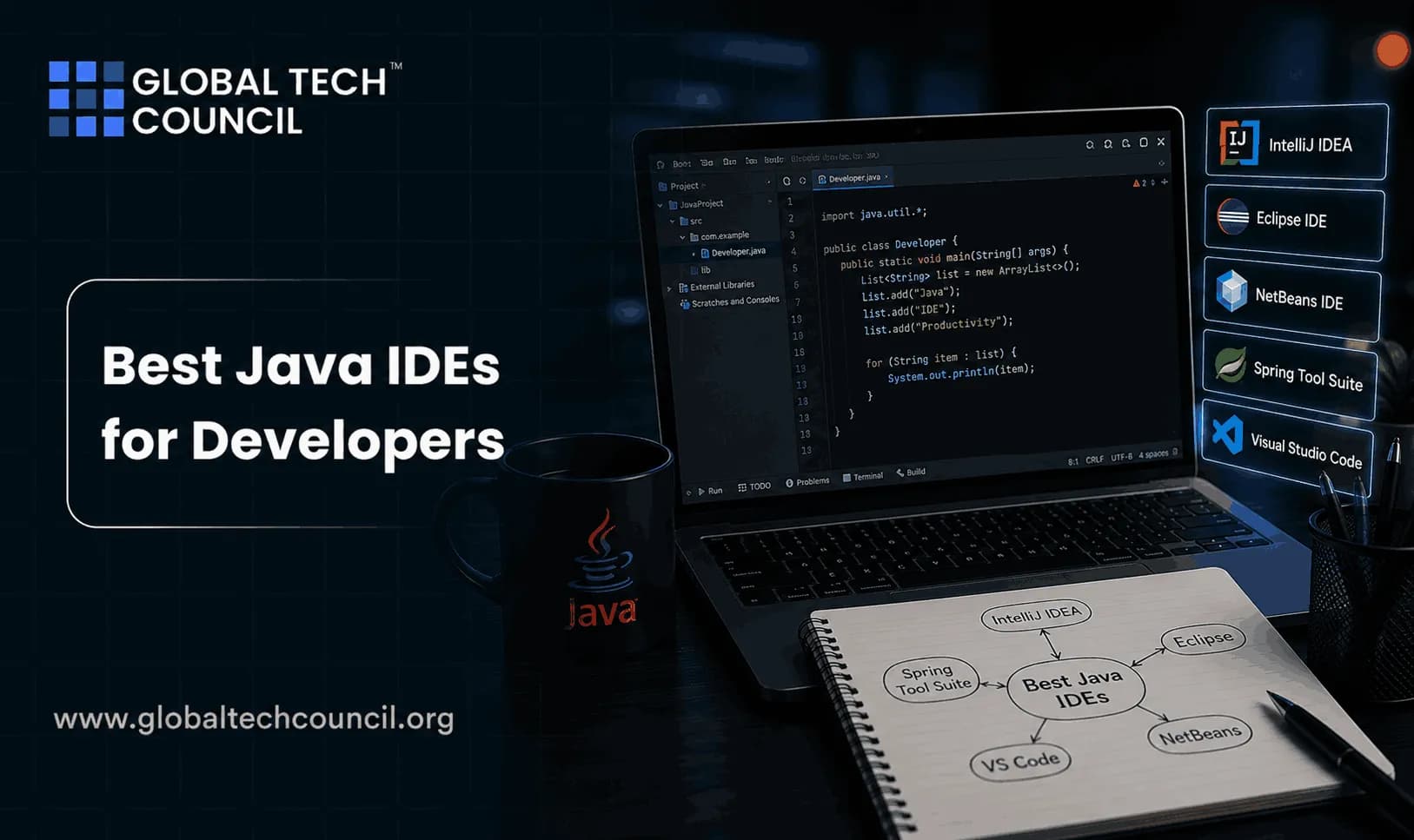
Best Java IDEs are not all built for the same job. IntelliJ IDEA is the safest choice for serious Java development, Eclipse still makes sense for open source and heavily customized enterprise workflows, and VS Code is excellent when you need a light, multi-language editor that can handle Java through extensions.
That is the short answer. The better answer depends on your codebase, hardware, team habits, build tools, and how much time you want to spend configuring the environment before writing code.

Java IDE Market Snapshot: 2024-2026
JRebel's 2025 Java Developer Productivity Report lists IntelliJ IDEA as the most used Java IDE, with 84 percent of respondents selecting it. VS Code appears at 31 percent and Eclipse at 28 percent. Respondents could choose more than one IDE, which matters because Java developers often keep two tools open.
The trend is telling. IntelliJ IDEA rose from 71 percent usage in 2024 to 84 percent in 2025. Eclipse dropped from 39 percent to 28 percent, while VS Code moved from 34 percent to 31 percent. Another practical number: 42 percent of respondents use more than one Java IDE, and 68 percent of IntelliJ users also keep VS Code as a secondary tool.
That matches what you see on real teams. IntelliJ IDEA handles the main Spring Boot service. VS Code opens Terraform, YAML, shell scripts, or a quick Java utility. Eclipse often remains in organizations with long-lived plugin workflows or teams that standardized on open source tooling years ago. Choosing the right Integrated Development Environment (IDE) is an important step toward becoming a productive Java developer. Pursuing a Tech Certification helps professionals strengthen their expertise in Java programming, Spring Boot, debugging, project management, build automation, and enterprise application development. These industry-recognized certifications provide hands-on experience with modern development tools and workflows, enabling developers to maximize productivity while building scalable, production-ready Java applications.
IntelliJ IDEA: Best for Professional Java Development
IntelliJ IDEA is the strongest choice for developers working on medium to large Java systems. It understands Java deeply, and not just for syntax highlighting. It tracks usages, detects dead code, suggests safe refactorings, resolves Spring beans, works well with Maven and Gradle, and makes navigation across large projects feel quick once indexing finishes.
Where IntelliJ IDEA Is Strong
Code intelligence: Smart completion, inspections, live templates, and context-aware suggestions beat most extension-based setups.
Refactoring: Rename, extract method, change signature, move class, and package-level refactors stay dependable in large codebases.
Debugging: Breakpoints, conditional breakpoints, watches, evaluate expression, and stream debugging are polished.
Version control: Git branches, diffs, merge conflict handling, local history, and changelists are built in.
Framework support: The Ultimate edition is especially strong for Spring, Jakarta EE, databases, web tools, and enterprise stacks.
The trade-off is resource use. IntelliJ indexes the project when you open it, and on a large multi-module Gradle build that first scan can take a while. Give it enough RAM. On a modern developer laptop with 16 GB or 32 GB of memory, this is usually fine. On a low-end machine, it can feel heavy.
One small practitioner detail: if a Maven project throws invalid target release: 21, the IDE is not usually the real problem. Your project is compiling for Java 21 while the configured JDK is older, often Java 17. In IntelliJ, check Project Structure, the Maven runner JRE, and your maven-compiler-plugin settings before blaming the editor. The most successful Java developers combine technical proficiency with emerging technology knowledge and business awareness. Advance your software development career through the Java Developer Course, broaden your understanding of intelligent computing by earning the Edge AI Expert certification, and develop valuable product strategy and customer engagement skills with the AI-powered Digital Marketing Course to confidently build, launch, and maintain enterprise-grade Java applications in today's rapidly evolving technology landscape.
Community vs Ultimate
IntelliJ IDEA Community Edition is free and works well for Java, Kotlin, Gradle, Maven, JUnit, and basic JVM development. IntelliJ IDEA Ultimate is paid and adds deeper enterprise and web framework support. If you build Spring Boot services professionally, Ultimate is often worth the license. If you are learning Java fundamentals, Community is enough. Modern software development environments are evolving to support artificial intelligence, cloud-native development, automation, and collaborative engineering workflows. Becoming a Deeptech Expert helps professionals understand how emerging technologies integrate with today's development ecosystems to improve coding efficiency, software quality, and deployment processes. This interdisciplinary expertise enables developers to leverage advanced tools and technologies while preparing for the next generation of intelligent software development.
Eclipse: Best for Open Source, Plugins, and Custom Workflows
Eclipse has been part of Java development for decades. It is free, open source, highly extensible, and still common in academia, enterprise environments, and teams with custom toolchains. If your organization depends on specific Eclipse plugins, code generators, modeling tools, or embedded workflows, moving away from Eclipse may not be worth the disruption.
Where Eclipse Is Strong
Open source licensing: This matters for universities, public sector teams, and organizations with strict procurement rules.
Plugin ecosystem: Eclipse can be shaped around unusual workflows, including legacy enterprise tooling, IoT, cloud, and embedded development.
Lower hardware demands: It can run well on modest machines compared with heavier IDE setups.
Build tool support: Maven, Gradle, and older Ant-based projects are all supported.
Eclipse's weakness is usability. The workspace model, perspectives, views, plugin setup, and configuration screens can confuse new developers. It is powerful, but it can feel like a tool you need to learn before you can learn Java.
There are also classic Eclipse and JDT problems that beginners hit. If you see The project was not built since its build path is incomplete. Cannot find the class file for java.lang.Object, check the installed JRE or JDK in Eclipse preferences. It usually means Eclipse cannot see a valid Java runtime for the project.
Choose Eclipse if your team values open source tooling, deep customization, and long-term stability over UI polish. Do not choose it just because it is free. VS Code and IntelliJ Community are free too, and many new Java developers will move faster in those tools.
VS Code: Best Lightweight Java Editor and Secondary Tool
Visual Studio Code is not a traditional Java IDE out of the box. It becomes one after you install extensions, usually the Extension Pack for Java from Microsoft, which includes Language Support for Java by Red Hat, Debugger for Java, Test Runner for Java, Maven support, and project management tools.
Where VS Code Is Strong
Speed: It starts quickly and feels light, especially compared with full IDEs.
Multi-language work: Java, JavaScript, Python, YAML, Dockerfiles, Markdown, and shell scripts can live in one editor.
Remote development: Remote SSH, Dev Containers, and Codespaces-style workflows are natural in VS Code.
Extension marketplace: Cloud, database, DevOps, AI coding assistants, and collaboration tools are easy to add.
Collaboration: Live Share is useful for pair programming, teaching, and quick code reviews.
VS Code is a good fit for small Java projects, learning exercises, quick edits, coding interviews, documentation, and polyglot work. It is also a practical second editor next to IntelliJ IDEA.
For large Java applications, VS Code is weaker. Refactoring is less reliable than IntelliJ's. Debugging works, but the overall Java experience depends on extensions and project configuration. When a Spring Boot project has several modules, annotation processors, generated sources, and a complex Gradle setup, IntelliJ IDEA usually saves time. Maximize your productivity with industry-standard Java development tools by enrolling in the Java Developer Course, where you'll gain practical experience using IntelliJ IDEA, Eclipse, VS Code, Spring Boot, Java debugging tools, build automation, and enterprise application development workflows. Complement your software engineering expertise with the Edge AI Expert certification to understand how AI is transforming modern software development, and strengthen your business and product knowledge through the AI-powered Digital Marketing Course to build technology solutions that deliver exceptional user experiences and business value.
IntelliJ IDEA vs Eclipse vs VS Code: Direct Comparison
Aspect | IntelliJ IDEA | Eclipse | VS Code |
|---|---|---|---|
Best role | Professional Java IDE | Open source extensible IDE | Light editor with Java extensions |
2025 Java usage | 84 percent in JRebel report | 28 percent | 31 percent |
Cost | Free Community, paid Ultimate | Free and open source | Free |
Performance | Heavier, strong on modern hardware | Moderate resource needs | Fast and light |
Java refactoring | Excellent | Good | Basic to good, extension dependent |
Best fit | Enterprise Java, Spring, large codebases | Custom workflows, academia, legacy systems | Polyglot work, small projects, remote editing |
Which Java IDE Should You Choose?
Choose IntelliJ IDEA if you build Java professionally
If Java is your main language and your project is larger than a tutorial app, start with IntelliJ IDEA. It gives you the best productivity, the best Java-aware refactoring, and the smoothest experience for modern backend development. To be blunt, it is the default recommendation for professional Java teams in 2026.
Choose Eclipse if your workflow depends on plugins
Eclipse is the right choice when your organization already runs Eclipse-based tooling, custom plugins, or strict open source requirements. It is also useful in academic settings where licensing and machine variety matter. Expect a steeper learning curve.
Choose VS Code if Java is one part of your day
Use VS Code if you switch between Java, JavaScript, Python, Docker, Kubernetes manifests, and documentation. It is also ideal for quick edits and remote sessions. If you are building a large Spring Boot system, though, treat VS Code as a companion tool rather than your primary Java IDE.
Learning Path for Java Developers
Your IDE will not fix weak fundamentals. Learn the language, the JVM, testing, build tools, Git, debugging, and deployment. Then pick the IDE that reduces friction for your work.
If you are building your Java career, use this as an internal learning path on Global Tech Council:
Start with Java syntax, object-oriented programming, collections, exceptions, and generics.
Practice JUnit 5, Mockito, Maven, and Gradle in the IDE you plan to use at work.
Build a REST API with Spring Boot, connect it to PostgreSQL, and debug it locally.
Add Git workflows, CI basics, Docker, and secure coding practices.
Explore related Global Tech Council programming, cloud, DevOps, cybersecurity, and AI courses to connect Java skills with production systems.
Final Recommendation
Pick IntelliJ IDEA for full-time Java development. Pick Eclipse when open source extensibility or existing enterprise tooling is the deciding factor. Pick VS Code when you need speed, multi-language editing, or a secondary Java workspace.
Run one practical test before you standardize your team: open the same real project in all three tools. Run the tests. Rename a public method used across modules. Debug a failing integration test. Fix a Maven or Gradle issue. The right IDE will be obvious after an hour. Selecting the right development tools ultimately contributes to delivering better products and improved customer experiences. Earning a Marketing Certification helps professionals understand product development from a business perspective by strengthening skills in customer-focused thinking, product positioning, digital communication, and innovation strategy. These capabilities enable developers to build software that aligns technical excellence with organizational goals and user expectations.
FAQs
1. What Is a Java IDE?
A Java Integrated Development Environment (IDE) is software that helps developers write, edit, compile, debug, test, and deploy Java applications efficiently. It combines code editing, debugging, project management, and development tools in a single workspace.
2. Which Are the Best Java IDEs for Developers in 2026?
Some of the most popular Java IDEs include Eclipse, IntelliJ IDEA, and Visual Studio Code (VS Code). Each offers different features, extensions, debugging tools, and customization options for Java development.
3. What Is IntelliJ IDEA and Why Is It Popular?
IntelliJ IDEA is a feature-rich Java IDE known for intelligent code completion, advanced refactoring, built-in debugging, Spring Boot support, Maven and Gradle integration, and powerful productivity features for professional developers.
4. What Are the Advantages of Eclipse for Java Development?
Eclipse is an open-source Java IDE that provides excellent plugin support, strong debugging capabilities, enterprise Java development tools, and extensive customization options, making it popular for large-scale development projects.
5. Can Visual Studio Code Be Used for Java Development?
Yes. VS Code supports Java development through extensions that provide code completion, debugging, project management, Maven support, Spring Boot integration, and Git version control.
6. Which Java IDE Is Best for Beginners?
Many beginners choose IntelliJ IDEA Community Edition or Eclipse because they provide comprehensive Java development features, excellent documentation, and large developer communities. VS Code is also suitable for developers who prefer a lightweight editor.
7. Which IDE Is Better for Enterprise Java Development?
IntelliJ IDEA and Eclipse are widely used for enterprise Java development because they provide advanced support for Spring Boot, Jakarta EE, Maven, Gradle, microservices, databases, and enterprise frameworks.
8. How Does IntelliJ IDEA Compare With Eclipse?
IntelliJ IDEA is often preferred for its intelligent coding assistance and user experience, while Eclipse is valued for its open-source ecosystem, flexibility, and extensive plugin library. The best choice depends on project requirements and developer preferences.
9. What Features Should You Look for in a Java IDE?
Important features include code completion, syntax highlighting, debugging tools, refactoring support, Git integration, Maven and Gradle support, testing tools, plugin availability, performance, and cloud development capabilities.
10. Which Java IDE Offers the Best Debugging Tools?
IntelliJ IDEA, Eclipse, and VS Code all provide powerful debugging capabilities, including breakpoints, variable inspection, stack trace analysis, step-by-step execution, and integrated debugging consoles.
11. Can Java IDEs Support Spring Boot Development?
Yes. Modern Java IDEs provide built-in support or extensions for Spring Boot, enabling developers to create, debug, run, and manage Spring applications efficiently.
12. Do Java IDEs Support Git and Version Control?
Yes. Eclipse, IntelliJ IDEA, and VS Code integrate with Git and popular version control platforms, allowing developers to manage repositories, track code changes, review commits, and collaborate with teams.
13. Which Java IDE Is Best for Performance?
Performance depends on project size, system configuration, installed plugins, and developer workflow. VS Code is generally lightweight, while IntelliJ IDEA and Eclipse provide more advanced enterprise development features.
14. What Build Tools Are Supported by Java IDEs?
Most Java IDEs support Maven, Gradle, and Ant for dependency management, project builds, testing, packaging, and deployment automation.
15. What Common Mistakes Should Beginners Avoid When Choosing a Java IDE?
Beginners should avoid selecting an IDE solely based on popularity, installing unnecessary plugins, ignoring documentation, skipping keyboard shortcuts, neglecting debugger features, and failing to learn IDE productivity tools.
16. Which IDE Is Better for Cloud-Native Java Development?
IntelliJ IDEA and Eclipse both offer strong support for cloud-native development, Docker, Kubernetes, Spring Boot, microservices, REST APIs, and deployment to major cloud platforms.
17. What Skills Should Java Developers Learn Alongside Their IDE?
Developers should understand Java fundamentals, object-oriented programming, Spring Boot, REST APIs, Git, SQL, debugging, testing, Maven, Gradle, Docker, Kubernetes, and cloud computing.
18. How Is AI Improving Java IDEs in 2026?
AI-powered features now assist developers with intelligent code completion, automated refactoring, bug detection, documentation generation, code explanations, testing suggestions, and productivity improvements within modern Java IDEs.
19. What Career Opportunities Benefit From Java IDE Expertise?
Professionals working as Java Developers, Backend Developers, Software Engineers, Full Stack Developers, Spring Boot Developers, Cloud Engineers, DevOps Engineers, and Enterprise Architects use Java IDEs daily for application development.
20. Which Java IDE Should You Choose for Professional Development?
The best Java IDE depends on your experience level, project requirements, and development workflow. IntelliJ IDEA excels in intelligent productivity features, Eclipse remains a strong choice for enterprise and open-source development, and VS Code offers a lightweight, customizable environment. Mastering your chosen IDE along with Java, Spring Boot, Git, debugging, and cloud technologies will significantly improve development efficiency and career opportunities in modern Java software engineering.
Related Articles
View All
Java
Exception Handling in Java: Best Practices for Cleaner and Safer Code
Learn exception handling in Java with practical best practices for specific exceptions, try-with-resources, secure logging, propagation, and safer APIs.

Java
How to Write Code in Java: Syntax, Structure, and Best Practices Explained
Learn how to write code in Java with clear syntax, class structure, naming rules, formatting habits, and practical best practices for maintainable programs.

Java
How Java Powers Android App Development: Basics for New Developers
Learn how Java powers Android app development, why it still matters beside Kotlin, and which Java basics new Android developers should master first.
Trending Articles
The Role of Blockchain in Ethical AI Development
How blockchain technology is being used to promote transparency and accountability in artificial intelligence systems.
AWS Career Roadmap
A step-by-step guide to building a successful career in Amazon Web Services cloud computing.
Top 5 DeFi Platforms
Explore the leading decentralized finance platforms and what makes each one unique in the evolving DeFi landscape.