

How to Write Code in Java: Syntax, Structure, and Best Practices Explained
 Suyash Raizada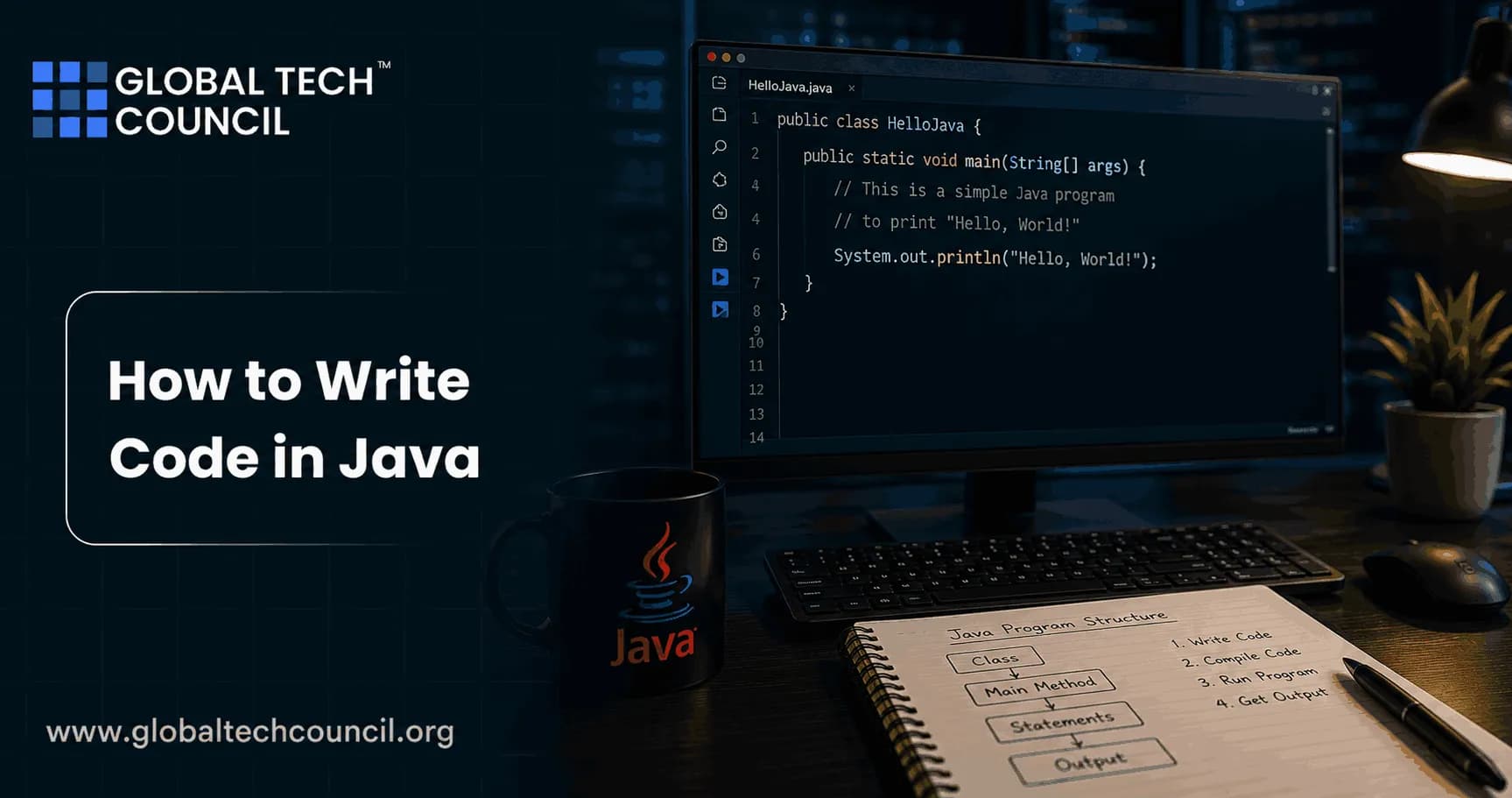
Learning how to write code in Java starts with one non-negotiable rule: executable code lives inside classes. Once you understand that structure, Java becomes much easier to read, test, and maintain. The syntax is strict. That is part of its value. The compiler catches many mistakes before your code reaches production.
This guide covers Java syntax, program structure, naming rules, formatting habits, and the practical patterns used by working Java teams. If you are preparing for a Java developer role or a certification such as Certified Java Developer from Global Tech Council, treat these patterns as your baseline.

Java Syntax Essentials
The basic Java program structure
Every Java console program usually begins with a class and a main method. The public class name must match the file name. If the class is Main, the file must be Main.java.
public class Main {
    public static void main(String[] args) {
        System.out.println("Hello, Java!");
    }
}
Here is what each part does:
public class Main: Defines a class namedMain. Class names use UpperCamelCase.public static void main(String[] args): The conventional entry point for a Java console application.System.out.println: Prints output to the console.Semicolons: Most Java statements end with
;.Braces: Blocks are enclosed in
{ }.
A common beginner error is saving that code as main.java or Hello.java. The compiler is blunt about it:
class Main is public, should be declared in a file named Main.javaThat message is not decorative. Fix the file name before you go hunting for deeper issues.
Variables, types, and operators
Java is statically typed. You declare the type before using a variable.
int count = 0;
count = count + 1;
boolean isReady = count > 0;
Use comparison operators such as ==, !=, <, and >. Use logical operators such as &&, ||, and !. Oracle's coding conventions recommend parentheses when expressions mix operators, especially with ternary logic. Do it. The compiler knows precedence rules, but the next developer reading your code may pause.
if ((score >= 80) && (attempts < 3)) {
    System.out.println("Passed");
}
Conditionals and loops
Java uses familiar control structures:
if (value > 0) {
    System.out.println("Positive");
} else if (value == 0) {
    System.out.println("Zero");
} else {
    System.out.println("Negative");
}
For iteration, you can use a traditional for loop:
for (int i = 0; i < 10; i++) {
    System.out.println(i);
}
When reading collections, prefer the enhanced for loop unless you need the index. It is clearer.
for (String name : names) {
    System.out.println(name);
}
Streams can help too, but do not force them into every loop. A three-line loop is often easier to debug than a dense stream pipeline with side effects. Learning to write clean and efficient Java code is the foundation of becoming a successful software developer. Pursuing a Tech Certification helps professionals build practical expertise in Java syntax, object-oriented programming, coding standards, Spring Boot, backend development, APIs, and enterprise software engineering. These industry-recognized certifications provide hands-on experience that prepares developers to create maintainable, scalable, and production-ready Java applications using modern development practices.
How Java Programs Are Organized
Classes, packages, and files
Java code is organized into classes. Related classes are grouped into packages. Google's Java Style Guide recommends lowercase package names with no underscores, such as:
com.example.billingA simple project might contain:
src/main/java/com/example/billing/Invoice.java
src/main/java/com/example/billing/InvoiceService.java
src/main/java/com/example/billing/TaxCalculator.java
This structure matters once the codebase grows. A messy package layout becomes painful during testing, refactoring, and onboarding.
Methods should stay focused
Keep methods small, often around 10 to 20 lines. That is not a law, but it is a useful warning light. If your method runs 80 lines and handles validation, database calls, payment logic, and logging all at once, split it.
public class OrderService {

    private final PaymentProcessor paymentProcessor;

    public OrderService(PaymentProcessor paymentProcessor) {
        this.paymentProcessor = paymentProcessor;
    }

    public void placeOrder(Order order) {
        validate(order);
        paymentProcessor.process(order);
    }

    private void validate(Order order) {
        if (order == null) {
            throw new IllegalArgumentException("Order is required");
        }
    }
}
This example uses composition. OrderService receives a PaymentProcessor instead of inheriting from one. In most business applications, composition is easier to test and less fragile than inheritance.
Java Naming and Formatting Rules
Use names that explain intent
Naming is not cosmetic. It is design. Use names that describe the domain and the action.
Classes: Use nouns in UpperCamelCase, such as
InvoiceServiceorCustomerRepository.Methods: Use verbs or verb phrases in lowerCamelCase, such as
calculateTotalorsendReceipt.Variables: Use meaningful names.
totalAmountbeatsx.Constants: Use uppercase with underscores, such as
MAX_LOGIN_ATTEMPTS.
Single-letter variables are acceptable in tiny scopes, such as loop counters. Outside that, they make code harder to review.
Follow a consistent layout
Formatting should not be a team argument. Pick a guide and automate it. Google's Java Style Guide uses a continuation indentation of at least +4 spaces and a single blank line between class members. Oracle's conventions also stress consistent indentation and brace placement.
Most teams solve this with IntelliJ IDEA formatting, Eclipse formatter profiles, Maven plugins, or Gradle checks. Do not rely on memory.
Modern Java Practices You Should Use Carefully
Switch expressions
Modern Java supports switch expressions, which can cut down noisy if chains.
String label = switch (status) {
    case 1 -> "New";
    case 2 -> "Processing";
    case 3 -> "Complete";
    default -> "Unknown";
};
Use this when the mapping is simple. If each branch grows into several actions, move the logic into named methods or separate classes.
Collections over arrays
Arrays are fine when the size is fixed and performance constraints are clear. For most application code, prefer collections.
List<String> users = new ArrayList<>();
users.add("Asha");
users.add("Miguel");
Choose the data structure based on access patterns:
ArrayList: Good default for indexed reads and appending.HashSet: Use when uniqueness matters.HashMap: Use for key-value lookups.PriorityQueue: Use when you repeatedly need the next highest or lowest priority item.
Be careful with LinkedList. Beginners often reach for it because insertion sounds cheap. In real Java applications, ArrayList is usually faster for typical access patterns thanks to cache locality and lower object overhead. Writing high-quality code is essential for developing reliable applications across artificial intelligence, cloud computing, blockchain, intelligent automation, and enterprise platforms. Becoming a Deeptech Expert helps professionals understand how strong software engineering principles contribute to building scalable, secure, and future-ready technology solutions. This interdisciplinary perspective enables developers to create applications that perform efficiently while supporting innovation across diverse technology domains.
Best Practices for Writing Clean Java Code
Use guard clauses to reduce nesting
Deep nesting hides the main path of the method. Guard clauses make failure cases explicit.
public void process(User user) {
    if (user == null) {
        throw new IllegalArgumentException("User is required");
    }

    if (!user.isActive()) {
        return;
    }

    sendNotification(user);
}
This reads from top to bottom. No pyramid of if blocks. Much better.
Handle exceptions with intent
Do not catch exceptions and ignore them. That creates ghost bugs.
try {
    paymentProcessor.process(order);
} catch (PaymentException ex) {
    logger.error("Payment failed for order {}", order.getId(), ex);
    throw ex;
}
Catch exceptions when you can add context, recover, or translate them for a caller. Avoid broad catch (Exception ex) blocks unless you are at a boundary such as a controller, worker, or scheduler.
Use StringBuilder in loops
String concatenation is readable for small cases. Inside loops, use StringBuilder.
StringBuilder builder = new StringBuilder();
for (String item : items) {
    builder.append(item).append(",");
}
String result = builder.toString();
This avoids creating many short-lived string objects during repeated concatenation.
Avoid magic numbers
Oracle's conventions advise against raw numeric constants except for simple values such as -1, 0, and 1 in obvious loop logic. Use named constants instead.
private static final int MAX_RETRY_COUNT = 3;The code becomes self-explanatory, and changing the value later is safer.
Comments and Documentation
Good comments explain why, not what. This comment is noise:
// increment count
count++;
This one is useful:
// The payment provider rejects duplicate retries within 30 seconds.
if (lastAttempt.isAfter(Instant.now().minusSeconds(30))) {
    return;
}
Oracle has also used markers such as FIXME and XXX to flag broken or suspicious code. Use them sparingly, and make sure your issue tracker does not turn into a graveyard of forgotten notes.
Common Mistakes When You Write Code in Java
Using
=when you meant==in conditions.Accessing static members through an object instead of the class name.
Writing methods that do five unrelated things.
Using strings to represent domain concepts that deserve their own type.
Catching exceptions without logging, rethrowing, or recovering.
Choosing inheritance because it feels object-oriented, when composition would be simpler.
Learning Path for Java Developers
If you are serious about Java, build in this order:
Write small console programs using classes, variables, loops, and conditionals.
Practice collections with
List,Set,Map, andPriorityQueue.Refactor long methods into smaller private methods.
Add unit tests with JUnit 5.
Study exception handling and logging with SLF4J.
Move into Maven or Gradle projects, then learn Spring if your goal is enterprise backend development.
For structured learning, consider Global Tech Council's Certified Java Developer as your next step. If your work touches backend systems, you can pair Java training with courses in software architecture, cloud computing, cybersecurity, or data science.
Final Step: Write Java Like Someone Else Will Maintain It
The best Java code is not clever. It is clear. Use small classes, focused methods, meaningful names, standard collections, explicit exceptions, and consistent formatting. Start with a simple Java program today, then refactor it until every method has one clear job. That habit will help you more than memorizing syntax alone. Well-written software improves product quality, user satisfaction, and long-term business success. Earning a Marketing Certification helps professionals understand customer expectations, product positioning, digital communication, and business strategy. These skills enable developers to build software that not only meets technical requirements but also delivers meaningful value to customers and organizations.
FAQs
1. How Do You Write Code in Java?
Writing Java code involves creating classes, defining methods, declaring variables, implementing program logic, compiling the code using the Java Development Kit (JDK), and running the application through the Java Virtual Machine (JVM).
2. What Is the Basic Structure of a Java Program?
A Java program typically consists of a package declaration, import statements, one or more classes, variables, methods, constructors, and a main method that serves as the application's entry point.
3. What Is Java Syntax?
Java syntax refers to the rules and structure used to write valid Java code, including keywords, identifiers, operators, statements, punctuation, and code formatting conventions.
4. Why Is Proper Java Syntax Important?
Correct syntax ensures that Java programs compile successfully, reduces programming errors, improves readability, and makes applications easier to maintain and debug.
5. What Is the Purpose of the Main Method in Java?
The main method is the entry point of a Java application. The JVM starts executing the program from this method when the application is launched.
6. How Are Variables Declared in Java?
Variables are declared by specifying a data type followed by a variable name. They store values that can be used and modified throughout the program.
7. What Are Methods in Java?
Methods are reusable blocks of code that perform specific tasks. They improve code organization, reduce duplication, and make applications easier to maintain and test.
8. Why Are Classes Important in Java?
Classes define the blueprint for creating objects. They organize related data and behavior into reusable components, supporting object-oriented programming principles.
9. What Are Comments in Java and Why Should You Use Them?
Comments help explain code, improve readability, simplify maintenance, and assist team collaboration. They are ignored during program execution and are commonly used to document important logic.
10. What Are Java Coding Best Practices?
Best practices include using meaningful variable names, following consistent formatting, writing reusable methods, handling exceptions properly, avoiding duplicate code, documenting important logic, testing applications, and following object-oriented programming principles.
11. How Can Beginners Avoid Syntax Errors in Java?
Beginners should use modern IDEs, pay attention to compiler messages, maintain proper indentation, verify brackets and semicolons, use descriptive naming conventions, and test code frequently.
12. Which IDEs Are Best for Writing Java Code?
Popular Java IDEs include IntelliJ IDEA, Eclipse, and Visual Studio Code. These tools provide syntax highlighting, code completion, debugging, testing, and project management features.
13. How Can Developers Write Cleaner Java Code?
Developers can write cleaner code by creating small methods, following naming conventions, minimizing code duplication, organizing classes logically, using design principles, and reviewing code regularly.
14. What Common Mistakes Should Beginners Avoid When Writing Java Code?
Common mistakes include ignoring code formatting, using unclear variable names, neglecting exception handling, writing long methods, avoiding comments where necessary, skipping testing, and not following Java naming conventions.
15. How Can Developers Improve Java Code Performance?
Performance can be improved by selecting appropriate data structures, reducing unnecessary object creation, optimizing loops, minimizing database calls, using efficient algorithms, and profiling applications regularly.
16. Which Skills Should Beginners Learn After Writing Basic Java Programs?
After mastering Java syntax, developers should learn object-oriented programming, collections, exception handling, multithreading, JDBC, Spring Boot, REST APIs, SQL, Git, testing, and cloud fundamentals.
17. How Does AI Help Developers Write Java Code in 2026?
AI-powered coding assistants help developers generate code snippets, explain syntax, detect errors, suggest improvements, automate documentation, create unit tests, and improve overall development productivity.
18. Is Writing Clean Java Code Important for Technical Interviews?
Yes. Technical interviewers evaluate coding style, readability, logical thinking, problem-solving ability, naming conventions, code organization, and adherence to software engineering best practices.
19. What Projects Help Beginners Practice Java Coding?
Beginners can practice by building calculators, banking systems, student management applications, inventory systems, REST APIs, task managers, authentication systems, and console-based utilities.
20. Why Should Every Java Developer Learn Proper Java Syntax, Structure, and Best Practices?
Strong knowledge of Java syntax, program structure, and coding best practices forms the foundation of professional software development. By writing clean, readable, and maintainable code, developers improve application quality, simplify debugging, enhance collaboration, and prepare themselves for enterprise development, technical interviews, cloud-native applications, and long-term career success in Java programming.
Related Articles
View All
Java
Exception Handling in Java: Best Practices for Cleaner and Safer Code
Learn exception handling in Java with practical best practices for specific exceptions, try-with-resources, secure logging, propagation, and safer APIs.

Java
Best Java IDEs for Developers: Eclipse, IntelliJ IDEA, and VS Code Compared
Compare the best Java IDEs for developers: IntelliJ IDEA, Eclipse, and VS Code. See strengths, trade-offs, use cases, and which tool fits your workflow.

Java
Java Collections Framework Explained: Lists, Sets, Maps, and Queues
A practical guide to the Java Collections Framework, covering List, Set, Map, Queue, Java 21 sequenced collections, and real selection rules.
Trending Articles
The Role of Blockchain in Ethical AI Development
How blockchain technology is being used to promote transparency and accountability in artificial intelligence systems.
AWS Career Roadmap
A step-by-step guide to building a successful career in Amazon Web Services cloud computing.
Top 5 DeFi Platforms
Explore the leading decentralized finance platforms and what makes each one unique in the evolving DeFi landscape.