

Java Basics for Beginners: Write Your First Java Program
 Suyash Raizada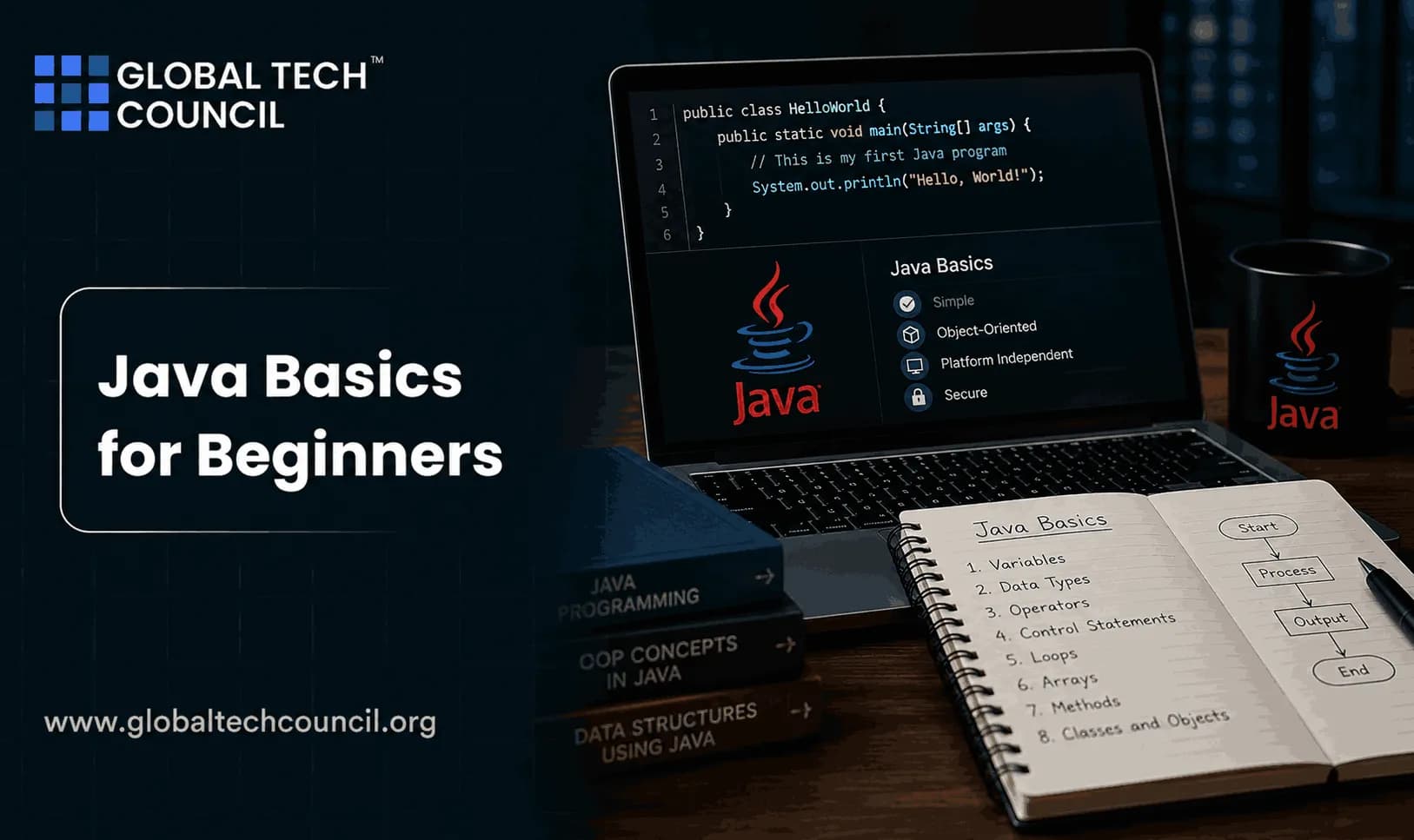
Java Basics for Beginners starts with one practical goal: install the JDK, write a small class, compile it with javac, and run it with java. If that sounds too simple, good. Your first win in Java is not building a web app. It is proving that your machine, editor, PATH, compiler, and runtime all agree with each other.
Java is still a serious language for back end systems, Android codebases, enterprise platforms, financial applications, and cloud services. It runs on the Java Virtual Machine, so compiled Java bytecode can run anywhere a compatible JVM is installed. That platform model is one reason Java has stayed near the top of developer surveys such as Stack Overflow's annual Developer Survey and language rankings such as the TIOBE Index. Learning Java fundamentals is the first step toward building a successful career in software development. Pursuing a Tech Certification helps beginners develop practical skills in Java syntax, variables, data types, control flow, object-oriented programming, debugging, and backend development. These industry-recognized certifications provide hands-on learning that prepares aspiring developers to confidently write, test, and deploy Java applications while building a strong foundation for advanced software engineering.

What You Need Before Writing Java Code
You do not need a heavy setup for your first Java program. You need two things.
A JDK: The Java Development Kit includes the compiler, named
javac, and the runtime, namedjava.An editor: A basic text editor works. IntelliJ IDEA Community Edition, Eclipse, and NetBeans are better once you start building projects.
For beginners, install an OpenJDK 21 build because Java 21 is a Long Term Support release. Eclipse Temurin, Microsoft Build of OpenJDK, and Amazon Corretto are common choices. Oracle also provides Java downloads and the official Java SE documentation.
One opinion from teaching this to new developers: run your first program from the terminal before relying on an IDE. IDEs are useful, but they hide what the compiler is actually doing. When something breaks later, that knowledge saves you time.
Step 1: Install the JDK
After installing the JDK, open your terminal or command prompt and run:
java -version
javac -version
You should see version output for both commands. If java works but javac does not, you probably installed only a runtime, or your PATH points to the wrong location. This is a classic beginner problem.
On Windows, the JDK bin folder often looks similar to:
C:\Program Files\Java\jdk-21\binOn macOS or Linux, package managers usually set this up for you, but not always. If the terminal says javac: command not found, fix the PATH before writing more code.
Step 2: Create Your Java File
Create a new folder called java-basics. Inside it, create a file named:
HelloWorld.javaFile naming matters in Java. If a class is declared as public class HelloWorld, the file must be named HelloWorld.java. Not helloworld.java. Not Main.java. Java is strict about this, and on case-sensitive systems, capitalization matters too.
Step 3: Write Your First Java Program
Paste this code into HelloWorld.java:
public class HelloWorld {
    public static void main(String[] args) {
        System.out.println("Hello, World!");
    }
}
This is the standard first Java program. It prints one line of text to the console.
What Each Line Means
public class HelloWorld: This defines a class namedHelloWorld. Java programs are organized around classes.{ }: Curly braces group code into blocks. Forget one and the compiler will complain.public static void main(String[] args): This is the entry point. The JVM looks for this method when your program starts.System.out.println: This prints text and moves to the next line.;: Java statements usually end with a semicolon.
The phrase String[] args means the program can receive command-line arguments. You do not need to use it yet, but the method signature must be correct for a normal Java entry point.
Step 4: Compile the Program
Open your terminal in the folder containing HelloWorld.java. Run:
javac HelloWorld.javaIf nothing prints, that is good. Java created a new file named:
HelloWorld.classThat .class file contains bytecode, which the JVM can run.
A Real Error Beginners Hit
If your file is named Main.java but your code says public class HelloWorld, javac may print something like this:
Main.java:1: error: class HelloWorld is public, should be declared in a file named HelloWorld.java
public class HelloWorld {
       ^
1 error
This error is not mysterious. Rename the file to HelloWorld.java, or change the class name to match the file. I have seen this trip up more beginners than inheritance, generics, or memory management combined.
Step 5: Run the Program
Now run:
java HelloWorldDo not type java HelloWorld.class. That is another common mistake. Use the class name, not the file name.
Your output should be:
Hello, World!You have now written, compiled, and executed your first Java program.
Every advanced software solution begins with a strong understanding of programming fundamentals. Becoming a Deeptech Expert helps professionals explore how foundational programming skills support technologies such as artificial intelligence, cloud computing, blockchain, intelligent automation, and enterprise systems. This broader technical perspective enables beginners to understand how core programming concepts evolve into real-world technology solutions that power modern businesses.
Java Syntax Basics You Should Learn Next
Hello World proves the setup. The next step is learning the small building blocks that appear in almost every Java program.
Variables and Data Types
Java is statically typed, which means you declare the type of a variable before using it.
int age = 30;
double price = 19.99;
boolean active = true;
String name = "Asha";int, double, and boolean are primitive types. String is a reference type and represents text.
Operators
Operators help you calculate, compare, and combine values.
int total = 10 + 5;
boolean isAdult = age >= 18;
boolean canAccess = active && isAdult;
Notice == checks equality, while = assigns a value. Mixing those up is a rite of passage, but avoid it if you can.
Control Flow
Programs need decisions and repetition.
if (age >= 18) {
    System.out.println("Adult");
} else {
    System.out.println("Minor");
}

for (int i = 1; i <= 3; i++) {
    System.out.println(i);
}
if chooses a path. for repeats work. Learn these before touching frameworks such as Spring Boot.
Methods
Methods let you name reusable behavior.
public class Greeting {
    static void sayHello(String name) {
        System.out.println("Hello, " + name);
    }

    public static void main(String[] args) {
        sayHello("Asha");
    }
}
This example passes a name into a method. Small methods make code easier to test and read.
Why Java Uses Classes and Objects
Java is object oriented. You model data and behavior through classes and objects. A class is a blueprint. An object is a specific instance created from that blueprint.
public class Student {
    String name;
    int score;

    void printResult() {
        System.out.println(name + " scored " + score);
    }
}
Object oriented programming introduces encapsulation, inheritance, polymorphism, and abstraction. Do not try to master all four in one sitting. Start by creating simple classes that represent real things, such as Student, Book, or BankAccount.
Should You Use an IDE?
Yes, but not too early. For the first hour, use the terminal. After that, switch to IntelliJ IDEA Community Edition if you want the smoothest beginner experience. Eclipse is common in enterprise environments, and NetBeans is still a practical choice for learning standard Java projects.
An IDE gives you:
Syntax highlighting
Autocomplete
Refactoring tools
Built-in debugging
Project management for larger applications
Do not let autocomplete write code you do not understand. Use it as a helper, not a crutch.
Programming skills become even more valuable when developers understand how software creates value for users and businesses. Earning a Marketing Certification helps professionals strengthen their knowledge of customer needs, product strategy, digital communication, and business growth. These skills encourage developers to create software that solves real-world problems while supporting successful digital products and customer experiences.
Where Java Is Used in Real Work
Java shows up where long-term reliability matters. Common areas include:
Back end web systems: REST APIs, authentication services, and business applications.
Enterprise software: Banking, insurance, logistics, and ERP systems.
Android applications: Kotlin is now preferred for many new Android projects, but Java remains common in existing codebases.
Big data and streaming: Many JVM-based tools and services still require Java knowledge.
Cloud microservices: Java 21 virtual threads make high-concurrency service design simpler than older thread-per-request models.
That last point matters. Modern Java is not the same language many people learned in 2008. Records, switch expressions, pattern matching for instanceof, and virtual threads have made newer Java cleaner to write. Start your software development journey with confidence through the Java Developer Course, where you'll gain practical expertise in Java fundamentals, object-oriented programming, Spring Boot, backend development, REST APIs, and enterprise software development through real-world projects. Expand your understanding of intelligent technologies with the Edge AI Expert certification, and strengthen your product and business knowledge through the AI-powered Digital Marketing Course to become a future-ready developer capable of building innovative software solutions.
A Beginner Learning Path That Works
Use this order. It is not glamorous, but it works.
Install JDK 21 and run
java -version.Write and compile
HelloWorld.javafrom the terminal.Learn variables, data types, operators, and control flow.
Write a calculator and a number guessing game.
Learn methods and basic debugging.
Create small classes such as
StudentorAccount.Study collections, especially
ArrayList,HashMap, andHashSet.Then move to files, exceptions, unit testing, and databases.
If you are learning for work, pair hands-on practice with structured training. Use this guide as a starting point before exploring the programming courses and Java-focused certification paths on the Global Tech Council platform. If your goal is back end engineering, add SQL, Git, HTTP, and basic cloud concepts after core Java.
Common Beginner Mistakes to Avoid
Installing only a JRE: You need the JDK to compile code.
Wrong file name:
public class HelloWorldbelongs inHelloWorld.java.Running the class file name: Use
java HelloWorld, notjava HelloWorld.class.Ignoring compiler messages: Read the first error first. Later errors often disappear after the first fix.
Jumping to Spring Boot too soon: Learn Java syntax and OOP first. Frameworks reward fundamentals.
Every experienced Java developer begins with mastering the fundamentals. Build a strong technical foundation through the Java Developer Course, broaden your knowledge of AI-powered innovation with the Edge AI Expert certification, and develop valuable product strategy and customer engagement skills with the AI-powered Digital Marketing Course to prepare for a successful career in software development and emerging technologies.
Your Next Step
Create a folder today, install JDK 21, and run the Hello World program exactly as shown. Then change the message, add a variable, and print your name with System.out.println. After that, build a small calculator. If you want a guided route, continue with a structured Java or programming course through Global Tech Council and keep every exercise runnable from your own machine.
FAQs
1. What Is Java?
Java is a high-level, object-oriented programming language used to build web applications, enterprise software, Android apps, cloud-native services, and backend systems. Its platform independence and reliability make it one of the most popular programming languages in the world.
2. Why Should Beginners Learn Java?
Java provides a strong foundation in programming concepts, object-oriented programming, and software engineering. It also offers excellent career opportunities in backend development, enterprise software, cloud computing, and Android application development.
3. How Do You Write Your First Java Program?
To write your first Java program, install the Java Development Kit (JDK), choose a Java IDE, create a class containing the main method, write your code, compile it, and run the application using the Java Virtual Machine (JVM).
4. What Is the Main Method in Java?
The main method is the entry point of a Java application. When you run a Java program, the JVM starts executing the code from this method.
5. What Is a Class in Java?
A class is a blueprint for creating objects. It defines the properties and behaviors that objects created from the class will have.
6. What Is an Object in Java?
An object is an instance of a class that stores data and performs actions defined by the class. Objects allow developers to model real-world entities in software.
7. What Are Variables in Java?
Variables are named storage locations used to hold data such as numbers, text, or Boolean values during program execution.
8. What Are Data Types in Java?
Data types specify the type of data that a variable can store. Java includes primitive data types such as integers, floating-point numbers, characters, and booleans, along with reference data types like objects and arrays.
9. What Are Operators in Java?
Operators perform operations on variables and values. Java supports arithmetic, comparison, logical, assignment, bitwise, and conditional operators for different programming tasks.
10. What Are Control Flow Statements in Java?
Control flow statements determine the order in which code executes. Java uses if, else, switch, for, while, and do-while statements to make decisions and repeat tasks.
11. Which IDE Is Best for Beginners Learning Java?
Popular IDEs for beginners include IntelliJ IDEA Community Edition, Eclipse, and Visual Studio Code. These IDEs provide code completion, debugging, syntax highlighting, and project management features.
12. What Is the Difference Between JDK, JRE, and JVM?
The JDK contains development tools for building Java applications, the JRE provides the runtime environment for executing Java programs, and the JVM interprets and runs Java bytecode.
13. What Common Mistakes Should Beginners Avoid?
Beginners should avoid skipping Java fundamentals, ignoring object-oriented programming concepts, neglecting debugging, writing unclear variable names, overlooking exception handling, and practicing only theory without building projects.
14. How Can Beginners Practice Java Programming?
Practice by creating simple applications such as calculators, number guessing games, student management systems, expense trackers, inventory applications, and basic REST APIs as your skills improve.
15. What Skills Should Beginners Learn After Java Basics?
After mastering the basics, developers should learn object-oriented programming, collections, exception handling, multithreading, JDBC, Spring Boot, SQL, Git, REST APIs, testing, and cloud fundamentals.
16. How Long Does It Take to Learn Java Basics?
The learning timeline depends on your background, consistency, and practice. Regular coding, project development, and problem-solving help beginners progress more effectively than focusing only on theory.
17. How Is AI Helping Beginners Learn Java in 2026?
AI-powered coding assistants explain Java concepts, generate code examples, detect syntax errors, suggest improvements, create practice exercises, and provide personalized learning support for beginners.
18. Are Java Basics Important for Technical Interviews?
Yes. Employers frequently assess Java fundamentals, including variables, data types, loops, object-oriented programming, methods, arrays, collections, and problem-solving skills during technical interviews.
19. What Career Opportunities Can Beginners Pursue After Learning Java?
After building strong Java skills, beginners can pursue roles such as Junior Java Developer, Backend Developer, Software Engineer, Full Stack Developer, Android Developer, API Developer, and Cloud Developer.
20. Why Is Learning Java Basics the First Step Toward Becoming a Professional Developer?
Java fundamentals provide the building blocks for advanced software development. By mastering variables, data types, classes, objects, methods, control flow, and object-oriented programming, beginners establish a strong technical foundation that supports learning enterprise frameworks, cloud technologies, backend development, and modern software engineering practices, preparing them for successful careers in the technology industry.
Related Articles
View All
Java
How Java Powers Android App Development: Basics for New Developers
Learn how Java powers Android app development, why it still matters beside Kotlin, and which Java basics new Android developers should master first.
Java
Common Java Coding Mistakes Beginners Should Avoid
Avoid the most common Java coding mistakes beginners make, from string comparison and null handling to collections, exceptions, static misuse, and resource leaks.

Java
Java vs Python: Which Programming Language Should You Learn First?
Java vs Python compared for beginners: learn when Python is the better first language, when Java makes sense, and how both support long-term careers.
Trending Articles
The Role of Blockchain in Ethical AI Development
How blockchain technology is being used to promote transparency and accountability in artificial intelligence systems.
AWS Career Roadmap
A step-by-step guide to building a successful career in Amazon Web Services cloud computing.
Top 5 DeFi Platforms
Explore the leading decentralized finance platforms and what makes each one unique in the evolving DeFi landscape.