

Java vs JavaScript: Key Differences, Use Cases, and Career Opportunities
 Suyash Raizada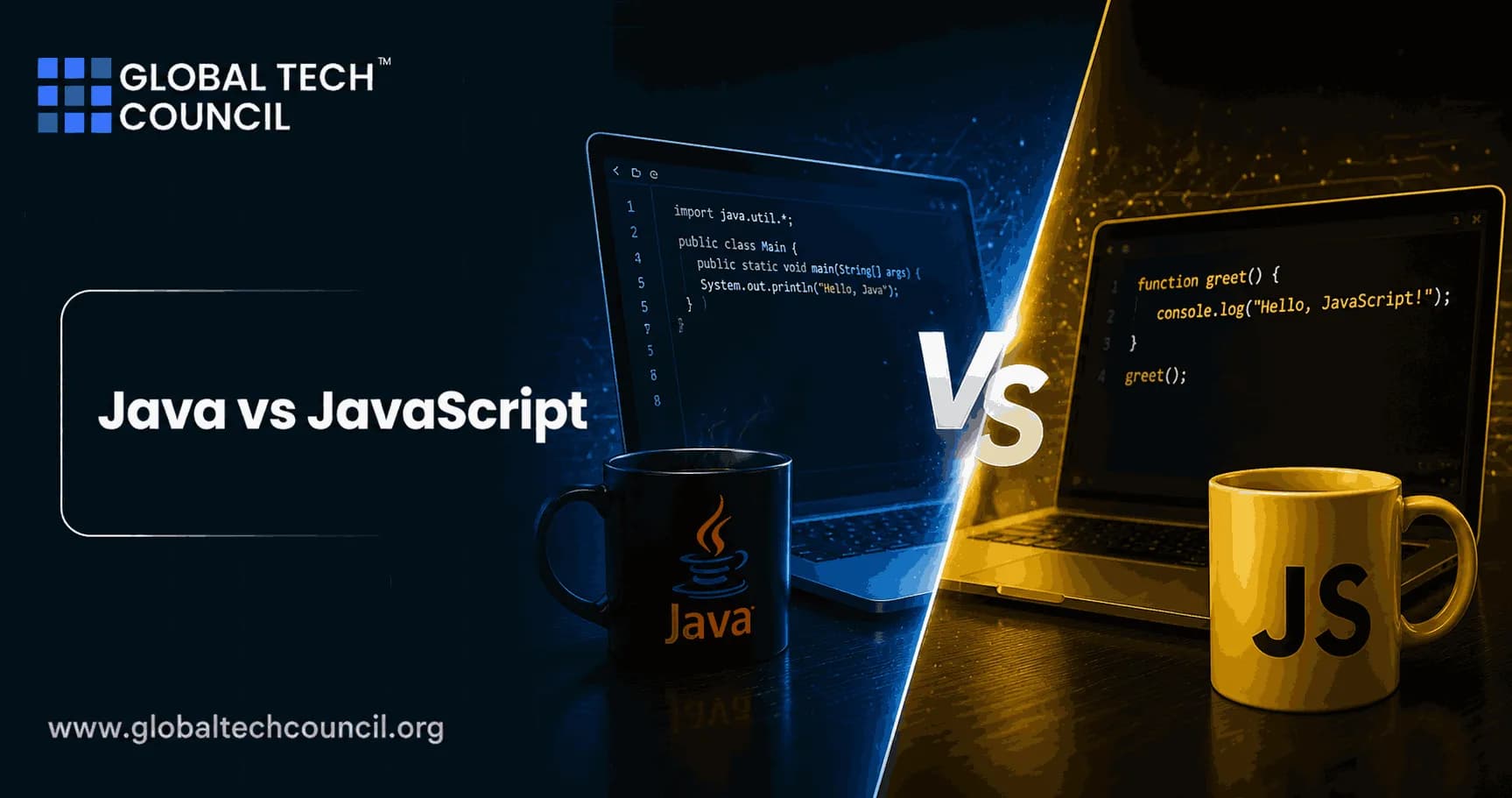
Java vs JavaScript is a common comparison, but the two languages solve very different problems. Java is a statically typed language built for enterprise systems, Android apps, and long running backend services. JavaScript is the language of the browser and, through Node.js, a major choice for full stack web development.
The similar names still confuse beginners. That similarity came from 1990s marketing, not from shared language design. If you are choosing what to learn next, do not ask which language is better. Ask where you want to work, what you want to build, and how much structure you want from the language itself. Although Java and JavaScript share similar names, they serve entirely different purposes in software development. Understanding their strengths helps developers choose the right language based on project requirements and career goals. Pursuing a Tech Certification helps professionals build expertise in Java programming, backend development, object-oriented programming, Spring Boot, APIs, cloud-native applications, and enterprise software engineering. These industry-recognized certifications prepare developers to build secure, scalable applications while strengthening the technical skills required for modern software development careers.

Java vs JavaScript: The Short Answer
Java is a general purpose, class based, compiled language that runs on the Java Virtual Machine, or JVM. JavaScript is a dynamic scripting language that runs in browsers and on server runtimes such as Node.js.
To be blunt: if your goal is enterprise backend engineering, Android development, or large scale systems, start with Java. If your goal is frontend work, user interfaces, single page applications, or full stack web products, start with JavaScript.
Core Technical Differences Between Java and JavaScript
Typing and syntax
Java is statically typed. You declare the type of a variable, and the compiler checks it before the program runs. That catches many bugs early, especially in large teams.
JavaScript is dynamically typed. A variable can hold a number now and a string later. This makes it quick to write, but it can also hide bugs until runtime. A classic beginner trap is loose equality: 0 == '0' is true in JavaScript, while 0 === '0' is false. In production code, use === unless you have a very specific reason not to.
Execution model
Java source code is compiled into bytecode, then executed by the JVM. That model is why Java applications can run across operating systems when the right JVM is installed.
JavaScript is interpreted or just in time compiled by JavaScript engines such as V8 in Chrome and Node.js. In the browser, JavaScript interacts with HTML, CSS, the DOM, forms, events, local storage, and web APIs.
Object model
Java uses class based object orientation. You design classes, create objects from them, and usually organize applications around packages, interfaces, inheritance, and dependency injection.
JavaScript uses prototypes under the hood. Modern JavaScript has class syntax, but it is still prototype based internally. That distinction matters when you debug inheritance issues or inspect objects in Chrome DevTools.
Concurrency
Java has mature multithreading. It supports multiple threads, executors, synchronization, concurrent collections, and newer features such as virtual threads in Java 21, which were finalized through JEP 444.
JavaScript uses an event loop. In Node.js, I/O operations are non blocking, but your JavaScript code still runs on a single main thread unless you use worker threads or separate processes. This is excellent for chat systems, dashboards, APIs, and real time web apps. It is a poor fit for heavy CPU work unless you design around that limitation. Modern digital applications increasingly combine frontend interfaces, backend systems, artificial intelligence, cloud computing, and intelligent automation into unified technology ecosystems. Becoming a Deeptech Expert helps professionals understand how these emerging technologies interact to power next-generation software solutions. This interdisciplinary perspective enables developers to make informed technology choices while building applications that are scalable, innovative, and adaptable to evolving industry demands.
Where Java Is Used
Java has stayed relevant because it is boring in the best way. Banks, telecom platforms, insurance systems, logistics tools, and government applications often need maintainable code that survives for years. Java fits that environment.
Enterprise applications: Java is widely used for business logic, authentication, billing systems, reporting workflows, and service integrations.
Backend APIs: Frameworks such as Spring Boot, Jakarta EE, and Micronaut are common in server side Java development.
Android apps: Kotlin is now heavily used for Android, but Java remains important in existing Android codebases and SDK examples.
Desktop tools: Java can be used for cross platform GUI applications through Swing, JavaFX, and related libraries.
Large systems: Java appears in distributed services, search systems, data platforms, and infrastructure at major technology companies.
One practical detail candidates often miss: Java errors can look intimidating, but they are usually precise. Since Java 14, helpful NullPointerException messages can show something like Exception in thread 'main' java.lang.NullPointerException: Cannot invoke 'String.length()' because 'name' is null. Learn to read the first meaningful line of a stack trace. It will save you hours.
Where JavaScript Is Used
JavaScript owns the browser. If a page changes without a full refresh, validates a form instantly, opens a modal, updates a cart total, renders a chart, or powers a single page application, JavaScript is probably involved.
Frontend development: JavaScript controls browser behavior, DOM updates, client side routing, and user interactions.
Single page applications: React, Vue, Angular, and Svelte are widely used to build rich web interfaces.
Backend development: Node.js lets you build APIs, web servers, authentication flows, and real time services.
Full stack development: Teams often use JavaScript or TypeScript across frontend and backend codebases.
Mobile and desktop apps: React Native and Electron extend JavaScript into mobile and desktop application development.
A small field note: in Node.js, forgetting await can produce bugs that look random. You might log a pending Promise instead of the data you expected. If you see Promise { <pending> } in your console, check your async function calls before blaming the database. Selecting the right programming language is not only a technical decision but also a strategic business choice. Earning a Marketing Certification helps professionals understand customer needs, product strategy, digital transformation, and market positioning. These business skills enable developers and technology leaders to align software development decisions with organizational objectives while creating products that deliver greater customer value and competitive advantage.
Java vs JavaScript for Performance and Maintainability
Java usually wins when you need predictable performance, strong typing, mature profiling tools, and long term maintainability across large teams. The JVM has decades of optimization work behind it, and Java's strictness pays off when a codebase reaches hundreds of thousands of lines.
JavaScript wins when speed of delivery and user interface work matter most. You can build a working prototype fast, push it to the browser, and share code between frontend and backend. Add TypeScript when the project grows. In my view, serious JavaScript teams should adopt TypeScript early, not after the first production incident.
Neither language is automatically safer or faster. A poorly written Java service can be slow. A well designed Node.js API can handle serious traffic. Architecture matters.
Career Opportunities in Java
Java skills map well to roles where reliability, backend design, and system integration matter. Common job titles include:
Backend Java Developer
Enterprise Application Developer
Spring Boot Developer
Android Developer
Systems or Infrastructure Engineer
Software Engineer in finance, telecom, healthcare, or e commerce
Choose Java if you like structured code, object oriented design, APIs, databases, queues, security controls, and production debugging. Java is also a strong base if you later move into cloud engineering, microservices, or distributed systems.
For internal learning paths, you can pair Java programming study with Global Tech Council courses in programming, cloud, cybersecurity, and data science, depending on your target role.
Career Opportunities in JavaScript
JavaScript is the practical entry point for many web careers. If a company has a website, SaaS dashboard, mobile web app, marketing funnel, or customer portal, it needs JavaScript skills somewhere.
Frontend Developer
React, Vue, or Angular Developer
Node.js Backend Developer
Full Stack Developer
Web Application Developer
UI Engineer
Choose JavaScript if you enjoy building visible features, working close to users, improving page behavior, and shipping product changes quickly. Learn HTML, CSS, accessibility basics, browser DevTools, HTTP, REST APIs, and Git alongside the language. Do not skip those. Framework knowledge without web fundamentals is fragile.
Which Should You Learn First?
Use this simple decision guide:
Learn Java first if you want backend engineering, Android, enterprise systems, or strongly typed programming habits.
Learn JavaScript first if you want web development, frontend engineering, full stack roles, or startup product work.
Learn both if you want to build complete applications where Java powers the backend and JavaScript powers the frontend.
If you are completely new to programming, JavaScript gives faster visual feedback in the browser. That can be motivating. Java, however, teaches discipline earlier: types, classes, interfaces, build tools, and project structure. There is no universal winner.
Future Outlook
Java is not fading. Its ecosystem keeps moving through modern JVM releases, Spring Boot updates, cloud native deployment patterns, and better concurrency support. Enterprises do not rewrite stable platforms just because a newer language trends on social media.
JavaScript will remain central to the web because browsers run it natively. Node.js, TypeScript, React, and related tooling make it a long term skill for full stack teams. The weak spot is ecosystem churn. You need judgment. Not every new framework deserves your weekend.
Next Step for Your Learning Path
If your target is backend or Android work, build a Java REST API with Spring Boot, connect it to PostgreSQL, add tests, and deploy it. If your target is web development, build a JavaScript or TypeScript app with a real API, authentication, form validation, and browser based error handling.
Then formalize the skill. Explore relevant Global Tech Council programming and software development certifications as internal learning paths, and choose the certification route that matches the job you actually want.
FAQs
1. What Is the Difference Between Java and JavaScript?
Java is a general-purpose, object-oriented programming language primarily used for backend development, enterprise software, and Android applications. JavaScript is a scripting language mainly used to create interactive web pages and full-stack web applications.
2. Are Java and JavaScript Related?
No. Despite their similar names, Java and JavaScript are different programming languages with distinct syntax, runtime environments, use cases, and development ecosystems.
3. Which Is Better: Java or JavaScript?
Neither language is universally better. Java is ideal for enterprise software, backend systems, and Android development, while JavaScript is the primary language for frontend web development and is also widely used for backend development with server-side frameworks.
4. What Is Java Mainly Used For?
Java is commonly used for enterprise applications, backend APIs, cloud-native software, Android development, banking systems, healthcare applications, financial services, and large-scale business platforms.
5. What Is JavaScript Mainly Used For?
JavaScript is primarily used for frontend web development, interactive user interfaces, web applications, server-side development, progressive web apps (PWAs), real-time applications, and browser-based software.
6. Which Language Is Easier for Beginners?
JavaScript is often easier to start with because beginners can immediately see results in a web browser. Java has a steeper learning curve but provides a stronger foundation in object-oriented programming and software engineering.
7. Which Language Is Better for Backend Development?
Java is a leading choice for enterprise backend development because of its scalability, security, and mature frameworks. JavaScript is also widely used for backend development, especially for web applications and real-time services.
8. Which Language Is Better for Web Development?
JavaScript is essential for frontend web development and is commonly used across the full web development stack. Java is primarily used to build scalable backend systems that power web applications.
9. Which Language Offers Better Performance?
Java generally provides higher performance for large-scale enterprise applications through JVM optimization and Just-In-Time (JIT) compilation. JavaScript delivers excellent performance for browser-based applications and asynchronous web services.
10. Which Frameworks Are Popular for Java and JavaScript?
Java developers commonly use Spring Boot, Spring Framework, Hibernate, and Jakarta EE. JavaScript developers often work with React, Angular, Vue.js, Node.js, Express.js, and Next.js.
11. Which Language Is Better for Android Development?
Java has long been one of the primary languages for Android application development and remains widely used for maintaining and developing Android applications alongside modern Android technologies.
12. Which Industries Use Java and JavaScript?
Java is widely used in banking, healthcare, finance, telecommunications, government, and enterprise software. JavaScript is used extensively in web development, e-commerce, SaaS platforms, media, education, and technology companies.
13. Should You Learn Java Before JavaScript?
It depends on your career goals. If you want to become a backend or enterprise developer, Java is an excellent starting point. If you're interested in web development and interactive websites, JavaScript is often the better first choice.
14. What Skills Should Developers Learn Alongside Java or JavaScript?
Developers should learn Git, databases, REST APIs, object-oriented programming, data structures, cloud computing, Docker, testing frameworks, debugging, software architecture, and cybersecurity fundamentals.
15. What Common Mistakes Should Beginners Avoid When Choosing Between Java and JavaScript?
Avoid choosing a language based only on popularity. Instead, consider your career interests, preferred development area, project requirements, industry demand, and long-term learning objectives.
16. How Is AI Changing Java and JavaScript Development in 2026?
AI-powered development tools assist developers with intelligent code completion, debugging, documentation, testing, refactoring, code reviews, and workflow automation, improving productivity across both Java and JavaScript development.
17. Which Language Has Better Career Opportunities?
Both languages offer excellent career opportunities. Java remains highly demanded for enterprise software and backend engineering, while JavaScript dominates frontend development and full-stack web development.
18. Can You Learn Both Java and JavaScript?
Yes. Many software developers learn both languages to become full-stack engineers capable of building frontend interfaces with JavaScript and backend services with Java.
19. Which Certifications Can Help Java or JavaScript Developers?
Certifications in Java programming, Spring Boot, JavaScript, frontend development, backend development, cloud computing, DevOps, and full-stack software engineering can strengthen technical skills and career prospects.
20. Should You Choose Java or JavaScript for Your Career?
The right choice depends on your goals. Choose Java if you want to build enterprise software, backend systems, Android applications, or cloud-native services. Choose JavaScript if you're interested in frontend development, interactive web applications, or full-stack web development. Both languages remain among the most valuable programming skills in 2026, offering strong demand, diverse career opportunities, and long-term growth in the software industry.
Related Articles
View All
Java
Java Career Guide: How to Become a Job-Ready Java Developer
A practical Java career guide for becoming job-ready in 2026, covering skills, salary trends, Spring Boot, cloud, AI integration, projects, and certifications.

Java
What Does a Java Developer Do? Roles, Responsibilities, and Career Path
Learn what a Java developer does, including responsibilities, skills, tools, salary outlook, and the career path from junior developer to architect.

Java
Java Developer Roadmap: Skills, Tools, and Certifications to Build a Career
Follow a practical Java developer roadmap covering core Java, JVM skills, Spring Boot, testing, cloud tools, AI workflows, certifications, and portfolio projects.
Trending Articles
The Role of Blockchain in Ethical AI Development
How blockchain technology is being used to promote transparency and accountability in artificial intelligence systems.
AWS Career Roadmap
A step-by-step guide to building a successful career in Amazon Web Services cloud computing.
Top 5 DeFi Platforms
Explore the leading decentralized finance platforms and what makes each one unique in the evolving DeFi landscape.