

Apple Unveils First Touchscreen MacBook Pro, from $2,899

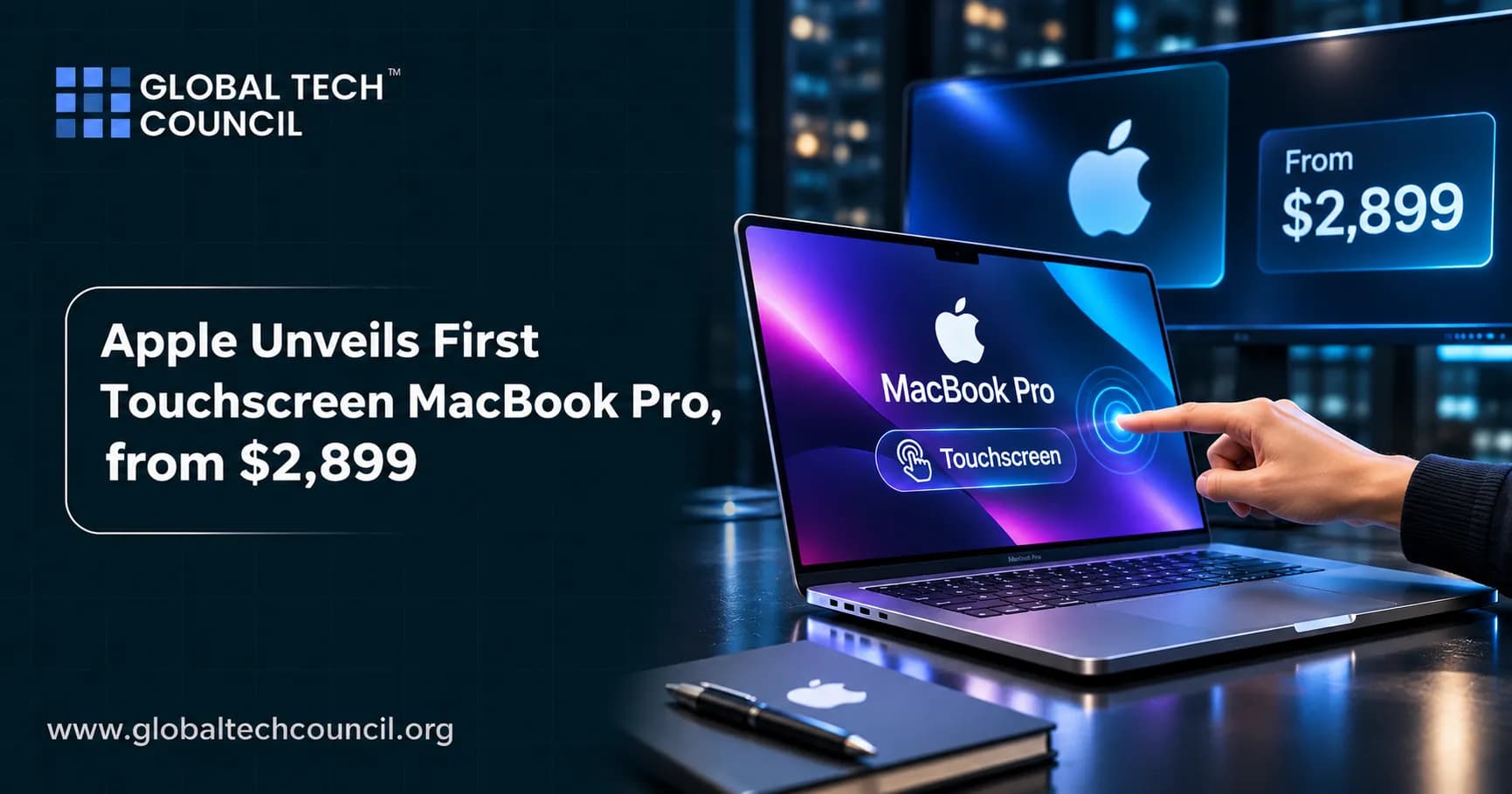
Apple unveils first touchscreen MacBook Pro, and it marks a major shift for Mac hardware. Announced on October 28, 2026, the new MacBook Pro with PROLED XDR Display brings touch to the Mac for the first time, years after Apple resisted the idea. The 14-inch M5 Pro model starts at $2,899 and goes on sale November 6. If you want to understand the AI technology that powers features like these, the Certified Artificial Intelligence (AI) Expert program is a helpful place to start. This article explains the launch in plain language and is information only, not a buying recommendation.
What Did Apple Announce?
Apple introduced the laptop at its “Pro and Tell” event in Los Angeles. You can read the company’s own release in the Apple Newsroom announcement.

Model | Chip | US starting price |
|---|---|---|
14-inch MacBook Pro with PROLED XDR Display | M5 Pro | $2,899 |
16-inch MacBook Pro with PROLED XDR Display | M5 Pro | $3,399 |
14-inch MacBook Pro with PROLED XDR Display | M5 Max | $4,499 |
16-inch MacBook Pro with PROLED XDR Display | M5 Max | $4,799 |
Preorders opened on October 28 in 30 countries and regions, including the US, through Apple’s website and the Apple Store app. Deliveries and in-store availability begin Friday, November 6. Apple’s chief hardware officer, Johny Srouji, called the new model a monumental step forward for the Mac.
What Is the PROLED XDR Display?
A Tandem OLED Screen
The headline feature is the display. Apple’s PROLED XDR uses tandem OLED technology, which stacks two OLED layers to reach higher brightness while keeping the deep blacks OLED is known for. Apple lists up to 2,000 nits of peak brightness, a 10,000,000:1 contrast ratio, and a 120Hz variable refresh rate. Its product page also lists up to 1,000 nits of sustained full-screen brightness, a useful detail for comparing displays.
Touch Comes to the Mac
Touch is built into the display and works with macOS 27. This is the first time a Mac laptop has a touchscreen. Apple also replaced the camera notch with the Dynamic Island, a feature familiar from the iPhone. Reports say the redesign makes the laptop thinner and lighter, with the 16-inch model at about 4.0 pounds compared with 4.7 pounds for the earlier version. Apple advertises up to 24 hours of battery life.
Why It Matters
For decades, Apple argued that touching a vertical laptop screen was awkward, and it pushed users toward the iPad for touch. The new model shows a change in thinking. Readers who want to see how AI features and new interfaces connect can build practical skills with the Certified Artificial Intelligence (AI) Developer course.
What Chips and Specs Power It?
The touchscreen models use M5 Pro or M5 Max chips, not the newer M6 chip. Apple’s separate non-touch 14-inch MacBook Pro with M6 starts at $1,999 and also ships November 6. Other details from the announcement and coverage:
Memory and storage: The base 14-inch M5 Pro model has 24GB of unified memory and a 1TB drive. Storage goes up to 4TB with M5 Pro and up to 16TB with M5 Max, and memory goes up to 128GB with M5 Max.
Software: macOS 27 with Touch built in, plus Siri AI and Apple Intelligence.
Target users: Reports say Apple is betting that the new display will attract creative professionals, developers, and others who need machines that can handle AI tasks locally.
How Much More Does It Cost?
The touchscreen 14-inch M5 Pro starts at $2,899. Coverage says the earlier 14-inch M5 Pro MacBook Pro started at $2,199, so the new model is about $700 higher at the entry point. Top configurations can climb much higher, with some reports putting the ceiling above $14,000 for fully loaded versions. For many buyers, the non-touch M6 model at $1,999 may be the more affordable choice.
Because pricing and configurations differ by country, check Apple’s local site for exact numbers. Following how hardware, chips, and software fit together takes broad technical literacy, and a Deep Tech Certification path can help learners understand the systems behind devices like this.
When Can You Buy It?
The November 6 Date
Apple says the laptops begin arriving and appear in Apple Stores and at authorized resellers on Friday, November 6. The 14-inch M5 Pro model goes on sale that day, though some configurations may ship later. One report said that as of November 2, the base 14-inch touchscreen model was quoted to ship after November 6. Delivery estimates can change, so check Apple’s order page for current dates.
Component Costs and Supply
Apple has said memory costs are rising sharply, which could limit supply of some Mac and iPad products in the holiday quarter. That makes early ordering worthwhile for anyone who wants a particular configuration.
Why Is This a Major Shift for Mac Hardware?
A Break From the Past
Apple’s co-founder Steve Jobs once dismissed the idea of a touchscreen laptop as other companies introduced them years ago. The new MacBook Pro shows Apple is now willing to blend the Mac and the touch experience, while still keeping the keyboard and trackpad.
A Wider Product Push
The launch comes with a wave of other Apple products this fall, including the iPhone Duo, updated iMacs, and updated iPads. Apple also reported record September quarter revenue of $114.5 billion on November 2, as covered in our earnings article, though it warned that memory costs will squeeze margins.
Competition
Windows laptops have offered touchscreens for years, so Apple is catching up in one sense. The difference is price and design. Apple is aiming at the high end, and a National News report quoted an analyst saying the model has enough unique features to justify its price compared with other touch laptops.
Who Should Consider It?
Creative professionals: The bright, high-contrast display may suit photo, video, and color-critical work.
Developers and AI users: Powerful M5 chips and large memory options help with local AI tasks.
Everyday users: Most people may not need this price tier. Waiting for independent reviews is sensible.
Current MacBook Pro owners: One reviewer advised waiting for independent tests before paying to replace a recent machine.
What Questions Remain?
Real-world touch experience: How well macOS 27 handles touch on a vertical screen will become clear in reviews.
Battery in practice: Apple’s 24 hour figure is a maximum under specific tests.
Shipping times: Some models may arrive after November 6.
Durability and screen care: Touch screens collect fingerprints and may need different care.
A Quick Glossary for Beginners
OLED: A display where each pixel makes its own light, giving deep blacks.
Tandem OLED: A design that stacks two OLED layers for more brightness.
Nit: A unit of display brightness.
Refresh rate: How many times per second the screen updates.
Dynamic Island: A pill-shaped area at the top of the screen that shows alerts and activity.
Unified memory: Memory shared by the processor and graphics in Apple chips.
What Should Beginners Keep in Mind?
Do not decide based on one headline, and read independent reviews before buying.
Compare configurations, since price depends heavily on chip, memory, and storage.
Check Apple’s official pages for current prices and delivery dates.
Only spend money you can afford, and consider whether you need the premium features.
Where Can You Find Official Information?
Announcement: The Apple Newsroom release.
Product pages: The MacBook Pro section on apple.com for specifications and comparisons.
Display details: Apple’s technical paper on the PROLED XDR display, linked from its product page.
Conclusion
Apple unveils first touchscreen MacBook Pro with a tandem OLED PROLED XDR display, M5 Pro or M5 Max chips, and prices that start at $2,899 for the 14-inch model and $3,399 for the 16-inch. Preorders are open, and the laptops go on sale November 6. It is a bold change in direction for a company that long argued against touch on laptops.
The sensible approach is to read independent reviews, compare it with the cheaper M6 MacBook Pro, and check delivery dates before deciding. Clear communication matters when a product changes a long-held position, and a recognised Marketing Certification can help professionals explain such launches in honest, simple language that builds trust.
FAQs
1. What Is Apple's First Touchscreen MacBook Pro?
Apple's first touchscreen MacBook Pro is a redesigned professional laptop featuring a touch-enabled PROLED XDR display. Announced on October 28, 2026, it combines touchscreen functionality with Apple's M5 Pro and M5 Max processors and the familiar macOS experience.
2. How Much Does the Touchscreen MacBook Pro Cost?
The touchscreen MacBook Pro starts at $2,899 for the 14-inch model and $3,399 for the 16-inch version in the United States. Higher-end configurations with M5 Max processors cost considerably more.
3. When Will Apple's Touchscreen MacBook Pro Be Available?
Apple announced the device on October 28, 2026. Pre-orders opened following the announcement, with deliveries and retail availability scheduled to begin on November 6, 2026.
4. What Makes the Touchscreen MacBook Pro Different From Previous Models?
The biggest change is the addition of native touchscreen functionality to the MacBook Pro. It also introduces tandem OLED display technology, a Dynamic Island interface, a redesigned hinge, and a thinner, lighter design.
5. What Is Apple's PROLED XDR Display?
PROLED XDR is Apple's new tandem OLED display technology for the touchscreen MacBook Pro. It delivers improved contrast, deeper blacks, vibrant colours, and high brightness for professional creative workflows.
6. How Bright Is the New MacBook Pro Display?
The PROLED XDR display supports peak brightness of up to 2,000 nits for both HDR and SDR content. It also features a 10,000,000:1 contrast ratio and a variable refresh rate of up to 120Hz.
7. Which Processors Power Apple's Touchscreen MacBook Pro?
The new MacBook Pro uses Apple's M5 Pro and M5 Max processors. These chips are designed to handle demanding professional workloads, including video editing, software development, 3D rendering, and AI-related tasks.
8. Does the Touchscreen MacBook Pro Support Apple Intelligence?
Yes. The new MacBook Pro supports Apple Intelligence through macOS 27 and includes Siri AI integration. Its M5 Pro and M5 Max processors provide computing capabilities for AI-powered features and demanding applications.
9. How Does Touchscreen Functionality Work on macOS?
The touchscreen allows users to interact directly with applications and on-screen content. Users can scroll through webpages, zoom into images, move presentation slides, and arrange windows using touch gestures. Apple has also introduced system gesture APIs for developers creating dedicated touch experiences.
10. Does the Touchscreen MacBook Pro Replace the Keyboard and Trackpad?
No. The touchscreen is an additional input method rather than a replacement for the keyboard and trackpad. Users can continue working with traditional Mac controls while using touch whenever it makes a task easier.
11. What Is Dynamic Island on the New MacBook Pro?
Dynamic Island is an interactive display feature introduced to the Mac with the new MacBook Pro. It provides access to features such as Spotlight, Live Activities, and Siri AI, making important information and controls easier to access.
12. How Much Battery Life Does the New Touchscreen MacBook Pro Offer?
Apple advertises up to 24 hours of battery life on the new MacBook Pro. Actual battery performance will depend on the processor configuration, applications, display brightness, and workload.
13. How Much RAM and Storage Does the New MacBook Pro Support?
The touchscreen MacBook Pro supports up to 128GB of unified memory and up to 16TB of storage. These configurations are designed for professionals handling large creative projects, complex development environments, and demanding computing workloads.
14. Is the Touchscreen MacBook Pro Suitable for Video Editing?
Yes. Its powerful M5 processors, high-resolution tandem OLED display, and touch controls make it suitable for professional video editing. Applications such as Adobe Lightroom and DaVinci Resolve can also take advantage of touch interactions.
15. Can Designers and Artists Use the MacBook Pro Touchscreen?
Yes. Designers can interact directly with images, illustrations, and creative projects. Apple also highlights potential uses in 3D modelling, music production, photography, and other professional creative workflows.
16. Which Connectivity Options Are Available on the Touchscreen MacBook Pro?
The new MacBook Pro includes:
Three Thunderbolt 5 ports
HDMI connectivity
SDXC card reader
MagSafe 3 charging
3.5mm headphone jack
Wi-Fi 7 and Bluetooth connectivity
These options support professional peripherals, external displays, storage devices, and high-speed data transfers.
17. How Is the New Touchscreen MacBook Pro Different From the MacBook Pro With M6?
Apple introduced the touchscreen MacBook Pro as a separate premium lineup featuring M5 Pro and M5 Max processors. The standard MacBook Pro with M6 is a different product configuration without the new touchscreen PROLED XDR display.
18. Why Did Apple Take So Long to Introduce a Touchscreen Mac?
Apple historically prioritised keyboard and trackpad interaction for Mac computers while developing touch-based experiences for the iPhone and iPad. The company has now introduced touchscreen functionality as an additional way to support professional workflows without abandoning traditional Mac controls.
19. Who Should Consider Buying the Touchscreen MacBook Pro?
The device is primarily designed for professionals who need powerful computing performance and direct screen interaction, including:
Video editors and filmmakers
Graphic designers and photographers
Software developers
3D artists and animators
Musicians and creative professionals
Researchers and engineers
Its premium pricing makes it more suitable for users who can benefit from its advanced features.
20. What Does Apple's First Touchscreen MacBook Pro Mean for the Future of Laptops?
The touchscreen MacBook Pro represents a major change in Apple's laptop strategy. By combining traditional desktop computing with direct touch interaction and advanced OLED technology, Apple is expanding how professionals can work with digital content. Its success could influence future Mac designs and increase competition in the premium laptop market.
Related Articles
View All
News
Apple Overtakes Nvidia as the World's Most Valuable Company
Apple closed October 30 worth about $5.03 trillion versus Nvidia’s $4.93 trillion, retaking the title of world’s most valuable company as investors favored lower AI spending commitments.

News
Apple Posts Record $114.5B Quarter, but Stock Dips on Weak Margin Outlook
Apple posted record September quarter revenue of $114.5 billion in John Ternus’s first report as CEO, with iPhone up 17% and Mac up 24%, but shares dipped as memory costs weighed on the margin outlook.

News
Tesla Roadster: Is It the World’s First Flying Car?
Tesla’s new Roadster leaped into the air at a SpaceX test site, but is it really the world’s first flying car? Learn how it works, its versions, claimed specs, reservations and the hurdles ahead.
Trending Articles
The Role of Blockchain in Ethical AI Development
How blockchain technology is being used to promote transparency and accountability in artificial intelligence systems.
AWS Career Roadmap
A step-by-step guide to building a successful career in Amazon Web Services cloud computing.
Top 5 DeFi Platforms
Explore the leading decentralized finance platforms and what makes each one unique in the evolving DeFi landscape.