
AI Agent Traffic: A Practical Guide for Developers and Tech Teams

Your application was designed for people clicking through screens. Increasingly, it is also serving people who work alongside AI assistants, and autonomous agents that call your APIs and use your tools without a person watching each step.
For developers, platform engineers and security teams, this is no longer a future concern. It shows up in logs, rate limits, support tickets and product analytics today. This guide explains how to think about AI agent traffic, why familiar tools only partly help, and how to move from visibility to safe, sensible policies.

Three Kinds of Actors Now Share Your Application
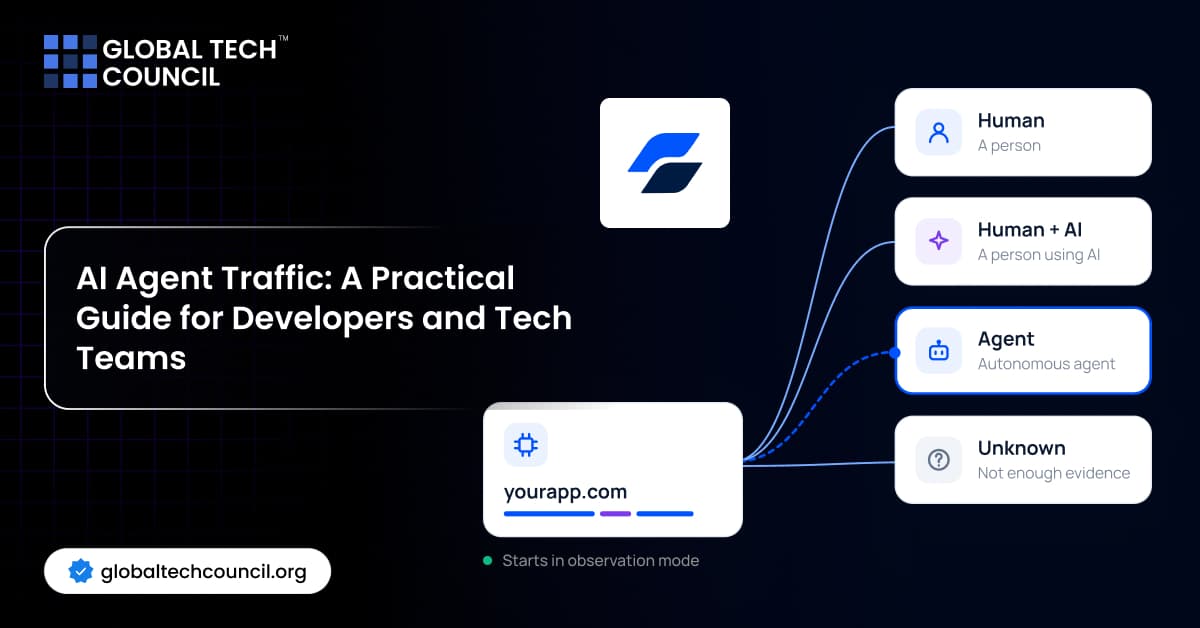
It helps to stop thinking of traffic as "humans versus bots". A more useful picture has three kinds of actors, plus an honest fourth category:
Human: a person directing the interaction through the interface you designed.
Human + AI: a person still in control, but with an AI assistant drafting, summarizing or deciding alongside them.
Agent: software acting on a goal, sometimes for a person and sometimes for a business, with no one approving each step.
Unknown: interactions where the evidence is not strong enough to say.
The hard part is that all of these can arrive through the same account. A customer might edit a record by hand in the morning, ask an assistant to rewrite it in the afternoon and let an agent export everything overnight. Authentication sees the same valid session each time. That is why actor classification should describe an interaction, a session segment or an action, never an account permanently.
Why Familiar Tools Only Answer Part of the Question
Most teams already run tools that touch this problem. Each answers a different question:
Bot management asks whether traffic looks like unwanted automation to block or challenge. But many agents are legitimate users.
CAPTCHA asks whether a visitor can pass a human test. It adds friction for people, breaks legitimate agents and says nothing about AI assistance.
Authentication asks whether a credential is valid. It cannot tell you who is acting right now.
Product analytics counts sessions and events. It does not separate human, AI-assisted and agent activity, and it cannot drive policy.
User-Agent allowlists trust what a client says about itself, which anyone can copy.
None of these is wrong. They simply were not built to give an application an evidence-backed view of the actor it can act on.
Separate the Class From the Evidence
The most useful habit a tech team can build is to record two things for every classification: the actor class and the evidence basis behind it.
Evidence comes in four strengths. Verified evidence is a check that passed, such as a request signature validated against a published key under HTTP Message Signatures (RFC 9421). Declared evidence is a statement, such as a client naming itself or a user disclosing AI assistance, and it can be false. Inferred evidence is a conclusion from behavioral signals and can be wrong. Unknown means the evidence was insufficient.
Keeping these apart prevents a common mistake: treating a self-declared agent exactly like a verified one. It also makes every decision explainable. "Agent, verified: request signature valid" tells a reviewer far more than an unexplained score.
What to Watch in Each Context
The evidence available, and the decisions that matter, change with where the interaction happens.
Websites. Browser, edge and server signals each tell part of the story. Label each piece of evidence with its source so a browser signal is never mistaken for a server-side check. Many agents read content rather than submit forms, so consider serving them structured content.
APIs. Keep agent identity separate from the API key. A key tells you which customer account is calling; a verified signature tells you which agent operator sent the request. Allow low-risk calls freely, require more for high-impact ones and rate-limit per operator rather than per IP address alone. AgentCredia's guide to understanding who is calling your API covers this pattern in more depth.
MCP servers. Model Context Protocol servers expose tools directly to AI clients, which makes tool-level policy essential. Read-only tools can stay open, while tools that write, delete or move data should require explicit confirmation, separate from the credential that authorizes the call. See how this applies to knowing who is calling your MCP server.
SaaS applications. Map workflows by sensitivity. Agents often concentrate on a small number of routes, such as search, reporting and export, which is where policy work pays off first.
Roll Out Policies in Three Steps
Changing how an application treats its users carries risk. Experienced teams move in deliberate steps.
Observe. Classify every interaction and record its evidence without changing anything. Learn your real mix of actors per route.
Preview. Draft a policy and run it against real traffic to see exactly what it would have allowed, challenged or held for review.
Enforce. Turn the policy on route by route, only once the team is confident in what it will do.
For each route, choose from five actions: allow, adapt (for example, serve structured content), challenge, review or rate-limit. Then decide fallbacks before you need them. When the result is Unknown, evidence is missing or a check times out, low-impact routes usually fail open and high-impact routes usually fail closed or go to review. A slow check should never silently become a pass.
Mistakes to Avoid
Writing one global rule for every agent instead of matching policy to the impact of each route.
Treating a User-Agent header as identity.
Counting Unknown as Human to keep dashboards tidy.
Treating a valid agent signature as permission for high-impact actions.
Enforcing before previewing, and discovering false positives through support tickets.
Using actor signals alone for consequential decisions about people, such as hiring, credit or access to essential services.
Skills Worth Building Now
For tech professionals, agent traffic is creating demand for a specific mix of skills: understanding HTTP and signature verification, designing authorization that separates identity from permission, building observability by route and workflow, and running safe policy rollouts. These sit at the intersection of backend engineering, security and product thinking, and they will matter more as agent traffic grows.
Where Proof of Actor Fits
Proof of Actor by AgentCredia is an application-level layer built around the approach in this guide. It gathers the available actor signals, labels each result as Human, Human + AI, Agent or Unknown with its evidence basis, and shows actor traffic by route with the unknown rate always visible. Teams then set per-route policies, preview them on real traffic and enforce them with explicit fallbacks. It starts in observation mode, so nothing in the application changes until the team chooses. You can see how it works step by step.
Conclusion
AI agents are becoming everyday users of applications, APIs and MCP servers. Teams that can see who is acting, label how strong their evidence is and roll out policies carefully will serve both people and agents well. Teams that cannot will end up guessing, with blocked customers on one side and unchecked risk on the other.
Developers and platform teams can request early access to Proof of Actor.
Frequently Asked Questions
How can I tell if traffic to my app comes from an AI agent?
Combine several kinds of evidence and keep them labeled separately: verified request signatures, declarations such as User-Agent headers, and behavioral signals. When the evidence is too thin to decide, record the interaction as Unknown rather than guessing.
Can I detect when a user is working with ChatGPT or another AI assistant?
Only where the assistance is declared or observable inside your own integration. If someone pastes AI-written text from another tab or another device, that usually leaves no trace in normal web traffic. Design policies that do not assume otherwise.
Should I block AI agents from my API?
A blanket block is rarely the right answer, because many agents act for your own customers. Set policy per route instead. Let verified agents use low-risk endpoints, rate-limit high-volume ones, and require separate authorization for anything that changes or exports data.
What do fail-open and fail-closed mean for agent policies?
They define what happens when a result is Unknown, evidence is missing or a check times out. Fail-open lets the request continue, which suits low-impact routes. Fail-closed stops it or sends it to review, which suits high-impact routes.
What is observation mode, and why start there?
Observation mode classifies every interaction and records its evidence without changing how your application behaves. It shows your real mix of actors per route before any policy affects a user. It also gives you the baseline you need to preview policies safely.
Related Articles
View All
Agentic AI
Agentic AI Tech Stack Guide: Orchestration, Memory, Tooling, and Deployment
A practical agentic AI tech stack guide covering orchestration frameworks, memory layers, tool interfaces, observability, and deployment patterns for reliable production agents.

Agentic AI
How to Use Meta Muse for Free: A Complete Guide
Learn how to use Meta Muse for free, get started with Meta’s personal AI agent, connect supported apps, and explore features for shopping, travel, emails, and everyday tasks.

Agentic AI
Meet Muse: Meta's New AI Agent That Can Book Trips, Send Emails, and Shop
Meet Muse, Meta’s new AI agent designed to help users book trips, send emails, shop online, and manage everyday digital tasks more efficiently.