

What Is Claude Looping? A Complete Beginner's Guide
 Suyash Raizada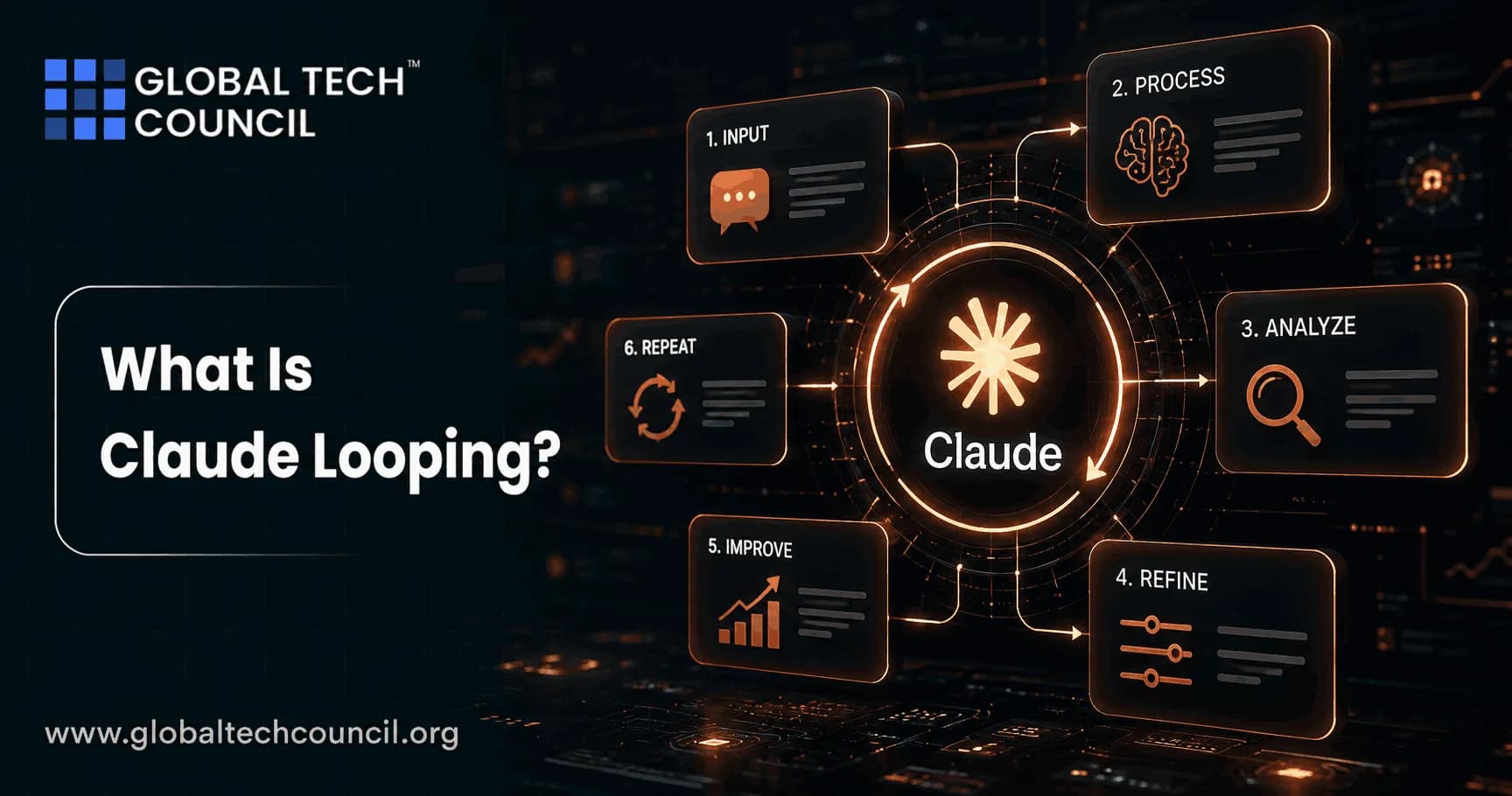
Something fundamental has shifted in how professionals interact with AI in 2026. Specifically, the conversation in developer, analyst, and tech communities has moved away from writing better individual prompts and toward designing autonomous, self-running AI systems. At the center of this shift is a concept called Claude Looping-one of the most discussed AI workflow techniques of the year.
Furthermore, Claude Looping is no longer an experimental workaround invented by enthusiasts. In June 2026, Anthropic shipped native loop commands directly into Claude Code, and Boris Cherny-Head of Claude Code at Anthropic-publicly stated: 'I don't prompt Claude anymore. I have loops running that prompt Claude and figuring out what to do. My job is to write loops.' Consequently, this single statement captured the essence of a broader industry transition.

For professionals exploring AI certifications, the ability to understand, design, and manage loop-based AI systems is becoming a critical competency. Moreover, practitioners who hold a recognized Tech Certification are better positioned to work with these emerging agentic architectures, since formal training provides the structured knowledge base that casual experimentation rarely develops efficiently. Therefore, this guide is written for beginners who want to understand Claude Looping from first principles-and build a foundation for working with autonomous AI systems effectively.
What Is Claude Looping?
At its simplest, Claude Looping is the practice of designing a system that automatically and repeatedly prompts the Claude AI agent-evaluating its output after each cycle, deciding whether a defined goal has been met, and either stopping or continuing-without requiring a human to manually review and re-prompt at each step.
Specifically, traditional AI usage follows a linear pattern: a person writes a prompt, reads the output, decides what to do, and writes another prompt. This makes the human the loop-constantly directing, reviewing, and redirecting the AI. In contrast, Claude Looping reverses this relationship. The human defines a goal, designs the system that generates and verifies prompts, and then steps back while the AI works autonomously toward completion.
Moreover, the term 'loop engineering' was formally named by Addy Osmani in his June 7, 2026 essay, which accumulated 6.5 million views within days. Consequently, it crystallized a methodology that developers and AI practitioners had been building toward for the prior eighteen months. Furthermore, the technique's roots trace back to Geoffrey Huntley's 'Ralph Wiggum' method in July 2025-a simple Bash while loop that fed Claude the same prompt repeatedly until a task was completed.
The Core Insight: Replace Yourself as the Prompter
The fundamental insight behind Claude Looping is deceptively simple. Specifically, as AI models become more capable, the bottleneck in AI-powered work is no longer the quality of any single response. Instead, it is the operational overhead of the human sitting between each prompt and the next.
Therefore, loop engineering moves the human's role from operator inside the cycle to architect of the system that runs the cycle. Consequently, the design of the loop-what the goal is, what 'done' looks like, how errors are handled, how much the loop is allowed to spend on tokens-becomes the primary skill rather than the wording of any individual prompt.
Furthermore, Peter Steinberger, creator of the OpenClaw framework, stated it plainly: 'You shouldn't be prompting coding agents anymore. You should be designing loops that prompt your agents.' As a result, this framing has become the foundational philosophy of agentic AI workflow design in 2026.
The Origins and Rapid Evolution of Claude Looping
Understanding where Claude Looping came from helps beginners appreciate why it became so significant so quickly. Specifically, the evolution from manual prompting to loop engineering happened across three distinct phases.
2024: The Era of Prompt Engineering
In 2024, the dominant skill in AI-assisted work was writing better prompts. Specifically, practitioners invested significant effort in crafting precise, well-structured instructions that produced higher-quality single responses. Furthermore, context management, role assignment, and output formatting were the primary levers professionals used to improve AI output quality.
However, this approach had a structural ceiling. Specifically, every new task required a human to intervene, review, and re-direct. As a result, productivity gains were real but bounded by the speed of human review cycles.
2025: The Era of Multi-Agent Parallel Execution
In 2025, the dominant shift was running multiple AI agents in parallel. Specifically, practitioners began assigning different aspects of complex tasks to separate agent instances, coordinating their outputs through shared context files and structured handoff protocols. Furthermore, the Ralph Wiggum technique emerged in July 2025 as the first widely adopted loop methodology-using a simple Bash script to feed Claude the same prompt in a while loop until a completion condition was met.
Consequently, the technique proved that iterative autonomous execution was both feasible and productive for well-scoped tasks. Moreover, it demonstrated that the intelligence in the system came from clear specifications and verifiable outcomes, not from any single model interaction.
2026: The Era of Loop Engineering
June 2026 marked the formal arrival of Claude Looping as a first-class capability. Specifically, Anthropic shipped native loop commands directly into Claude Code with the release of version 2.1.139 on May 11, 2026, followed by dynamic workflow capabilities in version 2.1.154 on May 28, 2026. Consequently, what had been a community workaround became a supported product feature.
Furthermore, Addy Osmani's viral 'Loop Engineering' essay established a comprehensive six-component framework-automations, worktrees, skills, connectors, sub-agents, and memory-that mapped almost exactly onto the command set already built into Claude Code. Therefore, the technical infrastructure and the conceptual framework arrived at nearly the same time, accelerating adoption significantly.
How Claude Looping Works: The Technical Mechanics
For beginners, understanding the internal mechanics of Claude Looping is essential before attempting to design one. Specifically, every loop operates through a consistent cycle that repeats until a defined stopping condition is satisfied.
The Basic Agent Execution Cycle
Inside Claude Code, the agent execution cycle for a loop works as follows. Specifically:
• Step 1 - Receive: The agent receives the current prompt, conversation history, and available tool definitions.
• Step 2 - Evaluate: The agent assesses the current state of the task relative to the defined goal.
• Step 3 - Act: If action is needed, the agent issues a tool call-reading a file, running a test, editing code, or calling an API.
• Step 4 - Integrate: The result of the tool call re-enters the context window, and the agent processes the updated state.
• Step 5 - Check: A separate, small verification model (Claude Haiku by default) judges whether the goal condition is satisfied.
• Step 6 - Continue or Stop: A 'no' from the verifier sends the agent back to Step 2. A 'yes' stops the loop automatically.
Consequently, this cycle continues until the goal is met or a defined turn or budget limit is reached. Furthermore, the separation of the worker (the agent that does the task) from the checker (the separate model that verifies completion) is the most important structural principle in reliable loop design. Specifically, as practitioners have noted, a single model cannot reliably grade its own homework.
The Three Native Loop Commands in Claude Code
Claude Code ships three primary commands that implement Claude Looping natively. Specifically, each command serves a distinct purpose:
/loop - Scheduled Repetition
The /loop command re-runs a prompt or command at a defined interval. Specifically, it is best suited for monitoring tasks, recurring checks, and maintenance workflows where the same evaluation is needed on a regular schedule. Furthermore, a loop without an until condition runs indefinitely until manually stopped.
Example usage:
/loop every 30m: check for new critical vulnerabilities in package.json dependencies
/goal - Condition-Based Completion
The /goal command defines a verifiable end state and keeps Claude working across multiple turns until that condition is satisfied. Specifically, after every turn, a separate judge model checks whether the goal has been met and returns a yes or no decision with a reason. Consequently, the loop stops automatically when the condition is true.
Example usage:
/goal all tests in test/auth pass and lint is clean, or stop after 20 turns
Dynamic Workflows (ultracode) - Parallel Sub-Agent Orchestration
Added in Claude Code version 2.1.154 on May 28, 2026, dynamic workflows allow the AI itself to write the work procedure and distribute it across dozens to hundreds of parallel sub-agents. Consequently, this enables complex multi-component tasks to be completed simultaneously rather than sequentially. Furthermore, this capability requires the ultracode keyword and is designed for large-scale, well-structured engineering tasks.
The Six Building Blocks of a Well-Designed Claude Loop
Addy Osmani's foundational framework-now widely adopted as the standard reference for Claude Looping design-identifies six core components that every reliable loop needs. Specifically, these map almost exactly onto the features built into Claude Code.
1. Automations: The Heartbeat of the Loop
Automations are scheduled triggers that start the loop independently-on a timer, a Git event, a continuous integration signal, or an API call. Consequently, the human no longer needs to initiate the loop manually. Furthermore, Claude Code's Routines feature enables cloud automations that run on Anthropic's servers even when the developer's laptop is closed. Therefore, work continues overnight and between sessions without any human presence.
2. Worktrees: Isolation for Parallel Agents
When multiple agent loops run simultaneously, file access collisions are a primary failure mode. Specifically, two agents writing to the same file creates conflicts identical to two engineers committing to the same lines without communication. Consequently, Git worktrees solve this by providing each agent with its own isolated working directory on its own branch, sharing the same repository history without the possibility of interfering with other agents' work.
3. Skills: Persistent Project Knowledge
Skills are saved instruction sets stored in SKILL.md files that teach the agent how a specific team or project handles a particular type of task. Specifically, instead of the agent re-discovering conventions on every loop iteration, skills provide reusable context that persists across sessions. Consequently, a well-written skills library eliminates the need to re-explain project conventions and dramatically reduces token consumption per session.
4. Connectors: Integration with Real-World Tools
Connectors are plugins that give the loop access to the actual tools an organization uses-Gmail, Slack, GitHub, Linear, databases, and more. Specifically, connectors enable the agent to act on real systems rather than operating in isolation. Furthermore, the Model Context Protocol (MCP) is the standard interface through which Claude Code connects to external services. Consequently, a loop with the right connectors can open pull requests, update tickets, send messages, and trigger external processes autonomously.
5. Sub-Agents: Separating the Maker from the Checker
The sub-agent pattern is the most important structural concept in reliable Claude Looping. Specifically, one sub-agent performs the task (the 'maker') while a separate, independent sub-agent verifies the output against the specified criteria (the 'checker'). Consequently, the agent that produced the work never grades its own output-eliminating a critical source of self-reinforcing errors. Therefore, this pattern is what allows loops to run for extended periods without producing subtly wrong outputs that no one catches.
6. Memory: Continuity Between Loop Sessions
Memory is the mechanism that gives a Claude Looping system continuity across sessions. Specifically, Claude Code starts every session with no memory of previous interactions. Therefore, a dedicated progress file-typically a plain Markdown document outside the chat session-records what the loop has tried, what succeeded, what failed, and what remains open. Consequently, when the loop resumes, it reads the progress file first and picks up exactly where the previous session ended, rather than repeating completed work.
Open Loops vs. Closed Loops: Which Type Do You Need?
Understanding the distinction between open and closed loops is essential for beginners designing their first Claude Looping workflows. Specifically, the two types serve different purposes and carry different cost and risk profiles.
Closed Loops: Deterministic, Verifiable, and Cost-Controlled
A closed loop has a clear, programmatically verifiable stopping condition. Specifically, examples include 'all tests pass and lint is clean,' 'all files in the directory have been renamed,' or 'no functions exceed 40 lines.' Consequently, the checker model can return an unambiguous yes or no after each iteration, and the loop terminates reliably when the condition is satisfied.
Furthermore, closed loops are cost-predictable because the number of iterations is bounded by the complexity of the task and the turn cap. Therefore, closed loops are strongly recommended for beginners and for any production workflow where runaway token costs would cause problems.
Open Loops: Exploratory but Expensive
An open loop gives the agent a wide exploratory space-a goal exists, but the path to it is not pre-specified, and the agent is free to try multiple approaches. Specifically, open loops can produce creative and unexpected outcomes that more constrained workflows would not generate. Consequently, they are promising for research tasks, creative generation, and complex problem decomposition.
However, open loops consume tokens aggressively. Specifically, every tool call in an agentic loop adds context that is re-sent to the model on every subsequent call. By iteration 20 in a loop with file reads, cumulative input can exceed 50,000 tokens per call. Furthermore, a loop running 200 iterations on an open-ended task can cost $80 or more at current Claude Opus 4.8 pricing. Consequently, beginners should start with tightly scoped closed loops before experimenting with open architectures.
Advanced Claude Looping Concepts for Aspiring Practitioners
Once the basics are clear, several more sophisticated concepts distinguish effective Claude Looping practitioners from beginners. Specifically, mastering these ideas is what separates loops that work reliably from loops that fail in subtle and expensive ways.
CLAUDE.md: The Only Signal That Survives Sessions
Claude Code starts every new session with no memory of previous work. Specifically, the CLAUDE.md file is the only context that persists automatically across sessions-it is read at the start of every run. Consequently, a well-written CLAUDE.md is one of the highest-leverage investments a practitioner can make in their looping infrastructure.
Furthermore, the CLAUDE.md should contain the project's conventions, what the loop has learned from past failures, and any constraints the agent must respect. Specifically, practitioners recommend treating it as the 'standing orders' of the loop-concise, precise, and updated every time the loop encounters a new failure mode. Therefore, the habit of writing lessons into CLAUDE.md after every loop run dramatically improves performance over time.
Token Cost Management: The Discipline That Makes Loops Viable
Token cost management is the most commonly neglected aspect of Claude Looping for beginners. Specifically, agentic loops compound token costs in a way that single-prompt interactions do not. Every tool call adds context that is re-transmitted to the model on each subsequent turn. Consequently, a loop that seems inexpensive in the first five iterations can become very costly by iteration fifty.
Therefore, practitioners recommend starting every new loop with a slow cadence, a tight goal condition, and a conservative turn cap. Furthermore, context compaction-actively managing what information the model carries into each new turn-is a critical skill for keeping loop costs sustainable. Specifically, unnecessary context accumulation is both more expensive and typically produces worse outputs as the context window fills.
The Checker Is the Most Important Part of Any Loop
The single most emphasized concept across all Claude Looping literature in 2026 is the critical importance of the checker. Specifically, if the stopping condition cannot be verified programmatically, a loop will stop whenever the agent 'feels like it is done'-which is not a reliable stopping condition for production workflows.
Consequently, experienced practitioners define goal conditions in terms of verifiable evidence: tests pass, lint is clean, files match a pattern, a count reaches zero. Furthermore, the /goal command's architecture enforces this discipline by using a separate judge model (Claude Haiku by default) that reads the completion condition and the current transcript and returns an explicit yes or no with a reason. Therefore, the checker is not an optional feature of loop design-it is the feature that makes autonomous loops trustworthy.
Moreover, professionals who want to build mastery in these concepts can benefit significantly from a dedicated Claude AI Expert certification. Specifically, structured training that covers Claude's agentic capabilities, loop design principles, governance frameworks, and advanced deployment patterns gives practitioners the systematic knowledge that self-directed learning often leaves incomplete. Consequently, certified practitioners typically design more reliable, cost-efficient, and maintainable loop architectures from the start.
Real-World Use Cases for Claude Looping
One of the most compelling aspects of Claude Looping is how broad its application is across different professional contexts. Specifically, the technique is not limited to software engineers-it is relevant for any professional who performs repetitive, evaluable, multi-step workflows.
Software Development and Code Quality
Software development is the most mature application domain for Claude Looping. Specifically, documented use cases include:
• Automated test repair: Loops that identify failing tests, attempt fixes, verify corrections, and repeat until all tests pass.
• Code documentation: Loops that traverse a codebase file by file, generate missing JSDoc comments, and stop when 100% coverage is achieved.
• Dependency security auditing: Loops that check package.json for vulnerabilities on a 30-minute schedule and flag anything requiring human review.
• Large-scale refactoring: Loops that migrate components from legacy patterns to new design system tokens across an entire codebase.
• Overnight development: A developer left Claude Code running unattended for three months using loop patterns. It built a working compiler.
Research and Data Analysis
Research professionals use Claude Looping to automate iterative data processing workflows. Specifically, loops can monitor data sources on a schedule, identify items meeting defined criteria, process those items through structured analysis pipelines, and compile findings into reports-without requiring human initiation for each cycle.
Furthermore, the ability to run discovery agents at regular intervals-summarizing yesterday's CI failures, scanning for new regulatory changes, or tracking competitor activity-and deliver findings directly to a project board or inbox replaces hours of manual monitoring work each week.
Marketing, Content, and Business Operations
Business and marketing professionals represent a growing population of Claude Looping practitioners in 2026. Specifically, non-technical users can design loops through Claude Code's browser-based Routines interface without any coding knowledge. Consequently, loops that sort and process incoming emails, generate scheduled reports, maintain content pipelines, and update project status documents are accessible to non-developers.
Furthermore, professionals who want to apply loop engineering techniques to marketing and business strategy benefit from combining their AI workflow skills with a structured Marketing Certification that grounds automation design in customer strategy and commercial outcomes. Specifically, this combination equips practitioners to design loops that serve marketing objectives-not just operational efficiency-by connecting AI automation to audience development, campaign performance, and revenue impact. Consequently, this skillset is increasingly valuable as marketing operations integrate agentic AI into core workflows.
IT Operations and Systems Management
IT operations teams use Claude Looping for continuous monitoring, automated incident triage, and proactive maintenance workflows. Specifically, scheduled loops that monitor system health metrics, identify anomalies, attempt remediation, and escalate unresolvable issues to human operators are replacing substantial volumes of manual monitoring work. Furthermore, loops that audit access permissions, check compliance configurations, and generate maintenance reports on defined schedules reduce the administrative overhead of systems management significantly.
Common Mistakes Beginners Make with Claude Looping
Awareness of common failure patterns protects beginners from expensive and frustrating early experiences with Claude Looping. Specifically, five mistakes appear most frequently in community documentation and practitioner discussions.
Mistake 1: Defining a Goal as a Process Instead of an End State
'Refactor the code' is a process. 'Every function has a JSDoc comment and no function exceeds 40 lines' is a verifiable end state. Specifically, the checker model cannot evaluate whether a process is complete-only whether a condition is true or false. Consequently, loops with process-based goals either run indefinitely or stop arbitrarily. Therefore, always define the goal condition as a specific, observable state of the world.
Mistake 2: Letting the Loop Grade Its Own Work
A single model instance cannot reliably evaluate its own output. Specifically, it will confirm completion when patterns match the expected form, even when the underlying logic is wrong. Consequently, always use the /goal command's built-in separate verifier, or design an explicit sub-agent checker, rather than allowing the worker model to self-certify completion.
Mistake 3: Ignoring Token Cost Compounding
Every tool call adds context that is re-sent to the model on every subsequent turn. Specifically, by iteration 20 with file reads in context, cumulative input can exceed 50,000 tokens per call. Consequently, a seemingly inexpensive loop can consume significant API budget quickly. Therefore, always set a turn cap, start with slow cadences, and monitor actual token consumption for the first few days of any new loop.
Mistake 4: Running Parallel Agents Without Worktree Isolation
Two parallel agents writing to the same file will produce conflicts. Specifically, unlike human developers who can communicate about shared files, agents do not negotiate access to shared resources automatically. Consequently, always assign parallel agents to isolated worktrees using the --worktree flag or configure isolation: worktree for sub-agents before running concurrent loops on the same codebase.
Mistake 5: Building a 'Dark Factory' Without Human Oversight
Fully automated loops that generate, review, and merge changes without any human checkpoint are dangerous for all but the most narrowly scoped, low-risk tasks. Specifically, vision-level decisions, architectural choices, and outputs that affect production users require human judgment that no verifier model can replicate. Consequently, experienced practitioners recommend keeping humans in the review chain for any loop output that could affect real users or system integrity.
How to Build Your First Claude Loop: A Step-by-Step Guide
Building a first Claude Looping workflow is more accessible than most beginners expect. Specifically, the following steps apply whether you are using the browser-based Routines interface or the terminal-based Claude Code environment.
Step 1: Choose a Narrow, Verifiable Task
Begin with a task that has a clear, observable completion state. Specifically, good first-loop candidates include: organizing a folder of files by type, checking all links in a document and logging broken ones, generating missing comments for functions in a file, or summarizing a set of incoming emails into a daily digest. Furthermore, the task should be one where failure is harmless-an imperfect loop output on a low-stakes task teaches far more than a production incident.
Step 2: Write the Goal Condition Before Anything Else
The goal condition is the most important thing you will write in any Claude Looping design. Specifically, it must describe a verifiable end state, the evidence required to prove success, and any constraints that must not be violated. Furthermore, adding a hard turn cap (e.g., 'or stop after 20 turns') protects against infinite loops during initial testing. Therefore, write the goal first and review it critically before designing the rest of the loop.
Step 3: Configure the Verifier
If using the /goal command, the built-in checker (Claude Haiku by default) is automatically configured. Specifically, you do not need to build a separate verifier from scratch. However, you should verify that the completion condition you have written can actually be evaluated by the checker-meaning it can determine yes or no from observable evidence without ambiguity.
Step 4: Run a Test with a Conservative Budget
Run the loop for the first time with a very conservative turn cap-10 turns or fewer-and with full monitoring of token consumption. Specifically, this allows you to observe the loop's behavior without the risk of significant unintended cost. Furthermore, review the progress file and tool call history carefully after the first run to understand how the agent interpreted the goal and where it encountered friction.
Step 5: Update CLAUDE.md with Lessons Learned
After every loop run, update CLAUDE.md with any new conventions, failure modes encountered, or constraints that should apply to future runs. Specifically, this is the single habit that compounds most significantly over time. Consequently, a CLAUDE.md that reflects lessons from ten previous loop runs will produce dramatically better results than one that was written once and never updated.
Building Professional Expertise in Claude Looping
As Claude Looping moves from a specialist technique into a mainstream professional skill, formal training and certification are becoming increasingly valuable for practitioners who want to demonstrate competency to employers and clients. Specifically, self-taught knowledge of loop mechanics is valuable, but structured learning that covers architecture principles, cost management, governance, and safety practices provides a substantially more complete and reliable foundation.
Tech Certification: Building the Foundational Framework
Professionals who want to develop structured expertise in AI tools, agentic systems, and the technology infrastructure that supports loop engineering should explore the range of programs available through Tech Certification pathways. Specifically, formal technology certifications provide the systems thinking, security awareness, and engineering methodology that are essential for designing reliable, production-grade AI loop architectures.
Furthermore, certified technology professionals understand the infrastructure considerations-API rate limits, token cost models, monitoring systems, and deployment security-that beginners often discover too late through expensive mistakes. Consequently, a recognized technology credential provides a competitive advantage in a market where Claude Looping expertise is in strong and growing demand.
Claude AI Expert Certification: Mastering the Full Capability Stack
For professionals who want to develop comprehensive expertise specifically in Claude's full capability set-including loop engineering, agentic workflow design, prompt engineering, and governance-a dedicated Claude AI Expert certification provides the most targeted and rigorous training available.
Specifically, this credential covers not only the technical mechanics of Claude Code's loop commands but also the strategic and architectural decisions that separate effective loop designers from those who produce fragile, expensive, or unreliable automations. Consequently, certified practitioners are better equipped to advise organizations, build production-grade agentic systems, and lead AI automation initiatives with demonstrated, verifiable expertise.
Marketing Certification: Applying Loop Engineering to Commercial Strategy
For business, marketing, and strategy professionals who want to apply Claude Looping in commercial contexts, pairing AI workflow expertise with a recognized Marketing Certification provides essential commercial grounding. Specifically, this certification develops the customer strategy, campaign management, and business outcome measurement skills that ensure AI loop implementations serve genuine commercial objectives rather than technical capabilities alone.
Consequently, professionals who hold both credentials are positioned to advise on AI automation from both the operational and the strategic perspective-making them uniquely valuable in organizations where marketing and technology teams need to collaborate on agentic AI deployment. Therefore, this combination is increasingly sought after as AI-powered marketing operations become standard practice across industries.
Conclusion
Claude Looping represents one of the most significant shifts in how professionals interact with AI in 2026. Specifically, it moves the human role from manual operator inside the execution cycle to architect of the system that runs the cycle. Consequently, the value generated by AI tools compounds as the quality of loop design improves, rather than being bounded by how quickly a human can review and re-prompt.
Furthermore, Claude Looping is no longer an advanced technique for specialist developers. With native /loop and /goal commands built into Claude Code, a browser-based Routines interface accessible without terminal skills, and a growing body of practical documentation, beginners can build their first autonomous loop workflow within a single learning session. Therefore, the barrier to entry has never been lower.
Moreover, the professional implications are substantial. Specifically, practitioners who develop genuine expertise in Claude Looping-backed by recognized credentials in technology, Claude AI expertise, and commercial strategy-are positioning themselves at the forefront of a skill category that the entire enterprise AI industry is rapidly prioritizing. As the Head of Claude Code at Anthropic stated: 'My job is to write loops.' Consequently, for anyone who works seriously with AI in 2026, that framing describes the direction of the entire profession.
Therefore, whether you are a developer, analyst, marketer, or technology professional, the time to understand and build fluency in Claude Looping is now. Furthermore, investing in a recognized Tech Certification from a credible platform like Global Tech Council provides the structured, expert-validated pathway to build that fluency systematically and durably-giving you the foundation to lead rather than follow as autonomous AI workflows become the standard mode of enterprise operation.
Frequently Asked Questions (FAQs)
1. What is Claude Looping in simple terms?
Claude Looping is designing a system that automatically and repeatedly prompts the Claude AI agent, evaluates its output after each cycle, and continues or stops based on whether a defined goal has been achieved-without requiring a human to intervene at each step.
2. Who invented the Claude Looping technique?
The foundational technique was coined by Geoffrey Huntley in July 2025 as the 'Ralph Wiggum' Bash loop method. Furthermore, Addy Osmani formally named and systematized the broader 'loop engineering' concept in his viral June 7, 2026 essay, which reached 6.5 million views.
3. What is the difference between /loop and /goal in Claude Code?
The /loop command re-runs a prompt or task at a defined time interval-it repeats on a schedule. In contrast, /goal keeps Claude working across multiple turns until a specific verifiable condition is satisfied, with a separate judge model checking completion after each turn.
4. Do I need coding skills to use Claude Looping?
Not necessarily. Claude Code's browser-based Routines interface allows non-technical users to design loop workflows without any terminal or coding knowledge. Furthermore, the /goal command can be used through Claude Code's interface with plain-language completion conditions.
5. What is the Ralph Wiggum technique?
The Ralph Wiggum technique is the original form of Claude Looping-a simple Bash while loop that feeds Claude the same prompt repeatedly until a task is completed. Specifically, it was named after the Simpsons character and coined by Geoffrey Huntley in 2025. Furthermore, Anthropic later incorporated its principles into the native /loop and /goal commands.
6. Why is the checker so important in a Claude loop?
Because a single model cannot reliably grade its own homework-it tends to confirm completion when outputs match the expected pattern even if the underlying logic is flawed. Consequently, a separate judge model is needed to provide an independent evaluation of whether the goal condition has actually been met.
7. How much does running a Claude loop cost?
Costs vary significantly based on loop complexity, iteration count, and model choice. Specifically, a simple closed loop with 20 turns might cost under $1, while an open loop running 200 iterations with file reads can cost $80 or more. Therefore, always set a turn cap and monitor consumption carefully during initial testing.
8. What is a CLAUDE.md file and why does it matter?
CLAUDE.md is the only context file that persists automatically across Claude Code sessions. Specifically, it contains project conventions, learned constraints, and standing instructions that the agent reads at the start of every run. Consequently, a well-maintained CLAUDE.md dramatically improves loop performance over time.
9. What is a Git worktree and why is it needed for Claude loops?
A Git worktree creates an isolated working directory on its own branch for each agent, allowing multiple parallel agents to work on the same repository simultaneously without creating file access conflicts. Specifically, it prevents the situation where two agents overwrite each other's changes.
10. What are Claude Code Routines?
Routines are cloud automations in Claude Code that run on Anthropic's servers even when the developer's laptop is closed. Specifically, they can be triggered by a schedule, an API call, or a GitHub event. Consequently, they enable truly autonomous loop workflows that persist across work sessions.
11. What is the 'ultracode' dynamic workflow feature?
Dynamic workflows, accessed through the ultracode keyword in Claude Code version 2.1.154 and above, allow the AI itself to write the work procedure and distribute it across dozens to hundreds of parallel sub-agents simultaneously. Consequently, this enables large-scale parallel task execution for complex engineering workflows.
12. What is an open loop vs. a closed loop?
A closed loop has a specific, verifiable stopping condition and terminates when that condition is met. An open loop gives the agent an exploratory space without rigid stopping criteria. Specifically, closed loops are cost-predictable and reliable; open loops are more creative but significantly more expensive and harder to control.
13. Can Claude Looping be used outside software development?
Yes. Claude Looping is applicable for research monitoring, data processing, content pipeline management, email triage, report generation, IT operations, marketing automation, and many other professional domains. Furthermore, non-coding interfaces make loop design accessible to business and marketing professionals.
14. What is loop engineering?
Loop engineering is the practice of designing systems that prompt AI agents on a schedule and against a goal, rather than writing individual prompts manually. Specifically, the skill involves defining verifiable goals, managing token costs, isolating parallel agents, and building memory mechanisms that give loops continuity across sessions.
15. What is context compaction and why does it matter for loops?
Context compaction is actively managing what information the model carries into each new turn to prevent unnecessary token accumulation. Specifically, as context windows fill up, model performance degrades and costs increase. Consequently, effective context management is essential for running cost-efficient, high-performance loops over many iterations.
16. What is the most common beginner mistake in Claude Looping?
Defining a goal as a process rather than a verifiable end state is the most common and consequential beginner mistake. Specifically, 'refactor the code' gives the checker nothing to evaluate, while 'every function has a JSDoc comment and no function exceeds 40 lines' gives an unambiguous stopping condition.
17. How does Claude Looping relate to the broader AI agent trend?
Claude Looping is a specific implementation of the agentic AI trend-where AI systems take autonomous, multi-step actions toward defined goals rather than responding to single queries. Specifically, it represents the practical infrastructure layer through which agentic AI capabilities are expressed in real-world workflows.
18. Is Claude Looping safe for production use?
Closed loops with clearly defined goals, conservative turn caps, human review checkpoints, and proper token monitoring are safe and increasingly common in production. However, fully automated loops that merge code or modify production systems without any human review are not recommended for high-stakes applications regardless of their sophistication.
19. What professional roles benefit most from Claude Looping expertise?
Software engineers, DevOps practitioners, data analysts, AI consultants, technical product managers, IT operations professionals, and marketing operations specialists all benefit substantially from Claude Looping expertise. Furthermore, as agentic AI workflows become standard practice, the skill will become relevant across virtually all knowledge-work professions.
20. How do I get started with Claude Looping today?
Begin by installing Claude Code or opening the browser-based Routines interface. Specifically, choose a narrow, low-stakes task with a verifiable end state, write the /goal condition first, run a test with a conservative 10-turn cap, and review the results carefully. Furthermore, invest in structured training through recognized certification programs to build the architectural knowledge that makes loop design reliable from the beginning.
Related Articles
View All
AI & ML
Jev AI: Complete Guide
Explore Jev AI in this complete guide, covering TypeSafe AI’s System One architecture, RLCD training, parallel sampling, typed decisions, confidence scores, speed, and automation use cases.

AI & ML
Jev AI Explained for Beginners
Jev AI is TypeSafe AI’s first System One Model, designed to make fast, structured decisions that software can use directly for automation and real-time workflows.

AI & ML
Meet Google Playground: Create Games With AI
Meet Google Playground, Google's new experimental platform that lets you create, play, and share custom games with text prompts. Learn how it works, basic game design tips, a sample session, safety and sharing features, Unity Spark plans, and limits.
Trending Articles
The Role of Blockchain in Ethical AI Development
How blockchain technology is being used to promote transparency and accountability in artificial intelligence systems.
AWS Career Roadmap
A step-by-step guide to building a successful career in Amazon Web Services cloud computing.
Top 5 DeFi Platforms
Explore the leading decentralized finance platforms and what makes each one unique in the evolving DeFi landscape.