

Meet NullMotion: The New Open-Source Tool

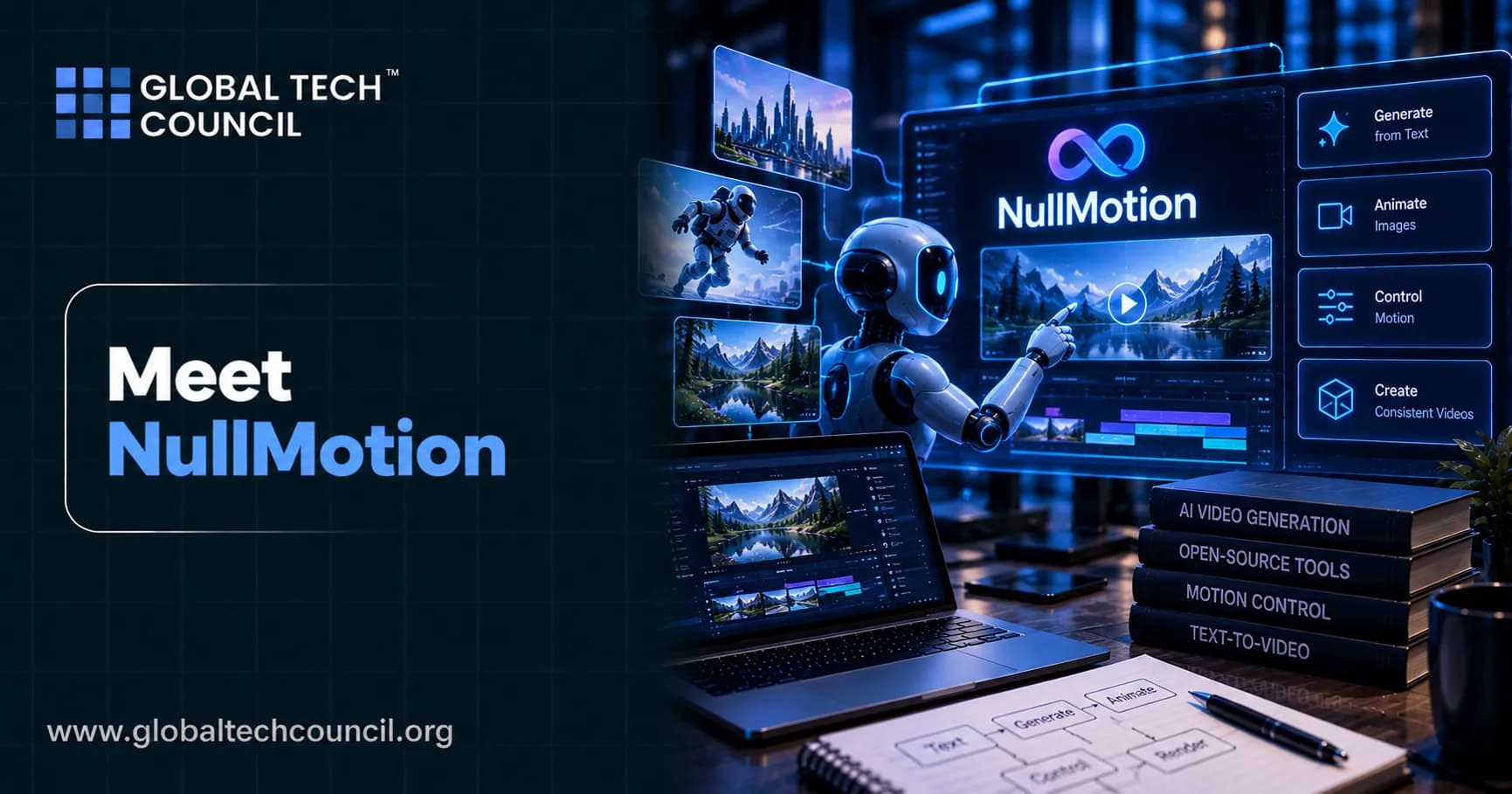
Every polished motion-graphics ad starts life as a rough plan. A few flat shapes, plain black-and-white text, and one simple move per scene. Most viewers never see that early stage. NullMotion changes that. It is a free, open-source tool that plays a finished ad on top, shows the rough drafts it grew from underneath, keeps both in perfect sync, and exports the whole breakdown as a single MP4 video.
The project appeared on GitHub in mid-September 2026 and has already passed 1,100 stars and 100 forks. It runs on your own computer with one command, needs no account, and asks for no API keys. As AI-assisted video workflows spread, many professionals also build formal knowledge of the technology behind them, and a credential such as the Certified Artificial Intelligence (AI) Expert certification is one way to do that. This guide explains what NullMotion is, how it works, how to run it, and who it suits best. It is written in plain language for beginners, with enough detail for professionals.

What Is NullMotion?
NullMotion is a local web tool that places a finished motion-graphics ad above a row of simple draft scenes, one for each section of the film. The drafts are built with HyperFrames, an open-source approach that describes video as HTML, and animated with GSAP, a widely used web animation library. A playhead moves across the page, and the draft that matches the current moment gets an orange outline.
In short, NullMotion shows how a great ad is built, draft by draft and frame by frame. You can use it to study professional work, pitch a concept to a client, or export a behind-the-scenes video of your own project.
Quick Facts About NullMotion
Type: free, local, open-source preview and export tool
Built with: Node.js 22 or newer, HTML, GSAP, and WebCodecs
Dependencies: no runtime dependencies and no install step
Export: 1920 pixels wide, 24 Mbps MP4 with the film's audio
Export browser: Chrome or Edge
Included samples: three reference ads
Local address: http://127.0.0.1:4343
First stable release: version 1.0.0 in early October 2026
Why NullMotion Is Getting So Much Attention
Video tools usually compete on the finished result. NullMotion competes on the story of how the result came to be. That small shift explains much of its quick rise.
A Different Idea in a Crowded Space
Generative tools can now produce video from a text prompt, and people who want to use them responsibly often study through programs like the Certified Generative AI Expert certification. NullMotion takes a different path. It does not generate anything for you. The drafts are written by hand and the tool simply plays them next to the finished film. The repository states this clearly, and its template gallery shows a "not connected" message on purpose because generation services are not part of the project.
That honesty is part of the appeal. You always know what you are looking at: a human-planned idea on the bottom and a human-polished film on top.
Built for Learning and Pitching
Clients rarely see the thinking behind a final video. A side-by-side breakdown lets a designer explain why a hook lasts two seconds, why a logo appears at a certain beat, or why the end card is so simple. Students can pause the page and see that a complex-looking scene often begins as one shape moving in one direction.
Small, Fast, and Easy to Try
The project is tiny by modern standards. It has no packages to install, no keys to configure, and no account to create. You clone it, run one command, and open a browser tab.
Key Features of NullMotion
NullMotion does a few things and does them well. Here is what you get when you open it.
The Finished Film on Top
The full ad plays at full width on a loop. This is the polished version that audiences would see on a website or social feed.
Plain Drafts Underneath
Each section of the film, such as Hook, Reveal, App, and End card, has its own draft. Every draft uses black and white colors, Arial type, flat shapes, and one simple move. The drafts show the idea before the polish was added.
Frame-Accurate Sync
The draft for the section currently on screen follows the film frame for frame. Drafts for other sections keep looping their own part. The result feels like watching a blueprint and a finished building at the same time.
One-Click MP4 Export
Press Download, then choose Whole preview, and NullMotion renders the film and its drafts into one MP4. The export is 1920 pixels wide and uses a 24 Mbps bitrate, which is high enough to keep text and edges crisp. The original audio is included.
Three Showcase References
The repository ships with three sample references so everything works on the first run:
Infinite, Global payments: a 30 second ad with 7 drafts
SaaS, Launch sequence: a 1 minute 2 second film with 8 drafts
Motion study 08: a 3 second clip with 3 drafts
The project notes that these clips come from other creators and are used as examples, not as claims of commissioned work.
How NullMotion Works Behind the Scenes
Under the hood, NullMotion is a neat example of modern browser engineering. Developers who want to go deeper into advanced technology areas often explore a broader Deep Tech Certification path, but even without that, the design here is easy to follow when it is broken into four steps.
Step 1: Splitting the Film Into Sections
A script uses FFmpeg scene detection to split each reference into between three and eight sections at real scene changes. Every cut is kept, so a two-beat draft switches at the exact moment the film cuts.
Step 2: Building the Drafts
Each draft is a small 640 by 360 HTML scene driven by a paused GSAP timeline. A section is described by one or two beats, such as text, logo, phone, window, input, chat, cards, list, chart, or cloud. These beats are written to match the real frame's layout, wording, and timing.
Step 3: Playing Everything in Sync
The page reads the film's own clock and uses it to move every draft's timeline. Because the video is the single source of time, the drafts cannot drift away from it. The active section follows the film while the others loop.
Step 4: Exporting Without Dropped Frames
Export is where the clever engineering shows up. NullMotion plays a hidden copy of the film at half speed. A browser feature called requestVideoFrameCallback captures every decoded frame. The drafts are then drawn at that frame's exact time, and WebCodecs encodes the result at 24 Mbps using the frame's own timestamp. The audio is copied from the reference, and a small library called mp4-muxer writes the MP4 file.
Nothing is recorded in real time. That is why frames are not skipped, even on a busy computer.
How to Install and Run NullMotion
Getting started takes only a few minutes.
What You Need
Node.js 22 or newer: runs the local server
Chrome or Edge: required for MP4 export, while playback works in any modern browser
FFmpeg and ffprobe (optional): needed for importing your own references and extracting audio
Python 3 (optional): needed for the import script
Quick Start Steps
Open a terminal and clone the project:
git clone https://github.com/blixvip/NullMotion.git
cd NullMotion
Start the server with
npm start.Open http://127.0.0.1:4343 in Chrome or Edge.
Pick one of the three references.
Press Download, then Whole preview, to export your MP4.
Helpful Tips
Exports take at least twice the length of the film because it renders at half speed. A 30 second ad can need a minute or more, and you should keep the tab in front while it works, because browsers slow down video in background tabs. If port 4343 is already in use, set the PORT variable, for example PORT=5000 npm start. To open the tool from another device, set HOST to 0.0.0.0. If an imported reference exports without sound, check that FFmpeg is on your system path.
Using Your Own Reference Videos
The three samples are only the start. NullMotion can also work with your own videos through a short pipeline.
First, a Python script imports a project from MotionClone, a companion tool by the same developer that rebuilds reference videos as editable HyperFrames projects. The importer creates non-destructive segments and thumbnails, and it links the source videos when they sit on the same drive as the repository. Otherwise it copies them. Your original files are only ever read.
Second, you run the section planner to detect scene cuts and create contact sheets. Third, you describe each section's beats in a drafts file. Sections you have not described receive placeholder drafts, so the page still works while you build. Imported media stays local and is ignored by Git, so your footage is never pushed to a public repository by accident.
NullMotion vs Null Studio
One point causes confusion, so it is worth stating clearly. NullMotion, the open-source repository, is the free local launch-film preview. Null Studio is a separate hosted product at nullmotion.com. Features such as pause cuts, automatic captions, and vertical clips from YouTube, Twitch, and Kick belong to Null Studio and are not in the open-source code.
If you search for NullMotion and wonder why you cannot find caption tools in the repository, this is the reason. Treat them as two related products with different jobs.
Who Should Use NullMotion?
Motion Designers and Video Directors
If you present work to clients, a breakdown video adds credibility. It proves that the final film came from a clear plan, and it makes portfolio pieces more memorable.
Front-End Developers
The code is a compact lesson in WebCodecs, requestVideoFrameCallback, byte-range streaming, and clock-driven animation. Because there are no dependencies, you can read the whole project in an afternoon.
Students and Educators
Teachers can use the side-by-side view to explain pacing, hierarchy, and timing. Students can learn that strong motion design starts with simple ideas.
Marketers and Agencies
Campaign teams can show stakeholders how a concept moves from outline to launch asset. That helps everyone agree on direction before expensive production work begins.
Building Skills Around Tools Like NullMotion
Open-source tools are a fast way to learn, but tools alone do not make a career. Employers want people who can explain what they built, why they made each choice, and how they handled the technology responsibly. A tool like NullMotion helps because it makes your thinking visible.
As artificial intelligence becomes part of everyday business operations, employers increasingly need people who can apply AI knowledge responsibly and effectively. Evaluating candidates on relevant skills, reasoning, and practical understanding can support stronger hiring decisions. HireValid can be explored by organisations seeking structured candidate assessments.
Limitations and Things to Know Before You Start
NullMotion is young, and a fair review should include its limits.
Drafts are hand-written. You cannot drop in a video and get drafts automatically. Each beat is defined in code.
Export needs Chrome or Edge. Firefox and Safari can play the preview but cannot export.
Export is slow by design. Frame accuracy comes from rendering at half speed.
Some features are not connected. Generation, rendering services, and Premiere hooks return a not-connected response in this repository.
Footage and brands belong to their owners. Reference clips and third-party marks are not covered by the project license.
Check the license yourself. The repository now displays an MIT license, and bundled GSAP and mp4-muxer keep their own licenses. Some early write-ups and forks noted that no license was selected, so read the LICENSE file before any commercial use.
Final Thoughts on NullMotion
NullMotion proves that a small, focused project can feel fresh. It does not chase the newest trend. It simply makes the hidden half of creative work visible, then packages it into a video you can share. For designers it is a storytelling aid, for developers it is a clean study in browser video, and for teams it is a better way to align on ideas.
If your work involves campaigns, launches, or client presentations, pairing a tool like this with structured learning can make you stand out. A Marketing Certification can help you connect creative storytelling with measurable business goals.
The best way to understand NullMotion is to try it. Clone the repository, play the Infinite sample, and watch a simple black-and-white idea grow into a finished ad. You may find that showing your drafts becomes as valuable as showing the final cut.
FAQs
1. What is NullMotion?
NullMotion is an open-source tool that helps motion designers understand how finished motion-graphics advertisements are built. It displays a completed video alongside simplified animation drafts, synchronizes them frame by frame, and allows users to export the breakdown as an MP4 video.
2. Why is NullMotion gaining attention?
NullMotion offers a focused way to study motion-design workflows without requiring a complex editing setup. Its local operation, synchronized previews, and shareable video exports make it useful for learning, creative presentations, and analyzing advertising animations.
3. How does NullMotion work?
NullMotion plays the finished advertisement above simplified black-and-white animation drafts representing individual sections. As the video progresses, a synchronized playhead highlights the corresponding draft, helping users compare the original concept with the final visual result.
4. What are the main features of NullMotion?
Key features include synchronized video playback, scene-by-scene animation drafts, reference-video importing, scene-cut detection through supporting scripts, and MP4 export. The tool is designed to make the relationship between motion-design concepts and finished advertisements easier to understand.
5. Is NullMotion free and open source?
Yes. The NullMotion repository is available under the MIT License, allowing users to inspect, modify, and reuse the code subject to the license terms. Third-party assets and bundled dependencies may have separate licensing requirements.
6. Does NullMotion use artificial intelligence to generate videos?
No. The open-source NullMotion preview tool does not automatically generate videos using AI. It presents finished footage alongside separately prepared animation drafts. Its purpose is to support motion-design analysis and presentation rather than replace AI video-generation tools.
7. Who can benefit from using NullMotion?
Motion designers, video editors, advertising agencies, creative students, and content creators can use NullMotion to study animation timing, visualize creative concepts, explain design decisions, and prepare presentations showing how an advertisement is structured.
8. How can NullMotion help motion designers?
NullMotion allows designers to compare the finished animation with simplified drafts at corresponding points in the timeline. This can help them examine scene composition, transitions, typography, movement, and timing while communicating their creative process more clearly.
9. Can beginners use NullMotion without advanced animation skills?
Yes. Beginners can explore the included reference examples to understand how advertisements are divided into sections and how simple visual ideas develop into finished animations. More advanced users can prepare their own references and corresponding draft descriptions.
10. How do you install NullMotion?
The documented setup requires Node.js 22 or newer. Clone the repository, open a terminal in its directory, and run npm start. Then open http://127.0.0.1:4343 in your browser to view the examples. The included workflow does not require a separate npm install step.
11. Does NullMotion require an API key or account?
No. The local open-source preview can run without an AI API key, online account, or paid subscription. Its included examples are available locally, making it convenient for experimentation and learning.
12. Can users import their own videos into NullMotion?
Yes. Users can prepare their own reference footage using the project's documented import workflow. Supporting scripts use tools such as FFmpeg to process videos and detect scene changes, while corresponding draft descriptions help create the synchronized breakdown.
13. Can NullMotion export videos for presentations?
Yes. NullMotion can export the complete synchronized preview as an MP4 file, including the reference video's audio. The documented export workflow supports Chrome and Microsoft Edge because it relies on browser video technologies.
14. What is the difference between NullMotion and traditional video-editing software?
Traditional video editors focus on cutting, arranging, compositing, and finishing footage. NullMotion focuses on presenting a finished motion-graphics video alongside its simplified drafts. It complements creative workflows but is not intended to replace a full-featured editing or animation application.
15. Can advertising agencies use NullMotion for client presentations?
Yes. Agencies can use it to demonstrate creative concepts, explain animation sequences, and show how individual scenes relate to a completed advertisement. Exported breakdowns can make creative reviews more visual and easier for clients to follow.
16. What are the limitations of NullMotion?
NullMotion has a specialized purpose and requires users to prepare draft descriptions for their own reference footage. It does not automatically reconstruct an animation from a finished video or provide all the features of professional editing software. Export performance also depends on browser compatibility and available system resources.
17. Can developers customize NullMotion?
Yes. Developers can inspect and modify the source code, experiment with new draft-scene elements, improve import workflows, and contribute enhancements. Its relatively lightweight local setup makes it accessible for developers interested in exploring motion-design tooling.
18. Is NullMotion suitable for commercial projects?
It may be useful for commercial creative reviews, presentations, and motion-design analysis. Before commercial use, users should review the MIT License, third-party dependency notices, and the rights associated with any reference videos, logos, music, or other assets included in their projects.
19. How does NullMotion differ from Null Studio?
NullMotion is the local, open-source tool for synchronized motion-design previews and breakdown exports. Null Studio is a separate hosted video-editing product offering features such as captions, pause removal, motion graphics, and additional editing tools. The two products have different capabilities and requirements.
20. Why should creators explore NullMotion?
Creators should explore NullMotion if they want a simple way to study animation structure, demonstrate design ideas, or present the development of motion-graphics advertisements. Its open-source code, local workflow, and synchronized exports make it a practical tool for learning and creative collaboration.
Related Articles
View All
AI & ML
Meet Nanbeige 4.3: The New Open-Source AI Model
Nanbeige 4.3 is a free, open-weight 33B AI model built for agent work such as coding and tool use, with a 512K context window and an Apache 2.0 license. Meet the model, see how it performs, and learn how to get started.

AI & ML
Meet GPT-6.1 Terra: OpenAI’s New AI Model
OpenAI has introduced GPT-6.1 Terra, a mid-sized model with stronger computer use, better image reading and a 50% lower API price. Learn what it does, how it performs, and who should use it.

AI & ML
Meet Gemini 4 Argon: Google’s New AI Model
Google has launched Gemini 4 Argon, a new AI model built for deep, multi-step work in coding, science, law, finance and security. Learn its features, pricing and how to access it.
Trending Articles
The Role of Blockchain in Ethical AI Development
How blockchain technology is being used to promote transparency and accountability in artificial intelligence systems.
AWS Career Roadmap
A step-by-step guide to building a successful career in Amazon Web Services cloud computing.
Top 5 DeFi Platforms
Explore the leading decentralized finance platforms and what makes each one unique in the evolving DeFi landscape.