

Midjourney AI
 Tosh Marketing
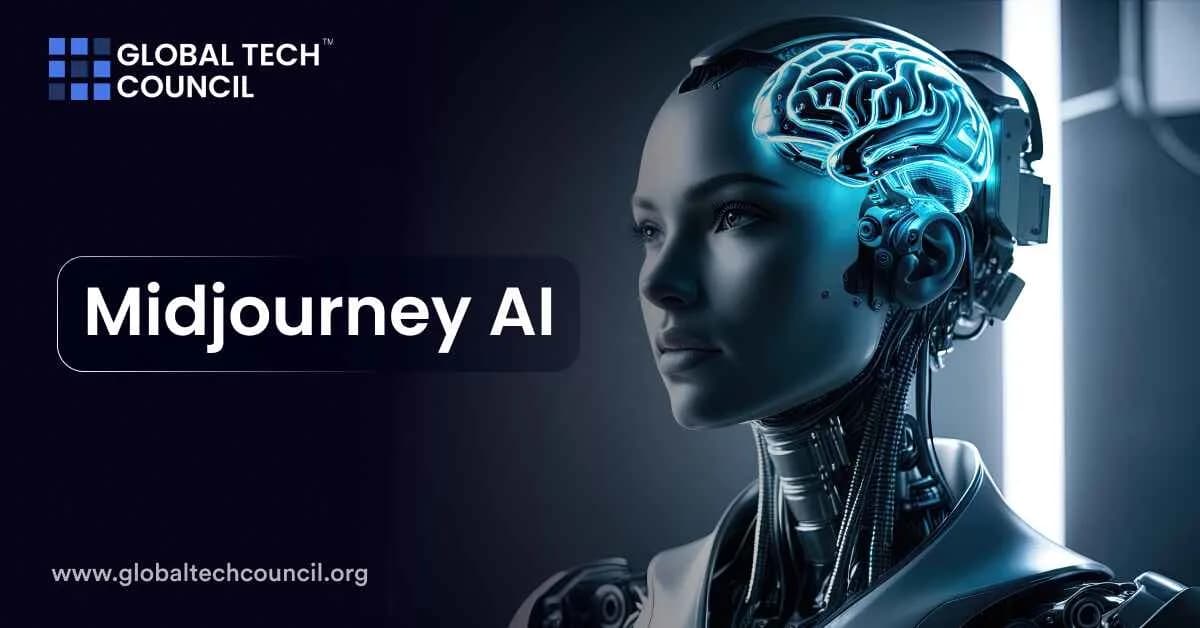
Midjourney AI is transforming how we create and interact with digital art. This AI-powered tool allows users to generate detailed and imaginative images from text prompts.

What is Midjourney AI?
Midjourney AI is an AI tool developed by an independent research lab called Midjourney, Inc. This AI program generates images from text descriptions, similar to other AI tools like DALL-E and Stable Diffusion. The primary use of Midjourney is to transform written prompts into visual artworks, allowing users to create imaginative and detailed images without the need for traditional artistic skills. This tool is particularly popular among artists, designers, marketers, and hobbyists who use it to visualize concepts, create unique art pieces, and explore creative ideas quickly and efficiently.
How Does Midjourney Work?
Midjourney AI converts text prompts into detailed images using machine learning. A large language model (LLM) turns the text into a numerical vector. This guides a diffusion model, which refines random noise into a coherent image using training data. High-performance GPUs handle computations, quickly generating four images. Users can then refine their chosen image with tools for upscaling, variations, and detail adjustments.
Read more on how exactly Midjourney AI works!
How to Get Started with Midjourney — A Step-by-Step Guide
Getting started with Midjourney doesn’t require technical expertise. Here’s a step-by-step guide to help you begin creating AI-generated art using Midjourney:
Sign Up and Join Discord
First, you need to sign up for Discord, as Midjourney operates within it. If you don’t have a Discord account, create one. Once your account is ready, join the Midjourney Discord server by clicking this link.
Choose a Subscription Plan
Midjourney offers different subscription plans to suit various needs and budgets. Review the available plans on the Midjourney website and select the one that aligns with your usage. There’s also a free trial that allows you to generate a limited number of images.
Access the Midjourney Server
After joining the Discord server, navigate to a beginners’ channel, usually labeled as #newbies. Here, you can start creating your art and observe how others use prompts to generate images.
Create Your First Image
In the #newbies channel, type the /imagine command followed by your description. . For example, /imagine a sunset over the ocean. This command sends your request to the Midjourney bot, which processes the text and generates an image.
Refine and Upscale Images
Once the images are generated, you’ll see buttons labeled ‘U1’, ‘U2’, etc., for upscaling, and ‘V1’, ‘V2’, etc., for creating variations. Click on these buttons to enhance the resolution or modify the images as per your preference.
Save and Share Your Art
To save an image, open it in your browser and right-click to select “Save image as…”. Remember, all images created in public channels are visible to others, so for private work, consider subscribing to a plan that offers private mode.
Use Advanced Features
Experiment with additional commands and parameters to fine-tune your art. For example, you can specify the aspect ratio, add weight to certain elements in your prompt, or use the Remix feature to alter your images creatively.
Midjourney Models Explained
Midjourney offers several versions of models, each designed to produce images with different styles and levels of detail:
- V1 to V3: These early versions evolved in their ability to handle image details and aesthetics, improving significantly in image cohesion and realism over time.
- V4: Introduced different stylistic variations (4a, 4b, 4c) that users can select based on the desired detail and style. It was a breakthrough in quality, allowing more complex and diverse image creations.
- V5 and V5.1: These versions refined the aesthetics further, enhancing the clarity and realism of the images, making them more detailed and visually appealing.
- V5.2: Known for its improved color, contrast, and overall image quality. It also introduced greater sensitivity to user prompts for more accurate image creation.
- V6: The latest version, which requires a different prompting style, offers more nuanced interpretations and detailed responses to parts of the prompt.
- Niji Models: Collaborations that focus on anime and illustrative styles, known for their dynamic and character-focused compositions.
How long does it take Midjourney to generate an image?
Generating an image with Midjourney typically takes a few seconds to a couple of minutes, depending on the complexity of the prompt and the server load. The platform provides options like “Turbo,” “Fast,” and “Relaxed” modes that can influence generation speed. Turbo mode is the fastest, suitable for quick iterations, while Relaxed mode is slower but does not count against your usage limits.
How to Save Midjourney Images, and Who Owns Them?
To save images generated by Midjourney, you can download them directly from the Discord server where they are created. Click on the image to open it in full size, then right-click and select “Save Image As” to download it to your device.
As for ownership, images created by Midjourney are typically owned by the user who generated them, but it’s important to note that Midjourney retains certain rights to use these images, especially for improving the model. Also, there have been discussions and legal challenges regarding copyright for AI-generated images, as the U.S. Copyright Office has reevaluated how these works are protected under copyright laws.
Benefits and Use Cases of Midjourney
Midjourney is particularly beneficial for those seeking creative and highly stylized images. Here are some key benefits and use cases:
- Creative Projects: Ideal for artists, designers, and creative professionals who need unique and imaginative visuals. It can mimic various art styles like impressionism, cubism, and surrealism.
- Concept Art: Excellent for generating concept art for games, movies, and other visual media, providing a wide range of stylistic options.
- Community Support: Midjourney’s strong community on Discord offers collaboration, feedback, and support, which is invaluable for new users and ongoing projects.
- Customization: Provides extensive options to adjust image parameters, such as lighting, colors, and more, giving users fine control over the final output.
What is the Difference Between Midjourney and Dall-E 3?
| Feature | DALL-E 3 | MidJourney |
| Ease of Use | Easy to use, integrates with ChatGPT, Bing Image Creator | More effort needed, uses Discord interface |
| Cost | $20/month (ChatGPT Plus) or per-image pricing | Plans start at $10/month based on GPU time |
| Image Style | Works well with various styles, limited customization | Extensive customization options |
| Image Generation Speed | Quick, depends on prompt complexity | Variable, depends on resolution and parameters |
| Editing Features | Basic editing options, less flexibility | Advanced editing tools, including lighting, color adjustments, and more |
| Community and Collaboration | Less active community | Active Discord community, collaborative projects |
| Upscaling | Integrated, consistent results | Available, consumes GPU time |
| Commercial Use | Requires consideration of Microsoft’s terms | Legal implications still under discussion |
| Accessibility | Accessible through various platforms like ChatGPT and Bing | Primarily through Discord |
Is AI Art Legal and Ethical?
AI art legality and ethics revolve around copyright, originality, and artist rights. Legally, AI-generated art can be a grey area since it often uses datasets that include copyrighted works. Ethically, there are concerns about the impact on human artists, including potential job displacement and the devaluation of creative skills. However, AI art is generally legal if it adheres to fair use policies and respects original content creators by not directly replicating their works. The ethical debate continues as the technology evolves, with many advocating for clearer regulations and more transparent use of training data.
Conclusion
Midjourney stands out for its ability to turn words into visually stunning artwork. Its wide range of applications—from marketing to game development—shows how versatile and impactful this tool can be. As technology continues to evolve, Midjourney is poised to remain a key player in the digital art landscape, inspiring creativity and innovation across various fields.
FAQs
1. What is Midjourney AI?
Midjourney is an advanced artificial intelligence tool that generates images from text prompts. It is widely used by designers, artists, and marketers to create high-quality visuals. The platform focuses heavily on artistic and creative outputs.
2. How does Midjourney AI work?
Midjourney uses machine learning models trained on large datasets of images and text. When a user enters a prompt, the AI interprets it and generates corresponding visuals. The process is fast and continuously improving with updates.
3. Is Midjourney AI free to use?
Midjourney offers limited free trials for new users, but most features require a paid subscription. Paid plans unlock advanced capabilities and higher usage limits. This allows users to generate more images and access premium features.
4. Where can you use Midjourney AI?
Midjourney is primarily accessed through Discord, where users interact with the AI using commands. This makes it different from traditional web-based tools. It provides a collaborative and community-driven experience.
5. What can you create with Midjourney AI?
Users can create digital artwork, illustrations, concept designs, logos, and realistic images. The output depends on how detailed and creative the prompt is. It is widely used for creative and professional projects.
6. Is Midjourney beginner-friendly?
Yes, beginners can start using Midjourney with simple prompts and commands. However, mastering prompt writing significantly improves results. With practice, users can generate highly detailed and accurate images.
7. What are prompts in Midjourney?
Prompts are text instructions that guide the AI in generating images. The more descriptive and specific the prompt, the better the output. Prompt engineering plays a key role in achieving desired results.
8. Can Midjourney create realistic images?
Yes, Midjourney can generate highly realistic images depending on the prompt quality. It can mimic photography, painting styles, and cinematic visuals. Results can be extremely detailed and lifelike.
9. Is Midjourney better than other AI tools?
Midjourney is known for its artistic quality and creativity. Other tools may offer better control or editing features. Each tool has its strengths depending on user needs.
10. Can you use Midjourney commercially?
Yes, users can use generated images for commercial purposes depending on their subscription plan. It is important to review licensing terms. This ensures proper and legal usage.
11. What are the limitations of Midjourney AI?
Midjourney may produce inconsistent results if prompts are unclear. It also lacks advanced editing features compared to design software. Users often need additional tools for refinement.
12. Can Midjourney generate logos?
Yes, it can generate logo ideas and concepts. However, these may require further refinement using professional design tools. It is best used for inspiration.
13. Does Midjourney support editing?
Midjourney allows variations, upscaling, and re-generating images. However, detailed editing must be done in external tools. This limits direct customization.
14. What industries use Midjourney AI?
Industries like marketing, gaming, film, and design use Midjourney for visual creation. It helps generate concepts quickly. Adoption is increasing across creative sectors.
15. Is Midjourney safe to use?
Yes, Midjourney follows community guidelines and moderation policies. Users must adhere to content rules. This ensures safe and responsible use.
16. Can Midjourney replace designers?
No, it cannot replace human creativity and expertise. It acts as a tool to assist designers. Human input is still essential for final outputs.
17. What is upscaling in Midjourney?
Upscaling is the process of increasing image resolution and detail. It enhances the quality of generated images. This makes them suitable for professional use.
18. Can Midjourney generate multiple images at once?
Yes, it typically generates multiple variations for each prompt. Users can select the best result. This improves creative options.
19. What is the future of Midjourney AI?
Midjourney is expected to become more advanced with better realism and control. Integration with design tools may improve. AI-generated visuals will continue to evolve.
20. Why should you use Midjourney AI?
It helps create high-quality visuals quickly without advanced design skills. It saves time and enhances creativity. This makes it valuable for professionals and beginners.
Related Articles
View All
AI & ML
What Is Kimi K3?
Kimi K3 is a large language model developed by Moonshot AI, designed for advanced reasoning, coding, multilingual understanding, and AI agent applications. Learn how Kimi K3 works, its key features, use cases, and how it compares with other leading AI models.
AI & ML
How GPT-Live Changes Real-Time AI Assistance for ChatGPT Users
GPT-Live brings full-duplex voice, smarter turn-taking, live translation, and GPT-5.5-backed reasoning to ChatGPT Voice for real-time AI assistance.
AI & ML
GPT-Live-1 and GPT-Live-1 Mini Explained: Features, Use Cases, and Global ChatGPT Access
GPT-Live-1 and GPT-Live-1 Mini bring full-duplex voice, live translation, multimodal answers, and wider ChatGPT access to free and paid users.
Trending Articles
The Role of Blockchain in Ethical AI Development
How blockchain technology is being used to promote transparency and accountability in artificial intelligence systems.
AWS Career Roadmap
A step-by-step guide to building a successful career in Amazon Web Services cloud computing.
Top 5 DeFi Platforms
Explore the leading decentralized finance platforms and what makes each one unique in the evolving DeFi landscape.