

Java Fundamentals: Variables, Data Types, Operators, and Control Flow
 Suyash Raizada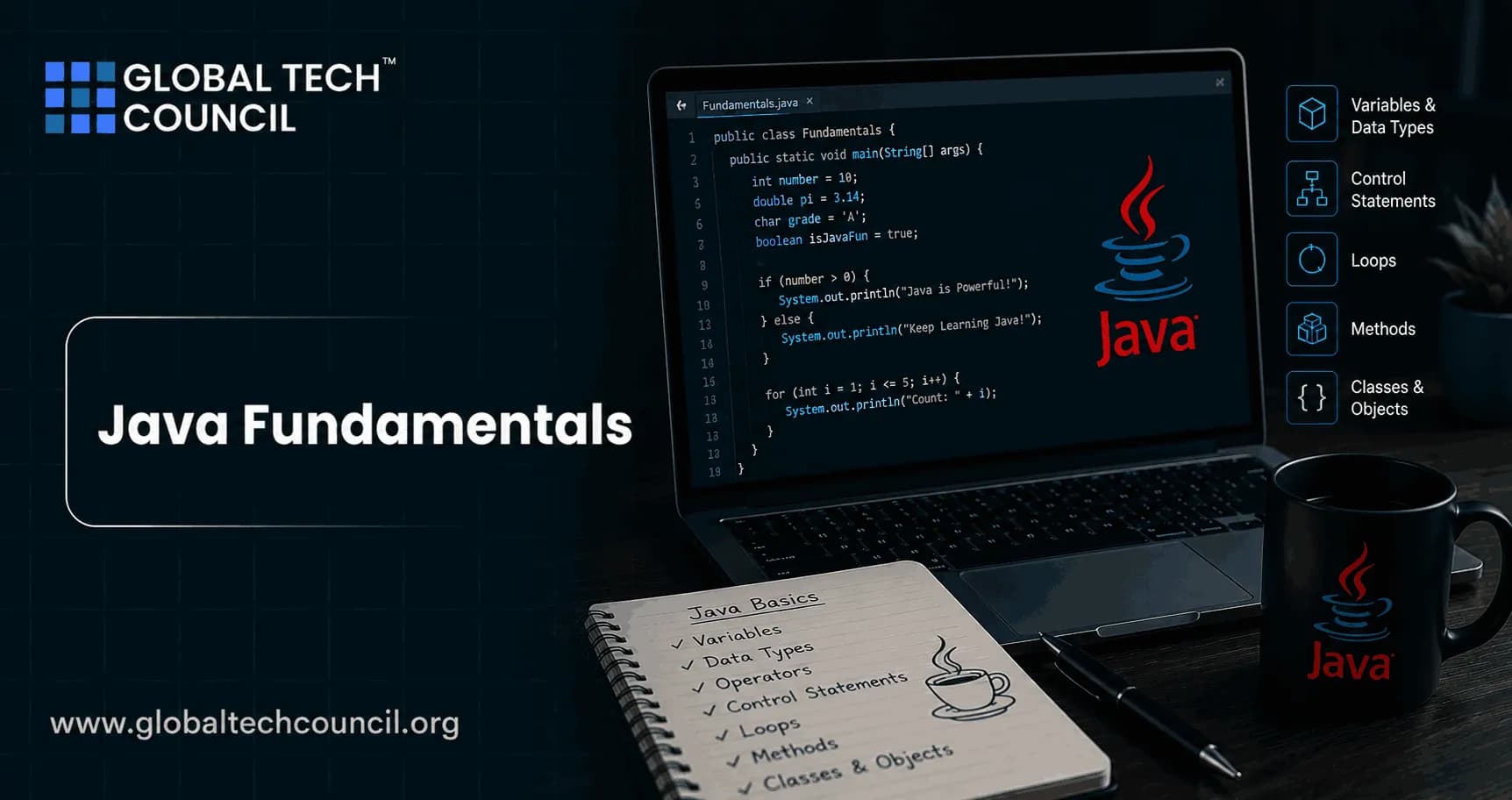
Java fundamentals start with four ideas you use in almost every file you write: variables, data types, operators, and control flow. Get these right and frameworks such as Spring Boot, Android, and Jakarta EE become much easier to reason about. Get them wrong and you spend hours chasing compiler errors that were avoidable.
Java is strongly typed. Every variable and expression has a type, and the compiler checks that type before your code runs. That is not ceremony. It is one reason Java stays common in banking systems, enterprise APIs, cloud services, and long-lived business applications. Oracle's Java documentation and the Java Language Specification both treat these basics as the foundation for safe, predictable programs.

What Are Variables in Java?
A variable is a named storage location for a value. In Java, you declare a variable with a type and a name, then optionally assign a value.
int employeeId = 1024;
double baseSalary = 75000.50;
boolean active = true;
String department = "Finance";
Here int, double, and boolean are primitive types. String is a reference type. The distinction matters. Primitives store values directly, while reference variables store a reference to an object.
Local, Instance, and Static Variables
Java variables usually fall into three groups:
Local variables: Declared inside a method, constructor, or block. You must initialize them before use.
Instance variables: Belong to an object. Each object gets its own copy.
Static variables: Belong to the class itself and are shared across all instances.
Here is a beginner mistake I have seen in code reviews and certification practice labs:
public class Payroll {
    public static void main(String[] args) {
        int total;
        System.out.println(total);
    }
}
javac rejects it because local variables do not receive default values:
Payroll.java:4: error: variable total might not have been initialized
        System.out.println(total);
                           ^
1 error
Instance fields are different. Numeric instance fields default to zero, boolean defaults to false, and reference fields default to null. Do not rely on those defaults for business logic unless the default is genuinely meaningful. Mastering Java fundamentals is the first step toward becoming a skilled software developer. Pursuing a Tech Certification helps professionals build a strong foundation in Java syntax, variables, data types, operators, control flow, object-oriented programming, and backend development. These industry-recognized certifications provide practical experience that enables learners to confidently write efficient code and progress toward enterprise application development and modern software engineering roles.
Java Data Types: Primitive and Reference Types
Java has eight primitive data types. They are stable across Java versions and are still the first thing you should understand before working with collections, streams, or persistence frameworks.
byte: Whole numbers from -128 to 127.short: Whole numbers from -32,768 to 32,767.int: Whole numbers from -2,147,483,648 to 2,147,483,647.long: Larger whole numbers, up to 9,223,372,036,854,775,807.float: Fractional numbers, usually about 6 to 7 decimal digits of precision.double: Fractional numbers, usually about 15 to 16 decimal digits of precision.char: A 16-bit UTF-16 code unit. Be careful: not every modern emoji fits in onechar.boolean: Eithertrueorfalse.
Use int for most ordinary whole-number work. Use long for IDs, counts, timestamps, and values that can exceed the int range. Use double for general decimal calculations, but not for money. For money, prefer BigDecimal, because binary floating point can produce results such as 0.30000000000000004.
Reference Types
Reference types include String, arrays, classes, interfaces, enums, records, and objects created from your own classes. A reference can also be null, which is useful but dangerous.
String name = null;
System.out.println(name.length());
That code compiles. It fails at runtime with a NullPointerException. This is why experienced Java developers check nullability early, use clear object lifecycles, and consider Optional for return values where absence is part of the method contract.
Modern Java and the var Keyword
Java 10 introduced local variable type inference through var, defined by OpenJDK JEP 286. The key point: var does not make Java dynamically typed. The compiler still infers a fixed type at compile time.
var count = 10;          // inferred as int
var message = "Ready";  // inferred as String
Use var when the right-hand side makes the type obvious:
var names = new java.util.ArrayList<String>();Avoid it when it hides intent:
var result = service.process(input);That line tells the reader almost nothing unless process is well known. To be blunt, var is best for reducing clutter, not for hiding poor naming. Every advanced technology solution begins with strong programming fundamentals. Becoming a Deeptech Expert helps professionals understand how foundational programming concepts support artificial intelligence, cloud computing, blockchain, automation, and intelligent software systems. This broader technical perspective enables developers to build reliable applications while preparing for careers involving next-generation technologies and enterprise-scale innovation.
Java Operators You Must Know
Operators define calculations, comparisons, assignments, and logical decisions. The common operator groups are:
Arithmetic:
+,-,*,/,%Assignment:
=,+=,-=,*=,/=Relational:
<,>,<=,>=,==,!=Logical:
&&,||,!Unary:
++,--, unary+, unary-Bitwise and shift:
&,|,^,~,<<,>>,>>>Conditional:
condition ? value1 : value2Type check:
instanceof
Short-Circuit Operators Prevent Real Bugs
&& and || short-circuit. Java stops evaluating as soon as the final result is known.
if (user != null && user.isActive()) {
    System.out.println("Active user");
}
The null check runs first. If user is null, Java never calls user.isActive(). Reverse the order and you get a runtime failure. This exact pattern appears constantly in web services, batch jobs, and interview tasks.
Bitwise Operators Still Matter
You may not use bitwise operators every day in business applications, but they are useful in permissions, flags, protocol code, and low-level integrations.
int READ = 1 << 0;
int WRITE = 1 << 1;
int EXECUTE = 1 << 2;

int permissions = READ | WRITE;
boolean canWrite = (permissions & WRITE) != 0;
If you plan to work in IoT, cybersecurity, networking, or embedded systems, do not skip this section. Global Tech Council learning paths in programming, cybersecurity, and IoT can connect these Java basics with more applied engineering topics.
Control Flow in Java
Control flow decides which statements run, how often they run, and when execution exits a block or method. Oracle's Java Tutorials group these into decision-making, looping, and branching statements.
Decision-Making Statements
Use if, else if, and else when conditions are not simple value matches.
if (total > 1000) {
    applyPremiumBenefits();
} else if (total > 500) {
    applyStandardBenefits();
} else {
    applyBasicBenefits();
}
Use switch when you are selecting behavior based on a known set of values. Java 14 standardized switch expressions through OpenJDK JEP 361, which makes many switch blocks shorter and less error-prone.
String category = switch (statusCode) {
    case 200, 201 -> "success";
    case 400, 404 -> "client-error";
    case 500, 503 -> "server-error";
    default -> "unknown";
};
The older switch statement can still be useful, especially in legacy code. For new code on modern Java, prefer switch expressions when they improve clarity.
Loops: for, while, do-while, and Enhanced for
Choose the loop based on what you know before the loop starts.
Use
forwhen you know the counter or index pattern.Use
whilewhen the loop depends on a condition that may change.Use
do-whilewhen the body must run at least once.Use enhanced
forwhen iterating over arrays or collections without needing the index.
for (int i = 0; i < orders.size(); i++) {
    processOrder(orders.get(i));
}

for (Order order : orders) {
    processOrder(order);
}
The enhanced for version is cleaner when you do not need the index. But if you need to update an item by position, compare neighbors, or remove elements carefully, the indexed loop or an iterator may be the better choice.
Branching Statements
Java gives you three common ways to change normal flow:
break: Exit a loop or switch.continue: Skip the current loop iteration.return: Exit the current method, optionally with a value.
Use them sparingly. A well-placed return can make a method clearer. Five nested break and continue statements usually mean the method needs refactoring. Understanding programming fundamentals also helps developers contribute more effectively to business-focused product development. Earning a Marketing Certification helps professionals strengthen their knowledge of product strategy, customer experience, digital communication, and market-driven innovation. These skills enable developers to better understand user requirements and create software solutions that deliver meaningful business outcomes.
Best Practices for Learning Java Fundamentals
Compile small programs often. The compiler teaches fast. Read the exact error message before searching online.
Know primitive limits. Overflow is quiet in Java integer arithmetic.
Integer.MAX_VALUE + 1wraps around toInteger.MIN_VALUE.Use parentheses for clarity. Operator precedence is defined, but readers should not need a chart to understand your code.
Prefer readable control flow. A simple
ifchain beats a clever ternary expression nobody wants to maintain.Practice with real examples. Model invoices, user permissions, API status codes, and validation rules.
Where These Basics Fit in Your Java Certification Path
If you are preparing for a Java assessment, expect questions that test default values, local variable initialization, numeric promotion, short-circuit behavior, loop boundaries, and switch syntax. Candidates often miss questions where ++i and i++ appear in the same expression. My advice: do not write production code like that, but understand how it evaluates.
For structured learning, use this article as a prerequisite before moving into object-oriented programming, exception handling, collections, generics, streams, concurrency, and Spring-based development. If you are building a broader certification plan, connect it with relevant Global Tech Council programming and software development courses as internal next steps.
Next Step: Build a Small Java Rules Engine
Create a command-line program that calculates an order discount. Use int, double, boolean, and String. Add if-else, a modern switch expression, a loop over sample orders, and at least one short-circuit null check. That small exercise will test the Java fundamentals you will use in real systems. Start your software development journey with the Java Developer Course, where you'll gain practical expertise in Java fundamentals, variables, data types, operators, control flow, object-oriented programming, and enterprise application development. Expand your understanding of intelligent technologies with the Edge AI Expert certification to explore how AI is transforming modern software systems, and complete your professional development with the AI-powered Digital Marketing Course to strengthen product strategy, customer engagement, and digital growth skills.
FAQs
1. What Are Java Fundamentals?
Java fundamentals are the core programming concepts that every Java developer should learn before building applications. They include variables, data types, operators, control flow statements, methods, classes, and basic syntax that form the foundation of Java programming.
2. Why Is It Important to Learn Java Fundamentals?
Learning Java fundamentals helps developers write clean, efficient, and maintainable code. A strong understanding of the basics makes it easier to learn advanced topics such as object-oriented programming, Spring Boot, multithreading, and enterprise application development.
3. What Is a Variable in Java?
A variable is a named memory location used to store data that can be accessed and modified during program execution. Variables allow Java applications to process and manage information dynamically.
4. What Are Data Types in Java?
Data types define the kind of values a variable can store. Java supports primitive data types, such as integers, floating-point numbers, characters, and booleans, as well as reference data types used for objects, arrays, and classes.
5. What Is the Difference Between Primitive and Reference Data Types?
Primitive data types store simple values directly, while reference data types store references to objects created in memory. Primitive types are lightweight, whereas reference types support more complex data structures and object-oriented programming.
6. What Are Operators in Java?
Operators are symbols used to perform operations on variables and values. Java includes arithmetic, comparison, logical, assignment, bitwise, unary, and conditional operators for different programming tasks.
7. What Is Control Flow in Java?
Control flow determines the order in which program statements are executed. Java uses conditional statements, loops, and branching statements to control program logic and decision-making.
8. What Is the Difference Between If-Else and Switch Statements?
The if-else statement evaluates one or more conditions and executes corresponding code blocks, while the switch statement selects one of several possible execution paths based on the value of an expression.
9. What Types of Loops Are Available in Java?
Java supports several looping constructs, including the for loop, while loop, do-while loop, and enhanced for-each loop for iterating over arrays and collections.
10. When Should You Use a For Loop Instead of a While Loop?
A for loop is commonly used when the number of iterations is known in advance, while a while loop is more suitable when the number of iterations depends on a condition evaluated during execution.
11. What Is the Purpose of Break and Continue Statements?
The break statement exits a loop or switch statement immediately, while the continue statement skips the current iteration and moves to the next iteration of a loop.
12. What Are Constants in Java?
Constants are values that remain unchanged during program execution. They are typically declared using the final keyword to prevent accidental modification.
13. How Do Java Variables Support Program Execution?
Variables temporarily store user input, calculation results, configuration values, object references, and application data, enabling programs to process information dynamically and efficiently.
14. What Common Mistakes Do Beginners Make When Learning Java Fundamentals?
Common mistakes include using incorrect data types, leaving variables uninitialized, misunderstanding variable scope, writing inefficient conditional logic, creating infinite loops, and confusing assignment operators with comparison operators.
15. How Can Beginners Practice Java Fundamentals?
Beginners can practice by building simple applications such as calculators, grading systems, number guessing games, temperature converters, banking simulations, and menu-driven console programs.
16. Which Skills Should Developers Learn After Mastering Java Fundamentals?
After learning the basics, developers should study object-oriented programming, collections, exception handling, multithreading, file handling, JDBC, Spring Boot, REST APIs, Git, and software testing.
17. How Are Java Fundamentals Used in Real-World Applications?
Java fundamentals are applied in enterprise software, web applications, Android development, cloud services, banking systems, financial software, e-commerce platforms, and backend application development.
18. How Is AI Supporting Java Learning in 2026?
AI-powered coding assistants help beginners understand Java syntax, explain programming concepts, generate code examples, identify errors, recommend improvements, and provide personalized learning guidance.
19. Are Java Fundamentals Important for Technical Interviews?
Yes. Technical interviews frequently assess variables, data types, operators, control flow statements, loops, methods, arrays, and basic programming logic to evaluate a candidate's core Java knowledge.
20. Why Should Every Java Developer Master Variables, Data Types, Operators, and Control Flow?
These concepts form the foundation of every Java program. Mastering variables, data types, operators, and control flow enables developers to write logical, efficient, and maintainable code while preparing them for advanced Java topics such as object-oriented programming, backend development, cloud computing, and enterprise software engineering. A solid understanding of Java fundamentals is essential for coding interviews, professional software development, and long-term career growth.
Related Articles
View All
Java
Future of Java Development: AI Tools, Cloud-Native Apps, and Emerging Trends
Explore the future of Java development through AI coding tools, cloud-native apps, serverless systems, agentic architecture, and skills Java developers need next.
Java
Java Career Guide: How to Become a Job-Ready Java Developer
A practical Java career guide for becoming job-ready in 2026, covering skills, salary trends, Spring Boot, cloud, AI integration, projects, and certifications.

Java
How Java Powers Android App Development: Basics for New Developers
Learn how Java powers Android app development, why it still matters beside Kotlin, and which Java basics new Android developers should master first.
Trending Articles
The Role of Blockchain in Ethical AI Development
How blockchain technology is being used to promote transparency and accountability in artificial intelligence systems.
AWS Career Roadmap
A step-by-step guide to building a successful career in Amazon Web Services cloud computing.
Top 5 DeFi Platforms
Explore the leading decentralized finance platforms and what makes each one unique in the evolving DeFi landscape.